
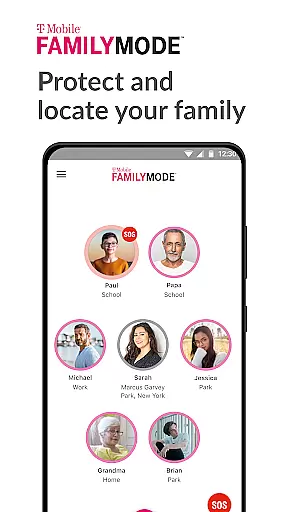
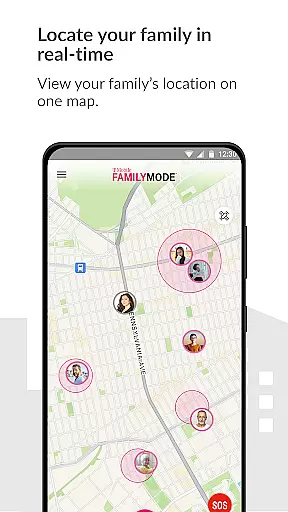
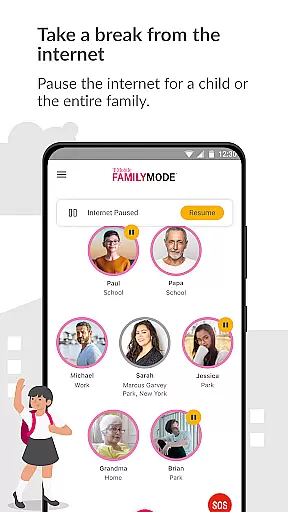
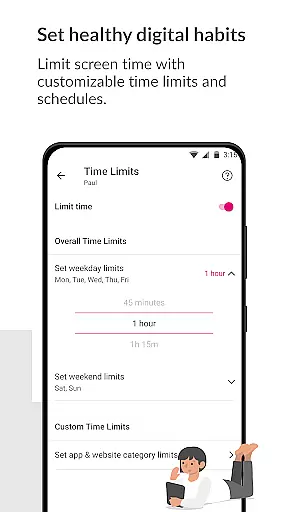
T-Mobile FamilyMode is a comprehensive family safety app designed to help parents manage their children's digital habits while ensuring their safety. The app allows real-time location tracking of family members, helping you stay connected and informed about your loved ones' whereabouts. With features like pausing Internet access during dinner or setting time limits for device usage, FamilyMode makes digital parenting more manageable.
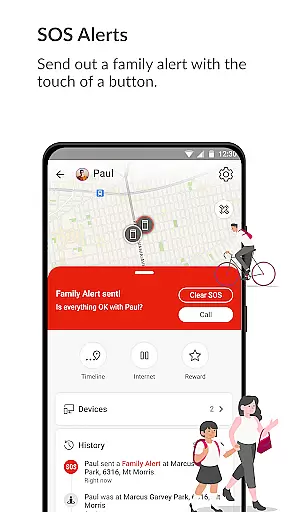
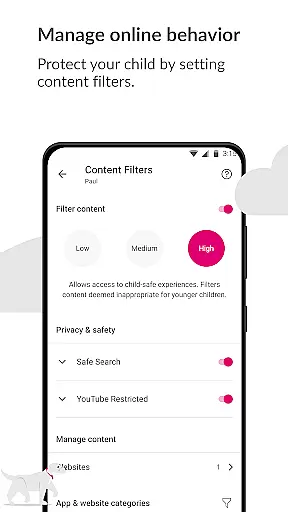
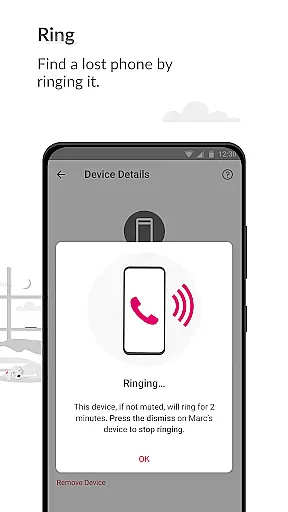
One of the standout capabilities is its SOS alert function, which lets family members send out emergency alerts with just a touch of a button. Additionally, the app helps in cultivating healthy online habits by enabling content filters that ensure children only access age-appropriate material. Whether it's finding a lost phone or rewarding good behavior with extra screen time, T-Mobile FamilyMode offers practical tools that adapt to your family's needs.
T-Mobile FamilyMode stands out with its robust set of features tailored for modern families. One key feature is the ability to locate family members in real-time, providing peace of mind whether you're ensuring your child reaches school safely or finding a misplaced device. The app also includes an SOS alert system, allowing users to quickly notify their family in case of emergencies.
Another significant aspect is the parental control settings. Parents can pause Internet access, set daily time limits, and even reward positive behavior with additional screen time. Content filters are customizable, offering both pre-set and user-defined options to block inappropriate online content. These features collectively create a safer digital environment for children while giving parents the tools they need to manage screen time effectively.
The app leverages Google Accessibility Services API to enable these parental controls without compromising user privacy. All data processing is strictly limited to implementing user-defined restrictions, ensuring that your family's information remains secure. This thoughtful integration of technology provides a reliable solution for today's digital challenges.
When it comes to parenting applications, the credibility of content and expert validation are paramount. T-Mobile FamilyMode offers a suite of features designed with input from child safety experts and digital parenting professionals. This ensures that the app not only meets the needs of modern families but does so in a way that's both safe and effective.
The app provides pre-set and custom content filters, allowing parents to tailor online experiences to be age-appropriate for their children. These filters are regularly updated based on the latest expert recommendations and internet safety standards, ensuring that your family is protected against unwanted or dangerous content.
Additionally, FamilyMode uses Google Accessibility Services API strictly for enabling parental controls. This means that the app operates transparently, processing no information beyond what's necessary for enforcing user-defined content restrictions. Parents can rest assured knowing that their privacy and their children's safety are taken seriously.
Tracking the growth and development of children in the digital age requires precision and reliability. T-Mobile FamilyMode excels in providing accurate growth tracking through its real-time location services and digital habit monitoring. The app allows parents to stay informed about their children's whereabouts and the paths they take, which is crucial for ensuring their physical safety.
Beyond physical location, FamilyMode helps parents monitor and guide their children's digital habits. By setting time limits on internet access and managing screen time, parents can encourage healthier relationships with technology. These features provide valuable data on how children interact with their devices, empowering parents to make informed decisions about digital consumption.
Moreover, the ability to pause Internet access or reward good behavior with additional screen time enables parents to actively shape their children's digital growth. With these tools, T-Mobile FamilyMode supports a balanced approach to digital parenting, where tracking accuracy translates into actionable insights for fostering responsible tech use.
Real-time location tracking
Customizable content filters
SOS emergency alerts
Pause Internet access
User-friendly interface
Limited to T-Mobile users
Requires constant Internet
Some features need setup
Premium features cost extra
Dependent on Google API

Block apps, set screen time limits, and customize usage schedules
 4.50
4.50
Fake call application designed for parents and adults to discipline their children through the children's police.
4.20
Cherish every beat - capture your baby's heart sounds with our app
4.30
A Coloring for the Whole Family! Discover the Joy of Family Love Through Colors!
3.60
Pinardin - Smart Parental Control, Online Safety & GPS Tracking!
4.80
Findnumber: Real-time location tracker for ultimate family security
4.20
Screen Time, App and Web Block & Monitoring, Location Tracker
3.60
GPS tracker app: Simple GPS phone tracker for fast family location tracking
4.60
Track baby’s development & growth week by week with BabyCenter’s pregnancy app!
4.90
Track your labor contractions
4.90
A simple way to track your baby’s breastfeeding, diaper changes, sleep patterns.
4.90
Kids story books for children. Baby reading books with audio for pre-k toddlers
4.70
Parental control App for Location, Remote Camera, Screen Mirroring, Block Apps.
4.60
The Most Trusted Co-Parenting App.
4.60
Keep track of your stored breastmilk
4.40
Learn according to the age of your child and consult with other moms.
4.20
Save money on diapers. Get the Pampers Rewards app.
3.90
AI Motion Video Maker & Ideas
4.3
Lullabies, Night Light & Age-based Routines to help your baby fall asleep
4.0


User Reviews