
Flow Weather is a comprehensive weather application designed to be your personal weather assistant. It provides accurate real-time weather information, including temperature, humidity, wind speed, and air quality for your location. The app stands out with its multi-dimensional forecasting capabilities, offering both hourly and long-term weather predictions, which are crucial for planning your daily activities.
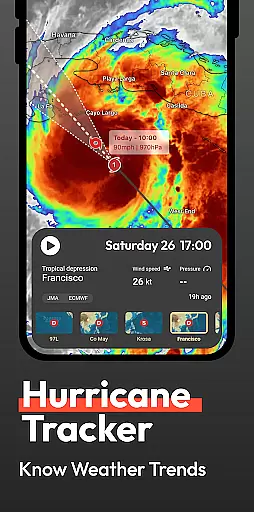
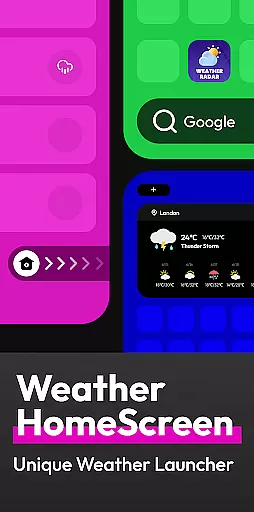
In addition to basic weather data, Flow Weather offers advanced features such as severe weather alerts and interactive weather layers. These layers allow users to explore various meteorological phenomena like wind patterns, cloud coverage, and UV indexes. The app also introduces an innovative Android launcher that integrates weather updates directly into your smartphone's home screen experience, making weather information more accessible than ever.
This app is particularly useful for individuals who need to stay informed about weather conditions for work or travel. With its user-friendly interface and customizable launcher, Flow Weather ensures you're always prepared for whatever the weather may bring, enhancing both convenience and safety in your daily life.
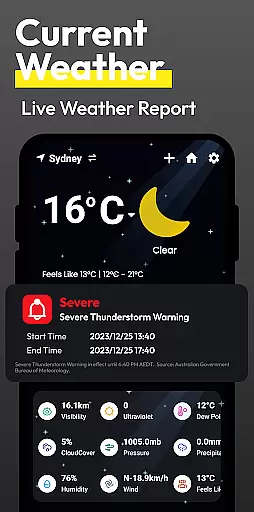
Flow Weather boasts several distinctive features that cater to both casual users and weather enthusiasts. One of its core functionalities is the advanced real-time weather reporting system. Powered by reliable meteorological service partners, it delivers precise current weather details such as temperature, humidity, wind metrics, and air quality index, ensuring users have immediate access to critical environmental information.
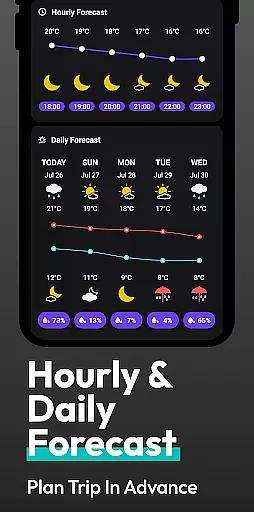
The app's forecasting abilities are equally impressive, providing both short-term hourly updates and extended outlooks for several days ahead. This dual approach allows users to plan both immediate and future activities with confidence. Additionally, the inclusion of severe weather warnings adds a layer of safety, alerting users to potentially hazardous conditions like storms or extreme temperatures.
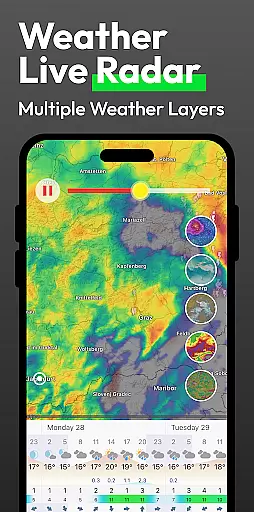
For those seeking deeper insights, Flow Weather offers interactive weather layers. These layers cover various aspects such as wind flow, cloud movement, wave patterns, and UV exposure, giving users a more analytical view of weather systems. Moreover, the app's unique integration with the Android launcher transforms how users interact with weather data, allowing quick access through a personalized and efficient home screen interface.
Forecast accuracy and data credibility are essential for any weather application, and Flow Weather excels in these areas. The app partners with advanced meteorological services to provide users with precise real-time weather information. This includes detailed indicators such as temperature, humidity, wind speed and direction, air pressure, and air quality, ensuring that users receive comprehensive and reliable weather data.
Flow Weather's multi-dimensional forecast function further enhances its data credibility. By offering hourly weather change forecasts and predicting weather trends for several days ahead, the app allows users to plan their activities with confidence. These forecasts are not only accurate but also presented in an easily digestible format, making it simple for users to understand upcoming weather patterns.
In addition to regular forecasts, Flow Weather provides timely weather warnings for severe conditions like heavy rain, blizzards, high temperatures, and cold waves. These alerts ensure that users can prepare in advance, avoiding potential inconveniences and risks associated with sudden weather changes. Such proactive notifications underscore the app's commitment to delivering credible and actionable weather data.
The temporal and spatial forecast range is a critical feature of Flow Weather, enabling users to access detailed weather predictions across both time and geographic dimensions. The app offers extensive coverage, allowing users to view weather conditions not just for their current location but also for other regions. This broad spatial scope ensures that no matter where you are or plan to go, Flow Weather has you covered.
Flow Weather stands out by providing interactive weather layers that include wind conditions, cloud movements, wave patterns, UV indexes, and PM2.5 levels. These layers offer in-depth insights into the ever-changing weather systems, catering to users who require professional-level meteorological information. Whether planning a trip or monitoring environmental factors, these features deliver valuable data tailored to specific needs.
Moreover, the app innovates by integrating weather functionalities with the Android launcher, enhancing accessibility through personalized home screen interactions. Users can swipe to check weather updates or use the integrated search feature for efficient project management on their mobile devices. This seamless blend of convenience and precision makes Flow Weather an indispensable tool for staying informed about weather conditions anytime, anywhere.
User-friendly interface
Accurate real-time data
Comprehensive forecasting
Interactive weather maps
Customizable Android launcher
Location permission required
Premium features locked
Occasional data delays
Limited free version
High system requirements

Moon phase calendar with live wallpaper, lunar widget, & 3D simulation.
 3.60
3.60
Retro TV-style digital watch face with weather, heart rate, steps & events!
4.3
NOAA radar, weather forecasts, hurricane tracking & customizable alerts.
4.50
Weather - Local weather forecast, weather daily & hourly, weather radar
4.80
Accurate Local Weather Forecast, let you easily understand the nearby weather!
4.20
Powerful US and worldwide earthquake feed with earthquake alerts and maps.
4.70
14-day & 24-hour Forecast | Real-time Alert | Accurate & Fast
4.40
Local weather forecast app, your personal 7*24 local weather forecast assistant.
4.90
Check room temperature with this indoor thermometer. thermostat & hydrometer
4.70
Local Weather provides accurate and current hourly and daily forecasts.
4.80
The reliable and trusted global air quality, wildfire, pollen, PM2.5 forecast
4.70
Weather channel forecasts weather daily & hourly, local and national air quality
4.70
My Aurora Forecast is the app for Northern Lights and Aurora Borealis alerts.
4.60
Industry leading whitetail movement predictor & hunting app.
4.60
Accurate Thermometer: indoor & outdoor temperature, humidity, pressure, and wind
4.50
Weather watch face for Wear OS 5+
4.40
Precision Weather, Right at Your Fingertips
4.40
Storm Radar, Alerts & Live Weather Forecasts Right on Your Home Screen
3.70
A powerful tool for ultimate weather awareness
3.50


User Reviews