
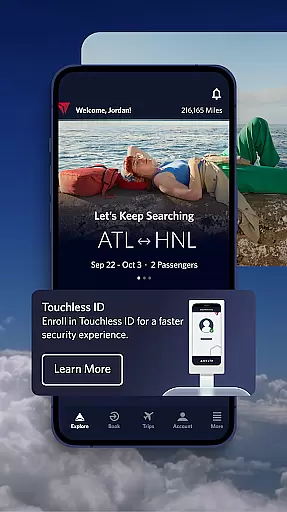

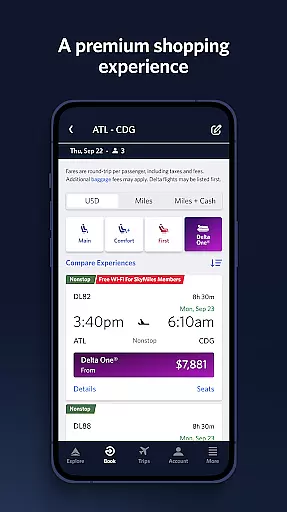
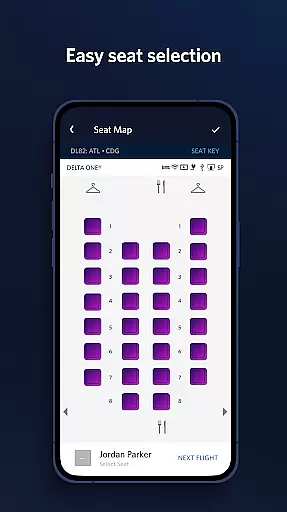
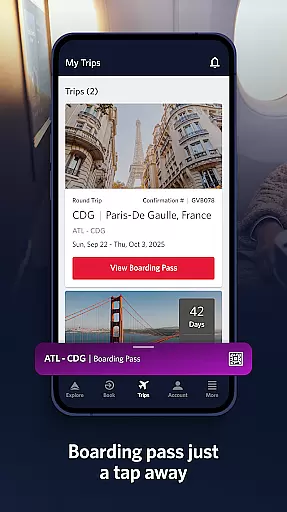
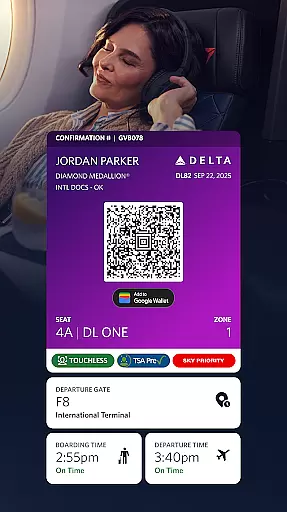
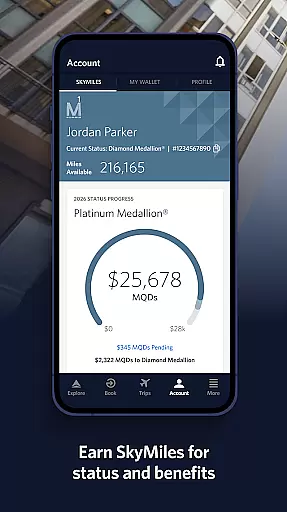
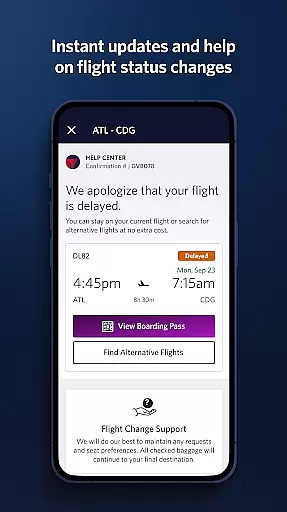
Fly Delta is a comprehensive travel application designed to simplify every aspect of air travel. The app allows users to seamlessly plan their trips by booking domestic and international flights, managing travel preferences, and even tracking and paying for upgrades using SkyMiles®. With features like saving a companion profile and live chat support, it ensures personalized service and assistance throughout the journey.
At the airport, Fly Delta provides essential tools such as digital boarding passes, real-time flight notifications, and airport maps for easy navigation. Users can also manage seat preferences, check in effortlessly, and track checked baggage. The app's offline access to boarding passes and ability to rebook canceled flights make it indispensable for modern travelers.
During and after flights, users benefit from real-time baggage tracking, in-flight mapping, and access to Delta Sky Club® information. These features not only enhance the travel experience but also provide peace of mind by keeping passengers informed and connected throughout their journey.
Fly Delta stands out with its robust set of features tailored for frequent travelers. One of its key functionalities is the ability to book and manage flights with ease, including options to pay for upgrades using SkyMiles® and save travel companions' details for faster bookings. This feature significantly streamlines the planning process and enhances user convenience.
The app excels in airport navigation with its "Today" dashboard that consolidates all necessary travel information for the day, along with detailed airport maps. Notifications for gate changes and upgrade lists ensure that travelers are always updated. Additionally, features like passport scanning during check-in and offline boarding pass access demonstrate the app's commitment to providing a seamless airport experience.
For post-booking needs, Fly Delta offers real-time baggage tracking, in-flight mapping, and mobile drink vouchers for Delta Sky Club® members. These innovative features not only improve the overall travel experience but also add a layer of luxury and assurance for passengers, making each journey more enjoyable and stress-free.
Booking authenticity is a crucial aspect of any travel application, ensuring that all reservations and transactions are legitimate and secure. Fly Delta excels in this area by providing users with reliable booking processes.
The app allows customers to shop and book both domestic and international flights with confidence. Each reservation is confirmed through a transparent system that integrates directly with Delta's databases, ensuring accuracy and legitimacy.
Users can also track and pay for upgrades using their SkyMilesu00ae, adding an extra layer of trust and personal investment into the booking process. This feature not only enhances user experience but also guarantees that all transactions are authenticated and recorded.
Moreover, the app offers support via Live Chat messaging, where users can communicate with agents to verify bookings or resolve issues. This comprehensive approach ensures peace of mind for travelers who rely on Fly Delta for their flight arrangements.
Price transparency is essential for travelers to make informed decisions about their flights. The Fly Delta app addresses this need by offering clear and detailed pricing information throughout the booking process.
Customers can view various fare options and understand what each package includes before making a purchase. This openness helps users select the best flight that fits their budget and requirements without hidden costs.
In addition to displaying base fares, the app provides insights into additional expenses such as baggage fees and seat selection charges. Users have the option to reserve preferred seats like bulkhead or aisle positions at clearly stated prices.
Fly Delta further supports price transparency by allowing passengers to manage their bookings post-purchase. Whether itu2019s changing seats, upgrading cabins, or purchasing extras like Wi-Fi passes, every cost is explicitly outlined, empowering users with full financial visibility.
User-friendly interface
Comprehensive travel tools
Real-time updates
Offline boarding pass
Live chat support
Limited third-party integrations
Occasional bugs reported
Heavy on battery usage
Some features require membership
Complex UI for new users

Apply for an electronic travel authorisation (ETA) to come to the UK.
 3.20
3.20
View US public land boundary maps on your device.
3.70
Every Diners, Drive-in & Dives location in one place! Your guide to Flavortown!
3.00
Get all MTA services, Subway, Bus, LIRR, Metro-North and More all in one place.
4.60
The official app of Allegiant Travel & Allegiant Airlines
3.30
Get faster fuel rewards, exclusive offers, and helpful tools!
4.70
Guest how you guest when you book one of our 6,800+ hotels and earn rewards.
4.90
Booking your bus tickets has never been easier
4.70
Get Moving Made Easier® with the official U-Haul® Moving & Storage app.
3.40
Travel and Book 8,000+ Hotels Worldwide with the Marriott Bonvoy™ app.
4.90
Take JetBlue everywhere you go! Book, manage and check in for your trips & more.
4.60
The mobile panorama panel. Works offline - worldwide!
4.40
Now you can book homes, experiences, and services—all in our redesigned app.
4.40
Managing your travel should be easy. With the Amtrak app, it is.
4.30
CLEAR provides a safer, easier way through airports, stadiums, and beyond.
4.20
Offline WiFi Hotspot Finder, eSIM, Caller ID, Dialer, Home Screen Launcher & VPN
4.20
MyTSA gives you 24/7 access to info that passengers frequently request from TSA.
4.10
GPS Live Satellite Earth to find route navigation and current location map
4.00
Iowa 511 is the Iowa Department of Transportation's traveler information app.
3.80


User Reviews