
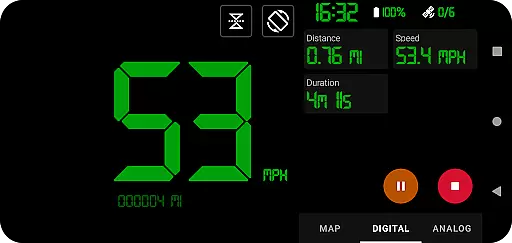
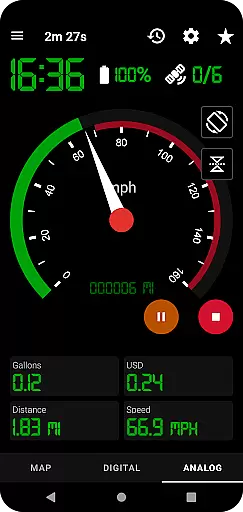
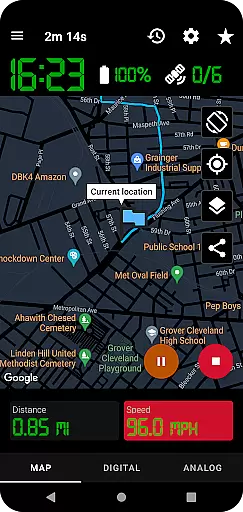
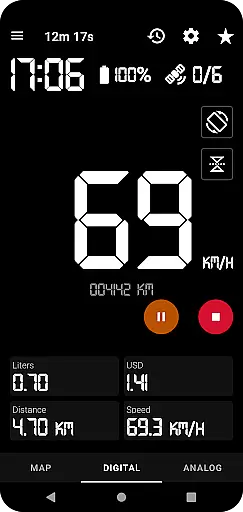
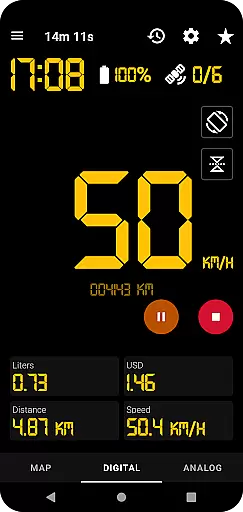
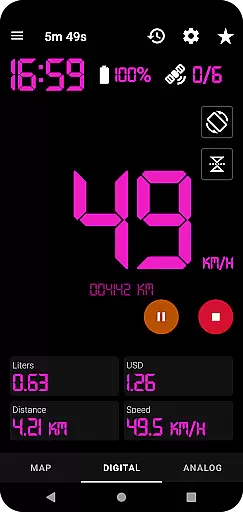
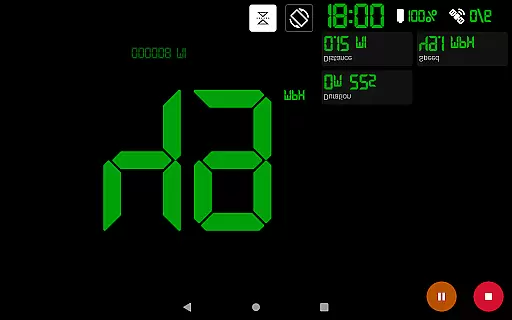
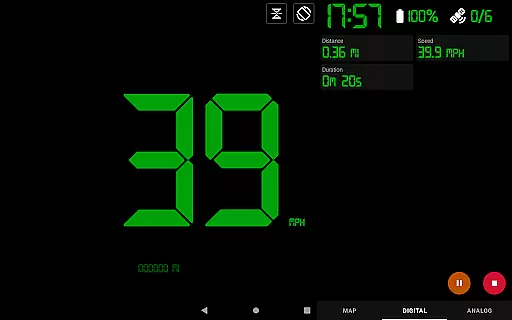
GPS Speedometer Pro is a comprehensive navigation and tracking application designed to monitor your speed, distance, and routes using your phone's built-in GPS. The app offers multiple display modes including analog, digital, and head-up display (HUD) options, making it versatile for various activities such as driving, running, or cycling. With its ability to function in the background, users can seamlessly track their movements while using other phone features.
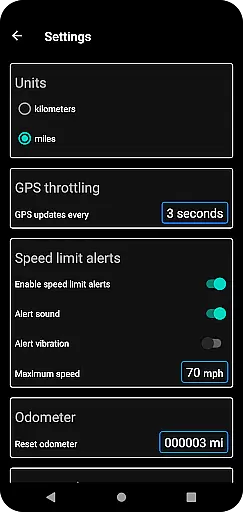
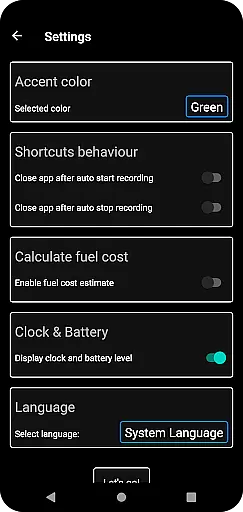
In addition to real-time speed tracking, the app provides advanced functionalities like fuel cost estimation, over-speed alerts, and odometer readings. Users can download their tracked routes in .gpx format for third-party software integration and replay saved routes within the app. Its privacy-focused design ensures no personal data is collected, offering a secure and reliable tracking experience.
GPS Speedometer Pro stands out with its rich feature set tailored for both casual and professional use. The app supports multiple speedometer styles, including analog, digital, and HUD modes, catering to different user preferences. It also allows switching between map types (light, dark, terrain) and units of measurement (kilometers/miles), ensuring adaptability to various environments and regions.
One of the app's key strengths is its robust tracking system. Users can pause, stop, and resume tracking at any time, optimizing battery usage. Advanced features like over-speed alerts, even when the app runs in the background, enhance safety during travel. Additionally, the ability to download routes in .gpx format and share them as images or text adds significant value for those needing detailed route analysis or sharing capabilities.
Map accuracy is a critical feature for GPS Speedometer Pro, ensuring that users receive precise location data during their activities. The app leverages your phone's built-in GPS to record routes and speed with high precision. This allows for real-time tracking that you can rely on, whether you're driving, running, walking, or cycling.
The application provides multiple views to suit your preference, including map, digital, or analog speedometer displays. Regardless of the mode you choose, the map data remains consistently accurate, providing confidence in your tracked routes. Additionally, the app supports background operation, meaning you can use other apps while it continues to record your journey without losing accuracy.
Users benefit from features like setting maximum speed alerts, which work seamlessly even when the app runs in the background. The map also follows your current location dynamically during tracking, ensuring that you are always aware of your position. With options to switch between different map typesu2014light, dark, or terrainu2014you can customize the view to maintain optimal clarity and accuracy based on your environment.
Route planning in GPS Speedometer Pro offers an intuitive way to manage and analyze your journeys effectively. While primarily a tracking app, its capabilities extend to thoughtful route management through features like pausing, stopping, and resuming tracking at any time. This flexibility ensures that users can plan their routes efficiently without worrying about battery consumption or inaccurate data.
The app includes functionalities such as fuel cost estimation and odometer readings, which contribute to better route planning by giving insights into travel expenses and distances covered. Users can download their routes in .gpx file format, allowing them to view their paths in third-party software for further analysis. The ability to replay saved routes within the app adds another layer of utility, enabling users to review past trips and refine future plans.
Sharing options enhance route planning by letting users share their current location or recorded routes as images or text. Whether you need to communicate your whereabouts or showcase a completed journey, these sharing capabilities make coordination easier. Overall, GPS Speedometer Pro combines essential tools with user-friendly interfaces to deliver comprehensive route planning assistance tailored to various needs.
User-friendly interface
Accurate GPS tracking
Customizable display options
Privacy-focused design
Background functionality
Limited offline maps
Occasional GPS inaccuracies
No social integration
Premium features locked
High battery consumption

Find AI powered cameras, ALPRs, and other surveillance infrastructure near you
 4.70
4.70
This app is military GPS coordinate systems helper. (MGRS, UTM & DMS Maps)
4.80
Phone Tracker and GPS Location Sharing
4.20
GPS Speedometer & Odometer: Track car, bike, truck speed & distance in real-time
4.70
NJ TRANSIT information and ticketing at your fingertips
3.70
Explore offline maps with radar, satellite view, and real-time alerts.
3.60
GPS navigation offers route finder, compass, translator, currency converter, etc
4.30
GPS phone tracker, family locator, secure location sharing app
4.20
Get there with the Waymo Driver — The World’s Most Experienced Driver™
4.90
Park in Chicago, NYC, Boston, SF, Houston & more!
4.70
GPX Viewer PRO shows tracks, routes and waypoints from gpx and kml files.
4.60
Complete offline 1:50k South Island topo map including DOC Hunting Permit Areas
4.60
Explore a light pollution map to find suitable dark sky locations for observing.
4.30
Lets explore the world's famous places by using Live Cams, GPS & Satellite View.
4.20
Find routes fast with GPS Maps, GPS Navigation & driving directions.
4.10
Navigate seamlessly with Real-Time Traffic, Offline Maps, and Voice Navigation.
4.10
Get route, find shortest path, near by places and weather update
3.90
Drive safe with real-time speed camera radar, police, and traffic alerts
3.80
Explore Live Earth Map with 3D World Map & locate cites, mountains real time.
3.80


User Reviews