
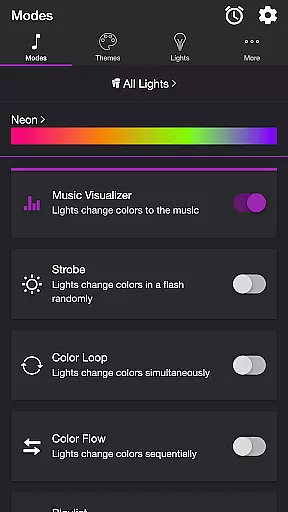
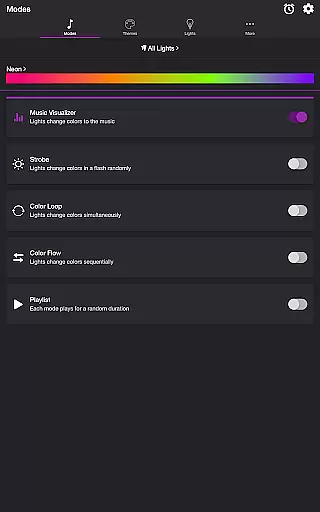
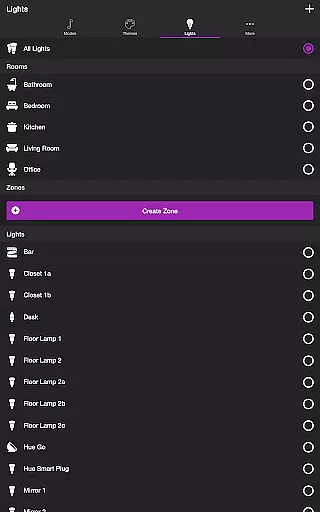
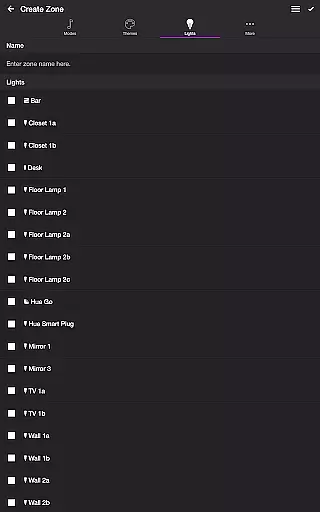
Soundstorm for Hue is an innovative entertainment application that transforms your Philips Hue lights into dynamic party enhancers. The app allows users to sync their smart lights with music, creating immersive light shows through various modes like Music Visualizer, Strobe, Color Loop, and more.
The application's core functionality lies in its ability to make lights pulse and flash in sync with favorite songs, offering customizable themes and detailed settings for each mode. Whether you want a vibrant dance floor or a relaxing ambiance, Soundstorm for Hue provides precise control over brightness, color transitions, and frequency triggers.
This app is perfect for home parties, special events, or simply enhancing daily living spaces with dynamic lighting. By integrating seamlessly with Philips Hue systems, it offers unparalleled convenience and creativity in light management, making every occasion more memorable.
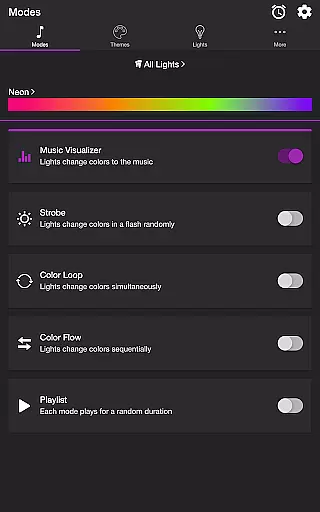
Soundstorm for Hue stands out with its diverse range of features designed to enhance user experience. The app includes multiple modes such as Music Visualizer, which uses the device's microphone to sync lights with live music, and Strobe, which creates random flashing effects for high-energy environments.
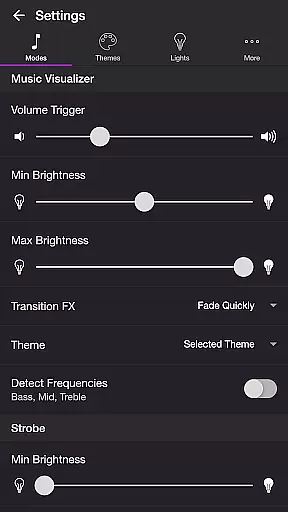
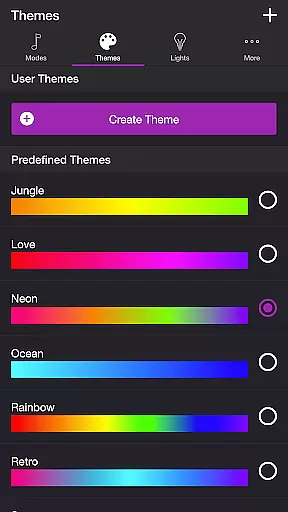
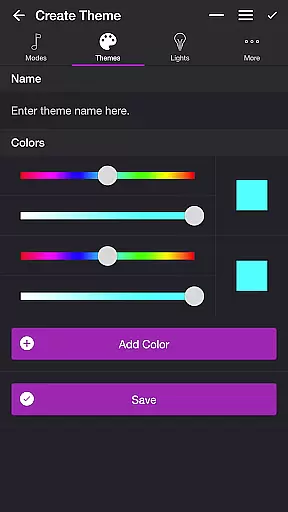
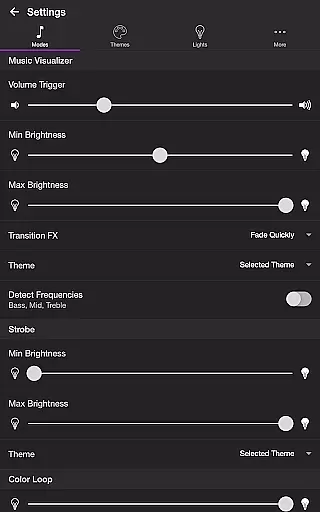
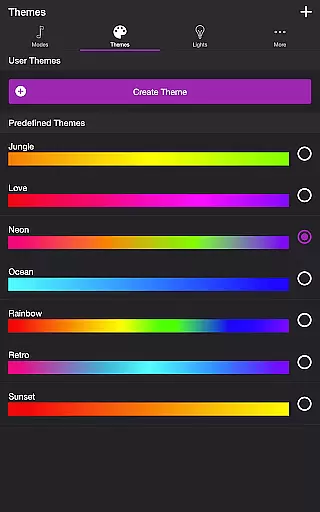
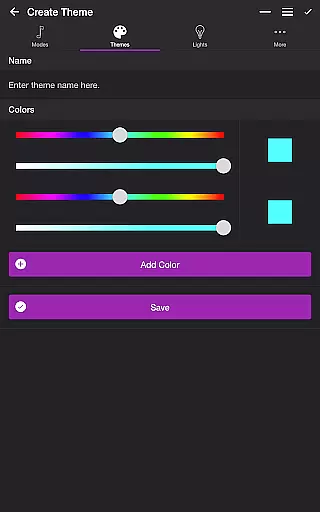
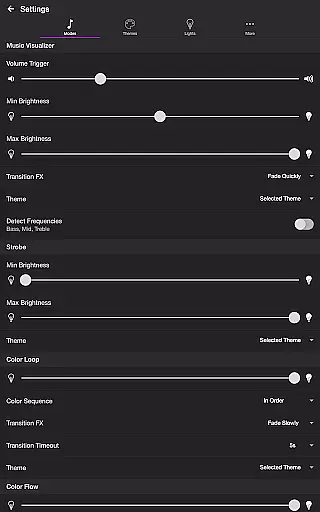
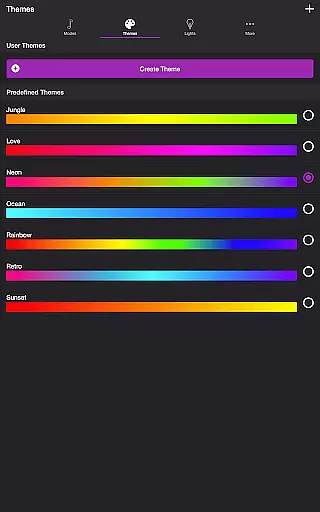
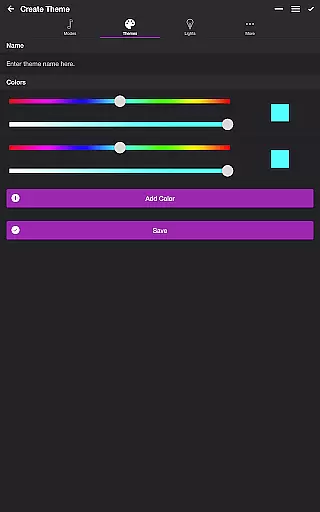
Users can customize their experience through various settings, including adjusting volume triggers, brightness levels, and transition effects. Each mode supports unique configurations, allowing personalized light shows tailored to individual preferences. The Themes tab enables users to choose from predefined options or create custom themes.
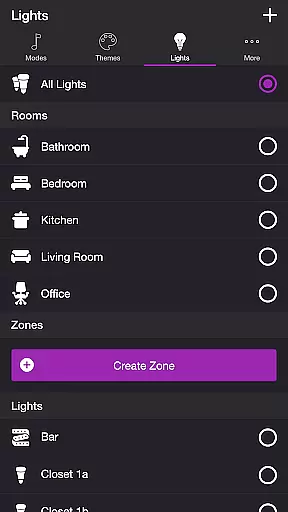
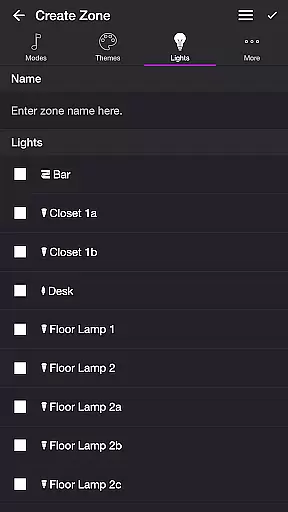
Additional features include a Sleep Timer function and comprehensive light/group management. These capabilities ensure that Soundstorm for Hue not only meets basic entertainment needs but also offers advanced customization options that set it apart from similar applications.
Soundstorm for Hue offers a diverse range of content through its various modes and themes, ensuring users have multiple entertainment options.
The app includes modes such as Music Visualizer, Strobe, Color Loop, Color Flow, and Playlist, each providing a unique way to enjoy Philips Hue lights. These modes allow the lights to change colors in sync with music or in pre-set patterns, offering dynamic visual experiences.
Users can choose from predefined themes or create their own, customizing the light shows to match personal preferences or moods. This level of customization ensures that the content remains fresh and engaging.
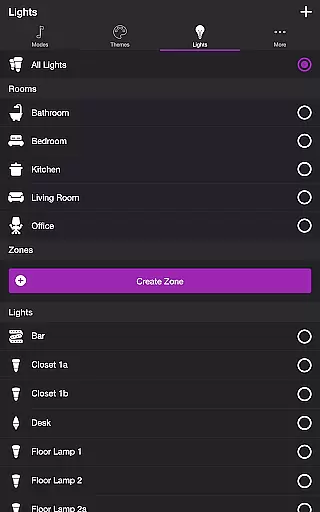
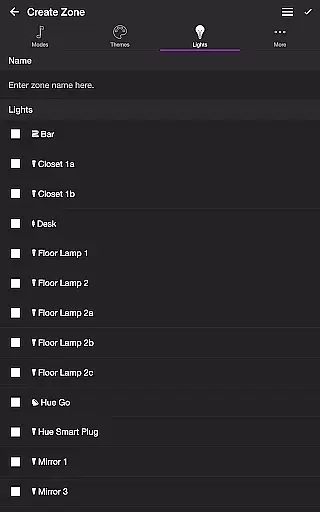
With additional features like Sleep Timer and the ability to select specific lights or groups, Soundstorm for Hue provides an ever-evolving platform for entertainment, keeping users engaged with regular updates and new possibilities.
User engagement is a key aspect of Soundstorm for Hue, designed to keep users interacting with the app for extended periods.
Through customizable settings and various modes, users can tailor their experience to suit different occasions and moods, encouraging prolonged use. The ability to adjust settings such as brightness, transition effects, and frequency triggers allows for personalized experiences that can retain user interest.
Moreover, the app's capacity to integrate with Philips Hue lights and its additional features like Sleep Timer contribute to a seamless user experience. By allowing users to set up their ideal light shows and control them effortlessly, the app fosters a sense of accomplishment and satisfaction.
This high level of customization and control not only enhances user engagement but also promotes retention by making each interaction with Soundstorm for Hue unique and enjoyable.
User-friendly interface
Highly customizable settings
Versatile light show options
Seamless Hue integration
Regular feature updates
Requires Hue Bridge
Premium version needed
Microphone access required
Limited without Philips Hue
Complex for beginners

Binge-worthy short dramas on DramaRush—engaging stories that fit your day.
 3.90
3.90
Find out if you're on Santa's Naughty or Nice List with this magical scanner!
4.60
The JBL Portable app works with JBL portable Bluetooth speakers.
4.60
Underrated short-drama gems that hit hard and keep your heart hooked.
4.50
Himnario LLDM - Fast and Easy to read , updated Hymnal 2019 Edition Official
4.20
Watch Reels, Drama Shorts & TV Series Anytime. Download DramaWave Now!
4.70
Original short dramas with diverse genres for a rich viewing experience!
4.80
With the Steam Mobile App, you can take Steam with you anywhere.
3.00
Scary prank camera & on face app: Shoot videos, selfies with spiders & scorpions
4.60
Fun brain twisting challenge with trending Whirlpool Filter.
4.70
Classic dynamic pixel art from Mark Ferrari.
4.70
Stream Movies & TV Series: Original Shows, Family Movies & New Releases Weekly
4.60
Just play games to earn gift cards. Keep playing, keep earning.
4.50
Play games. Earn real rewards. Cash out in 3hours via PayPal or gift cards.
4.40
Heroclix search units with multi filter , team builder, collection manager.
4.40
Explore the unknown!
3.00
A wonderful collection of the most beautiful sounds of animals and birds
4.4
EVP Recorder / Voice Recorder for ghost hunting, to communicate with ghosts.
4.0
Control your AWTRIX 3 easily
4.0


User Reviews