

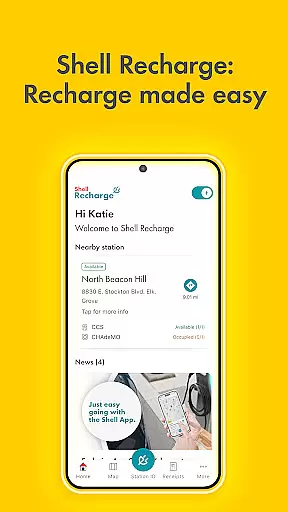
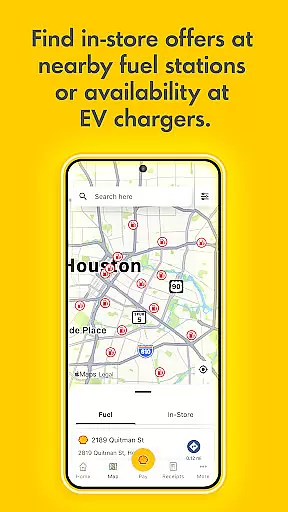
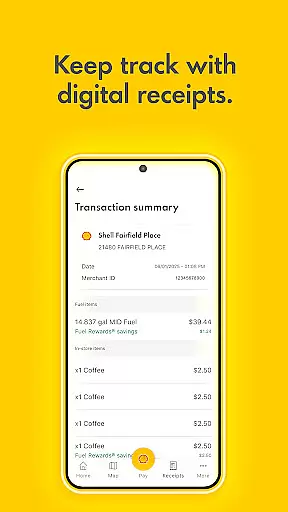
Shell App is a comprehensive automotive service application designed to enhance your refueling experience. The app integrates the Shell® Fuel Rewards® Program, allowing users to save on fuel purchases while tracking their loyalty rewards and transaction history. With a focus on convenience, it offers secure mobile payment options including credit cards, PayPal, and digital wallets like Apple Pay and Google Pay.
In addition to payment solutions, the app provides essential features such as locating nearby Shell stations, viewing promotional offers, and managing eGift cards. For electric vehicle owners, Shell Recharge functionality grants access to over 4,000 EV charging stations nationwide, enabling users to locate, activate, and pay for charging sessions directly through the app. This makes Shell App an all-in-one tool for modern drivers seeking efficiency and savings.
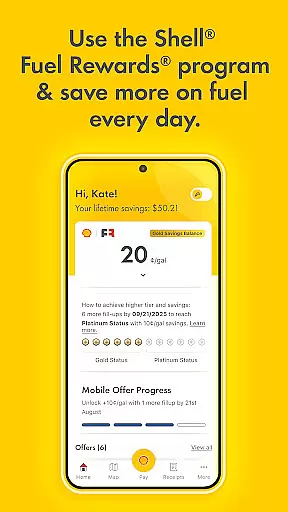
Shell App stands out with its robust integration of rewards programs and payment systems tailored for motorists. The Shell® Fuel Rewards® Program is central to the app's value proposition, offering tiered savings that increase with usage—Platinum Status members enjoy significant discounts per gallon. Users can easily monitor their rewards balance and transaction history within the app.
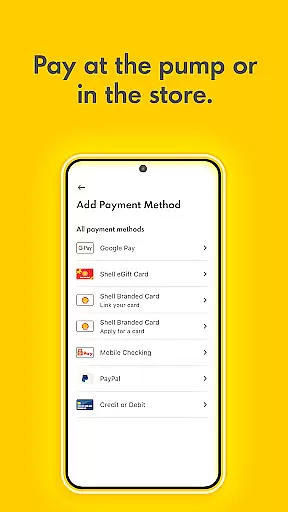
Mobile payment is another key feature, supporting multiple payment methods including Shell-branded credit cards, PayPal, and major digital wallets. The app eliminates the need for physical cards by enabling direct phone-based payments at participating stations. Furthermore, Shell Recharge extends these capabilities to electric vehicle owners, providing seamless access to a vast network of EV chargers across the U.S., complete with real-time availability checks and session management tools.
When it comes to managing your vehicle's fueling needs, having access to detailed information is crucial. The Shell App provides comprehensive details about fuel types, savings opportunities, and loyalty program benefits.
This level of detail allows users to make informed decisions about their fuel purchases. By presenting users with specific data on fuel rewards, savings rates, and transaction histories, the app ensures that every visit to a Shell station is optimized for cost-efficiency and convenience.
Moreover, the app's integration with various payment methods offers an additional layer of detail regarding financial transactions. Users can easily track their spending, view receipts, and manage their payment options within a single platform.
Price transparency is a key factor in consumer satisfaction, especially in the automotive sector. The Shell App excels in this area by clearly displaying fuel prices, savings opportunities, and any associated costs with using the app's features.
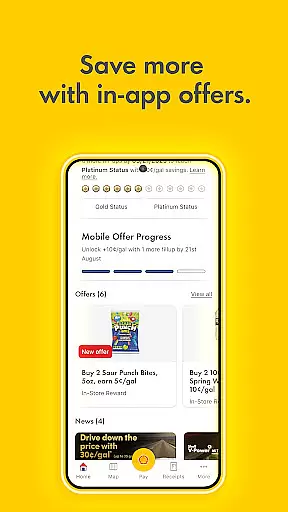
Through its intuitive interface, users can easily view all available Fuel & In-store offers, ensuring they are fully aware of how much they will save or spend before making a purchase. This openness extends to detailing the full Terms & Conditions of the Shellu00ae Fuel Rewardsu00ae Program, allowing users to understand exactly how their savings are calculated.
In addition to fuel pricing, the app also provides clear information on the costs related to EV charging through Shell Recharge. This includes details on charger availability, pricing rates, and payment processing, ensuring users have a complete understanding of their expenses.
User-friendly interface
Comprehensive rewards program
Multiple payment options
EV charging support
Convenient station locator
Limited to Shell stations
Geographic restrictions
Requires registration
Occasional bugs
Dependent on network coverage

Take Control of Your Car
 4.80
4.80
Ferrari inspired analog & digital watch face with quick access and premium style
4.4
Wonder how much horsepower and torque your car/truck makes? Look no further.
3.40
Play what you want through Android Auto
4.90
Better fuel to help keep you on the road
3.20
DMV Test Pro offers all the updated FREE DMV tests online.
4.60
Read and delete OBD codes with any ELM327 OBD scanner. Coding functions included
3.40
Find Your Local Store or Shop Online for the Car, Truck, or SUV Parts You Need
4.70
PayByPhone: A quick and easy way to pay for parking.
3.80
Lexus app currently supports 2010 or newer vehicles (2018 or newer for Hawaii).
4.80
7-Day Returns on All Cars
4.80
Listings of Tesla's with FSD - Included package
4.60
CVT diagnostics with ELM327 for Nissan-based vehicles
4.40
Your Path to Driving Licensing Success Begins Here! Develop your driving skills.
4.40
Realtime Charts is a plugin for the Torque Pro App (OBD 2 & Car)
4.20
Car Sounds Engine Sounds app welcomes Auto Lovers to feel Car Simulator Sound
4.20
Blink Charging Mobile app makes finding an EV charger an intuitive experience.
3.80
Club Car Wash Mobile App—the fast lane to managing your wash membership.
3.30
Monitor specific TOYOTA parameters by adding this plugin to Torque Pro.
2.00


User Reviews