
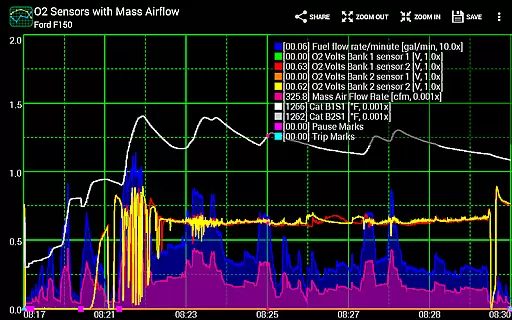
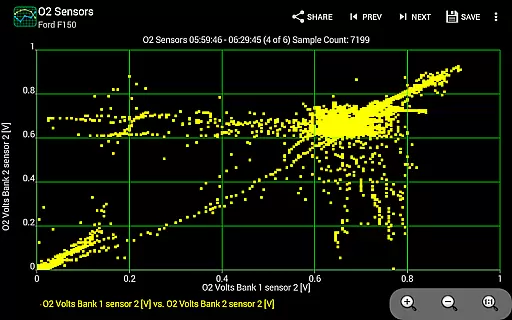
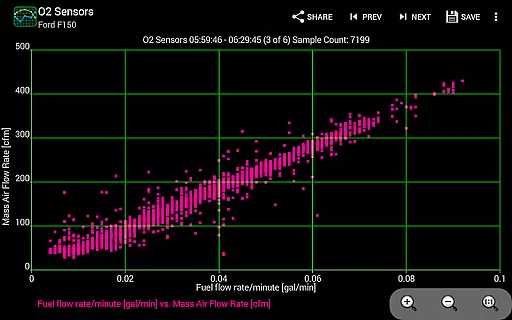
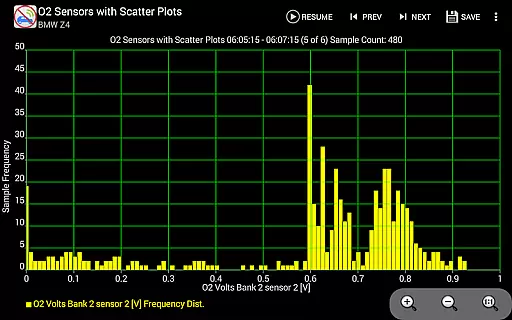
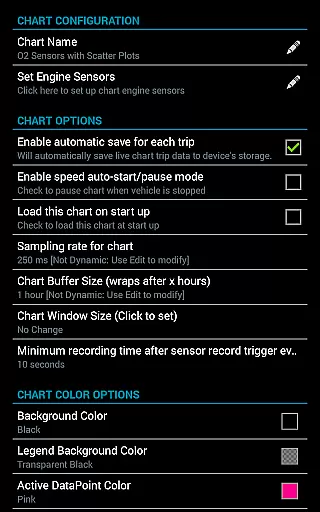
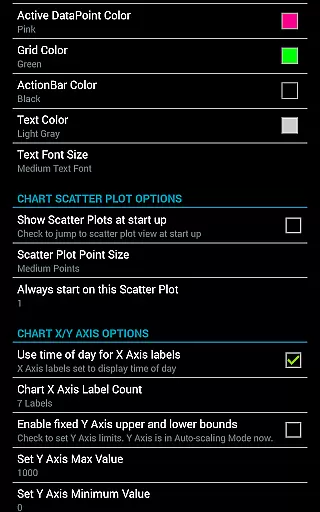
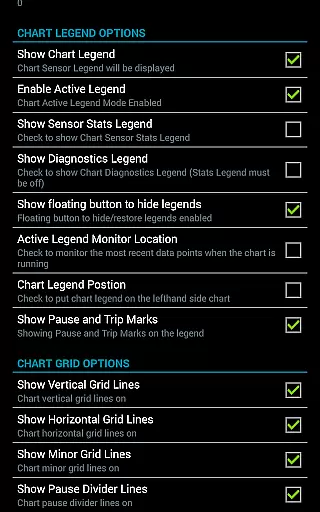
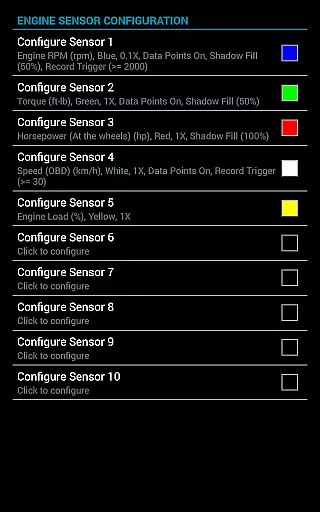
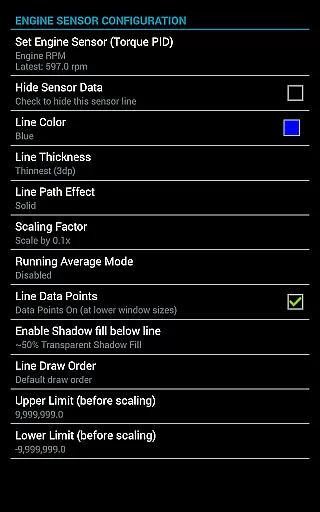
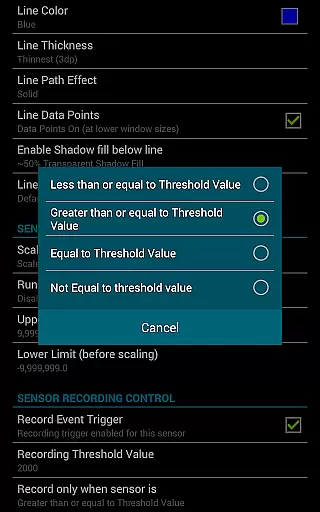
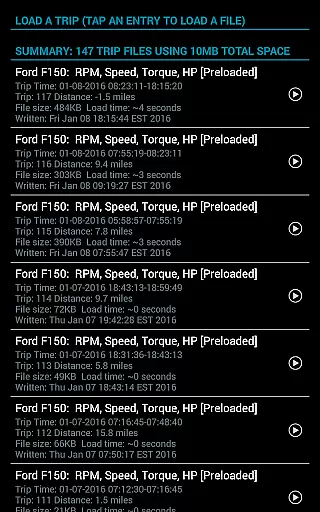
Realtime Charts for Torque Pro is a specialized plugin designed for automotive enthusiasts who require detailed performance monitoring of their vehicles. This app allows users to graph up to 10 engine sensors simultaneously, providing real-time data visualization on Android devices. Key functionalities include custom chart creation, scatter plot analysis, and sensor data capture based on specific criteria.
The application supports advanced features such as dynamic scaling, running averages, and session management with time compensation. It is particularly useful for hobbyists, professional mechanics, and DIY enthusiasts who need in-depth analysis of vehicle performance. By integrating with Torque Pro, it offers an enhanced diagnostic tool that can be tailored to individual preferences and requirements.
Realtime Charts transforms complex engine data into accessible visual formats, empowering users to make informed decisions about vehicle maintenance and performance tuning. The ability to save and share data adds collaborative value, making it an essential tool for automotive communities.
Realtime Charts for Torque Pro stands out with its comprehensive feature set tailored for automotive diagnostics. Users can monitor and graph multiple engine sensors in real-time, perform scatter and frequency plot analyses, and create up to 100 custom charts. Each chart can be personalized with specific sensors, sampling frequencies, and visual attributes, offering unparalleled customization.
Innovative features include auto-pause functionality when the vehicle is stationary, trigger-based data capture, and automatic trip data saving. The app also supports dynamic scaling, preferred unit systems, and exporting data in Excel CSV format. These capabilities ensure users have precise control over data collection and presentation.
Advanced tools like simulation mode and background sensor recording enhance usability, allowing users to design charts without an ECU connection and multitask with other apps. With support for various Android versions and devices, Realtime Charts delivers consistent performance across platforms, establishing itself as a versatile and indispensable automotive analysis tool.
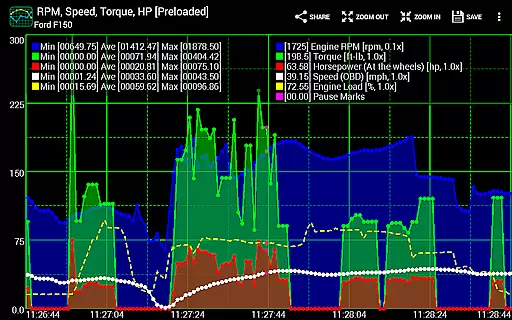
Realtime Charts for Torque Pro offers unparalleled access to detailed vehicle information by enabling users to monitor and graph up to 10 engine sensors in real-time. This includes critical data such as RPM, speed, MPG, horsepower, and torque, providing automotive enthusiasts with comprehensive insights into their vehicle's performance.
The app allows for the creation of custom charts, with the possibility to specify sensors, sampling frequency, chart colors, and series attributes. This level of customization ensures that users can tailor their monitoring experience to their specific needs, whether for tuning, diagnostics, or analysis purposes.
With features like scatter plot analysis and dynamic scaling of series data points, users can perform in-depth analysis of their vehicle's performance metrics. These tools are essential for professionals and DIY mechanics who require precise data to make informed decisions about vehicle maintenance and upgrades.
Furthermore, the ability to save data for later review and share stunning screenshots on social media and automotive forums adds an extra layer of utility. This functionality not only helps in tracking the vehicle's performance over time but also facilitates knowledge sharing within the automotive community.
While Realtime Charts for Torque Pro itself does not directly deal with monetary transactions, it provides a different kind of price transparency by ensuring users understand the value of their investment in vehicle diagnostics. By offering extensive features for monitoring and analyzing vehicle performance, the app justifies its cost through tangible benefits and insights gained.
The app requires a wireless OBD2 adapter and the Torque Pro app, both of which represent the primary costs associated with its use. This clear prerequisite allows users to budget accordingly and understand the full scope of their investment in automotive performance monitoring.
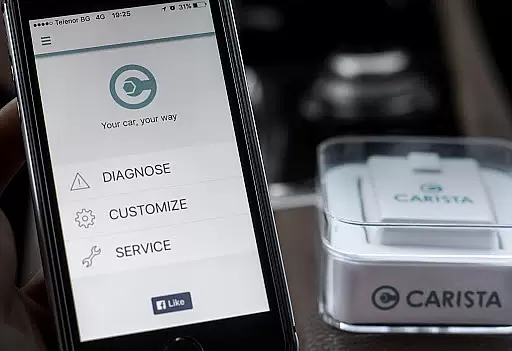
Additionally, Realtime Charts supports various adapters, including the recommended Carista OBD2 Bluetooth Adapter, enhancing compatibility without hidden costs. This openness about compatible hardware options empowers users to choose the most cost-effective solution for their needs.
Finally, the app's capability to export Excel CSV data files and simulate charts without an ECU connection adds further value. These features ensure that users can continue to analyze and plan their vehicle's maintenance and upgrades even when not connected to the vehicle, maximizing the utility of their initial investment.
User-friendly interface
Highly customizable charts
Real-time data visualization
Comprehensive sensor support
Active community engagement
Requires Torque Pro app
Needs OBD2 adapter
Complex for beginners
Limited to Android
No iOS version available

Taximeter; the professional's choice
 4.30
4.30
Theme for Car Launcher
4.2
AlfaOBD software for Fiat Group cars native diagnostic
3.70
Autolist - The Largest Selection of Local Used Cars and Trucks
4.50
Digital Car Key/Launcher, Screen Mirror, Android Dashboard, Remote Wireless Link
4.40
Blink Charging Mobile app makes finding an EV charger an intuitive experience.
3.80
Monitor your behind-the-wheel behavior to become a safer driver and save.
4.10
Your car is talking. Start listening.
4.30
Earn and save with Fuel Rewards®
3.20
Car Values, Research and More
4.80
Take Control of Your Car
4.80
Buy and sell your boat
4.70
Quick and easy car diagnostics to get you the right fix.
4.70
OBD1 ECMs application. Data log or tune directly from your phone or tablet!
4.60
On the CarShield app, you can view contracts, make payments, & request roadside.
4.40
Better fuel to help keep you on the road
3.20
App Mirroring for Tesla Car's Browser
2.80
Easily notify car owners in urgent situations, safe, fast, multilingual.
4.3
Theme for Car Launcher
4.4


User Reviews