
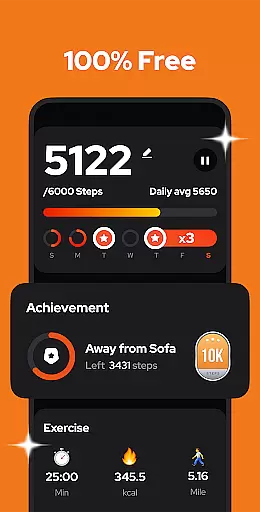
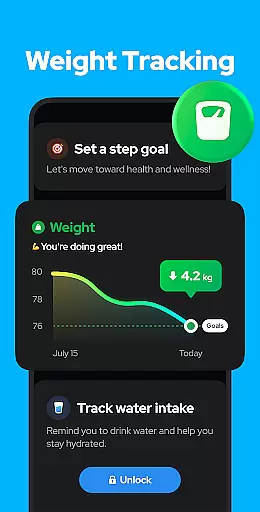
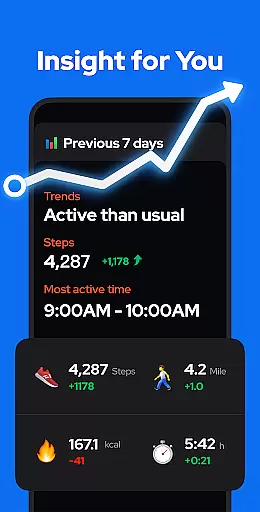
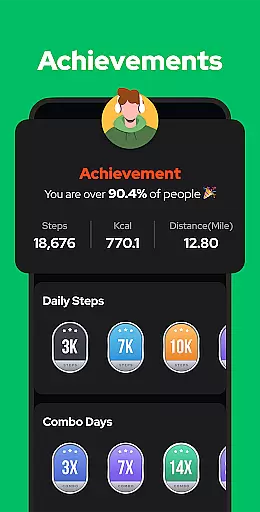
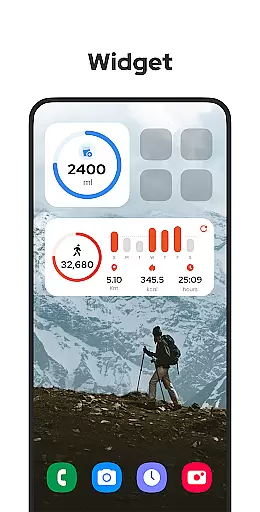
Step Counter - Pedometer is a premier health and fitness application designed to automatically track your daily steps, calories burned, walking distance, and duration with precision. Compatible with all Android devices, this app operates efficiently without the need for GPS or Wi-Fi, thus conserving battery life while providing accurate data offline.
The app offers an intuitive user interface that makes step tracking effortless. Whether you carry your phone in your pocket or hold it in your hand, Step Counter - Pedometer begins counting your steps as soon as you hit the START button. It also features adjustable sensitivity settings and the ability to pause and resume tracking, ensuring precise step counts even when you're not actively moving.
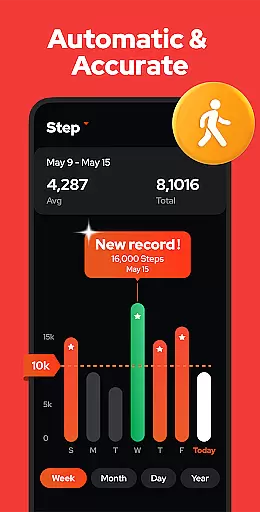
With its comprehensive analytics, users can visualize their progress through detailed graphs categorized by day, week, month, or year. This feature not only helps individuals monitor their activity trends but also motivates them to achieve their fitness goals, such as reaching the recommended 10,000 steps per day. Additionally, the app ensures privacy and security, never sharing user data with third parties, making it a reliable choice for those prioritizing personal data protection.
Step Counter - Pedometer stands out due to its rich array of features tailored for health-conscious individuals. One of its key attributes is the advanced built-in exercise tracker that accurately monitors various metrics like steps taken, calories burned, and distance covered without draining the battery or requiring an internet connection.
Another notable feature is the customizable tracking options. Users have the flexibility to adjust the sensitivity of the pedometer and temporarily halt background tracking to prevent unwanted step counts during non-activity periods, such as driving. Furthermore, the app provides robust data visualization tools, presenting users' walking statistics in easy-to-understand charts segmented by different time frames—offering insights into both short-term achievements and long-term trends.
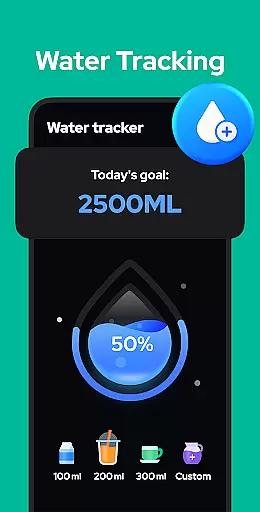
Moreover, Step Counter - Pedometer supports cloud backup and restoration, safeguarding users' fitness data against loss when switching devices. The developers are also committed to enhancing the app's functionality, with upcoming features including personalized training modes, hydration reminders, and health metric recordings like body weight and blood pressure—ensuring that users have access to a holistic set of tools to support their wellness journey.
Personalized planning in a fitness app refers to the ability to create tailored exercise routines based on individual user data and goals. This feature is crucial for users who want to optimize their workouts according to their specific needs.
Step Counter - Pedometer offers personalized planning by analyzing daily steps, walking duration, and calories burned. The app adjusts its recommendations based on your real information entered in the settings, ensuring accurate calculations of walking distance and calorie expenditure.
Users benefit from this feature as it helps them set realistic fitness goals and track progress effectively. By providing customized insights into their activity levels, the app encourages consistent movement throughout the day.
The true value lies in empowering users to take control of their health journey. With features like adjustable sensitivity and pause options, Step Counter ensures that each step contributes meaningfully towards achieving personal wellness targets.
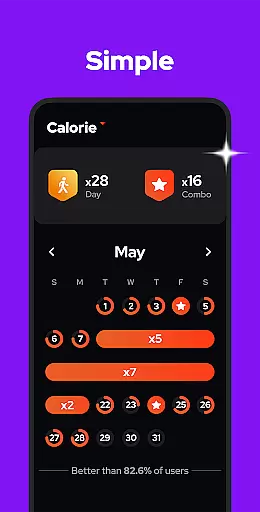
Progress visualization is an essential aspect of any fitness application, allowing users to see their achievements over time visually. This motivates continued engagement with the app and promotes long-term adherence to fitness routines.
In Step Counter - Pedometer, progress visualization is achieved through detailed charts representing steps taken, calories burned, duration, distance, and speed. Users can view these metrics by day, week, month, or year, offering comprehensive insights into their activity trends.
This functionality benefits users by highlighting improvements and identifying areas needing attention. Visual feedback reinforces positive behavior changes and aids in setting new challenges based on past performance.
By integrating robust graphing tools within the app interface, Step Counter enhances user experience while fostering a deeper connection between physical activity and measurable outcomes. This approach not only tracks but also celebrates every milestone reached along the path to better health.
User-friendly interface
Accurate step tracking
Offline functionality
Comprehensive analytics
Data privacy assurance
Limited to Android
No iOS version available
Occasional tracking issues
Basic UI design
Upcoming features still pending

The simplest way to track your 21 Day Program containers, exercises, and water.
 4.50
4.50
Control your sleep in real-time wearing Garmin device
3.60
Easy reconstitution calc for mixing peptides and creating protocols
4.70
Period Tracker, the easiest way to track your periods!
4.50
HRV4Training helps you optimize goals and improve performance. No sensors needed
3.30
Use your watch as a bike computer, heart rate monitor and cycling power meter
2.50
Walk. Earn: Get rewarded for every step! Walk, move, and earn real rewards.
4.70
Step Counter, track steps when you walk or run
4.70
Mood journal, habits, self-care tracker, self-love
4.90
Easy access to health benefits
4.70
Effortlessly and naturally release anxiety by harnessing the power of your brain
4.60
Personal step counter for you, private and accurate
4.50
For Absolute Novices to Strength Training. Simple. Effective.
4.40
Eat smarter with Eato, your personal calorie counter and nutrition tracker!
4.40
Track heart rate & HRV in 30s! Get live health insights and anomaly alerts
4.40
Looking to take control of your health? Our psychology-based programs can help.
4.10
Histamine intolerance, low FODMAP diet and irritable bowel syndrome (IBS)
4.00
Your Health Has Met Its App (℠)
3.90
GloryFit is a companion app for the smart bracelet.
3.60


User Reviews