
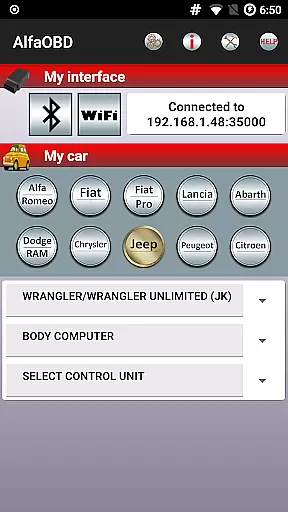
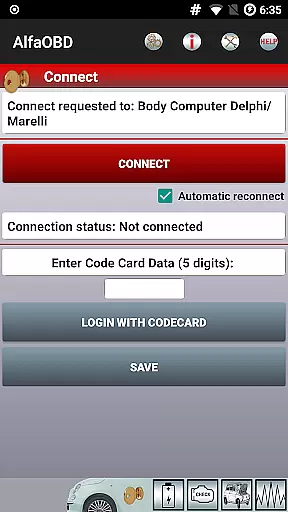
AlfaOBD is a comprehensive diagnostic tool specifically designed for vehicles produced by Stellantis (formerly FCA), including brands like Alfa-Romeo, Fiat, Lancia, Dodge, RAM, Chrysler, and Jeep. It also supports Peugeot Boxer and Citroen Jumper models. This software provides car owners with professional-grade diagnostic features typically found in commercial scanners, offering access to many dealer-level diagnostic and configuration procedures.
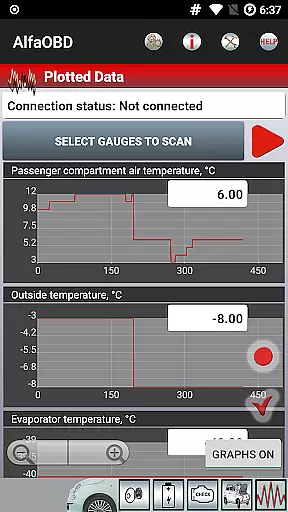
One of the key strengths of AlfaOBD is its native support for electronic control units used in Fiat group cars, setting it apart from other diagnostic applications that offer only limited generic OBDII support. The application allows users to monitor various dynamic parameters of engine, gearbox, ABS, climate control ECUs, and present them graphically as plots. Additionally, it can read static data such as ECU identification, system status, fault codes, and clear fault codes when necessary.
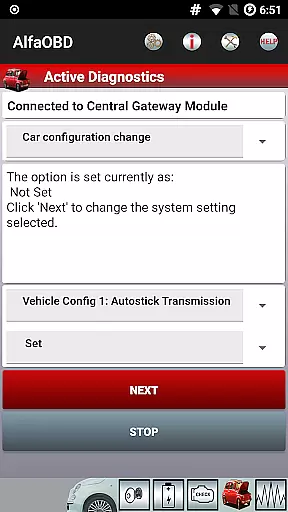
The app's value extends beyond diagnostics; it includes active diagnostics and configuration procedures for equipment controlled by multiple ECUs, programming capabilities for electronic keys and RF remote controls, and supports a wide range of languages. Whether you're a vehicle owner or a professional mechanic, AlfaOBD equips you with powerful tools to understand and manage your vehicle's health effectively.
AlfaOBD stands out with its extensive feature set tailored for automotive diagnostics. The application offers native support for Electronic Control Units (ECUs) used in Fiat group cars, enabling detailed monitoring of engine, gearbox, ABS, and climate control parameters. Users can visualize these parameters through graphical plots, providing an intuitive way to interpret complex vehicle data.
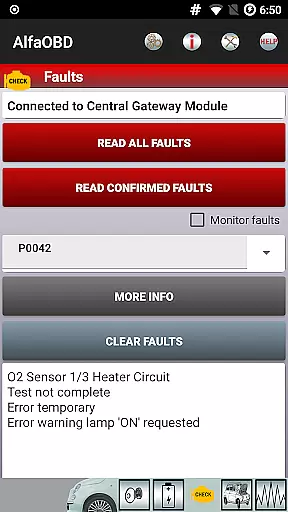
Beyond monitoring, AlfaOBD facilitates reading static data such as ECU identification, system status, and fault codes, complete with probable causes and environmental information where applicable. The ability to clear fault codes adds practical value, allowing users to reset error indicators after resolving underlying issues. Active diagnostics and configuration procedures are available for various systems, including engine, gearbox, body computer, climate control, ABS, airbag, code control, and more.
Additional notable features include electronic key programming and RF remote control configuration, enhancing the utility for both personal and professional use. With support for multiple languages and compatibility with a range of OBD interfaces, AlfaOBD ensures broad accessibility and usability across different user groups and vehicle types.
Detailed vehicle information is crucial for effective diagnostics and maintenance. AlfaOBD provides comprehensive data on various electronic control units (ECUs) used in Stellantis vehicles, including Alfa-Romeo, Fiat, Lancia, Dodge, RAM, Chrysler, and Jeep. This native support allows users to access specific parameters that generic OBDII scanners might overlook.
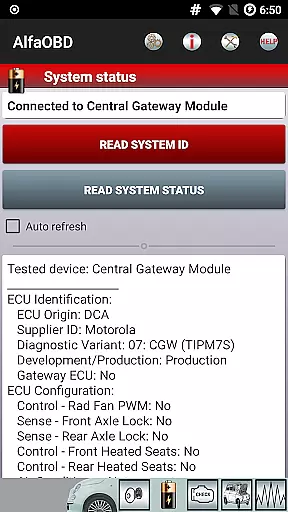
The application retrieves detailed ECU identification, system status, and fault codes with probable causes. This level of detail enables car owners and mechanics to understand the exact condition and configuration of critical systems such as engine, gearbox, ABS, and climate control. The availability of dealer-level diagnostic procedures ensures professional-grade service.
Users benefit from the ability to monitor dynamic parameters graphically presented as plots. This feature helps in visualizing real-time performance metrics, making it easier to identify anomalies or performance trends. With this detailed insight, users can make informed decisions about necessary repairs or adjustments.
Price transparency in automotive diagnostics tools ensures users understand the costs involved. AlfaOBD addresses this by offering a clear overview of potential expenses related to diagnostic procedures and compatible hardware interfaces. Users are informed about the necessity of having a compatible OBD interface, which is essential for establishing a connection with the vehicle's ECUs.
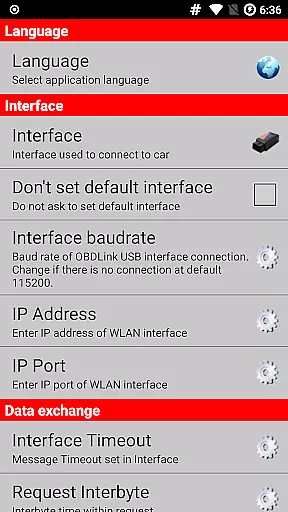
The application provides information on supported OBD interfaces available at www.alfaobd.com, allowing users to make cost-effective choices. Additionally, AlfaOBD highlights the importance of SGW bypass solutions for newer FCA vehicles, ensuring users are aware of any extra costs associated with achieving full diagnostic access.
By detailing these aspects, AlfaOBD empowers users to budget effectively for their diagnostic needs. This transparency not only builds trust but also enhances user satisfaction by eliminating unexpected expenses during the diagnostic process.
User-friendly interface
Comprehensive diagnostic tools
Multi-language support
Professional-grade features
Graphical data presentation
Requires compatible OBD interface
Limited to specific vehicle brands
Security gateway module restrictions
Complex for beginners
Device compatibility issues

Easily notify car owners in urgent situations, safe, fast, multilingual.
 4.0
4.0
Attention! This is the theme for the Car Launcher app
4.1
App Mirroring for Tesla Car's Browser
2.80
Better fuel to help keep you on the road
3.20
The Texaco App allows you to pay for fuel from the comfort of your car!
4.80
Control maps, media and messaging, with the Google Assistant while you drive
4.10
AI Powered - Automotive Mechanic Assistant
4.30
Available in select states.
4.00
7-Day Returns on All Cars
4.80
Take Control of Your Car
4.80
DMV practice test 2025: Driver License permit test & written test for all states
4.70
MySubaru: Download. Connect. Love.
4.70
Trip computer+car diagnostic tool with widest variety of features and dashboard!
4.70
Browse millions of cars, track vehicle listings or sell your car today
4.70
Listings of Tesla's with FSD - Included package
4.60
DMV Test Pro offers all the updated FREE DMV tests online.
4.60
PayByPhone: A quick and easy way to pay for parking.
3.80
Club Car Wash Mobile App—the fast lane to managing your wash membership.
3.30
Theme for Car Launcher
4.2


User Reviews