
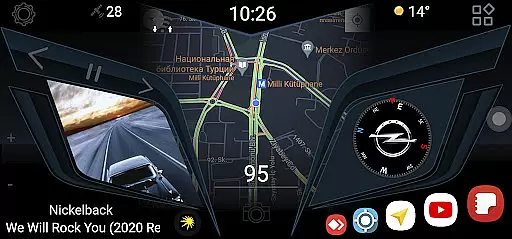
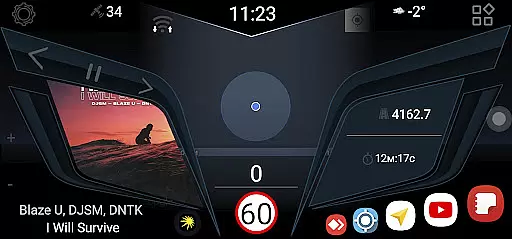
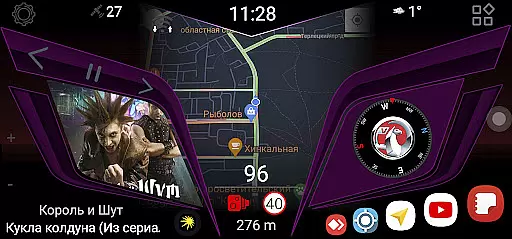
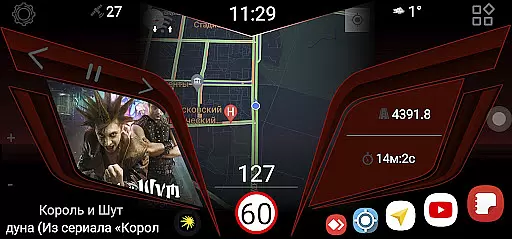
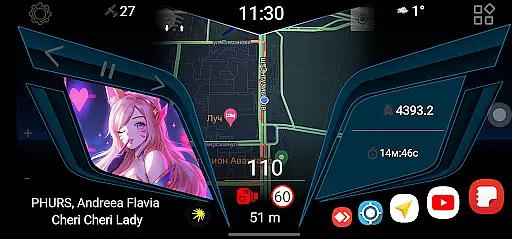
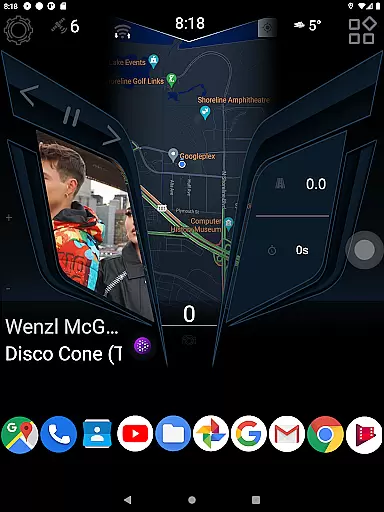
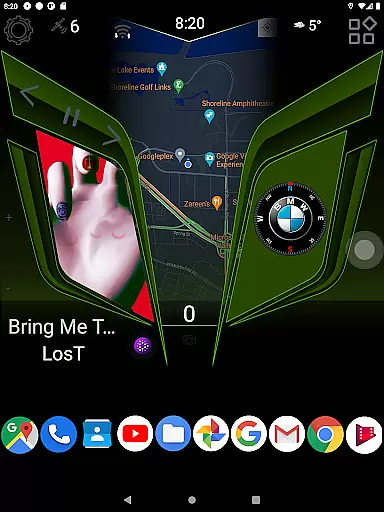
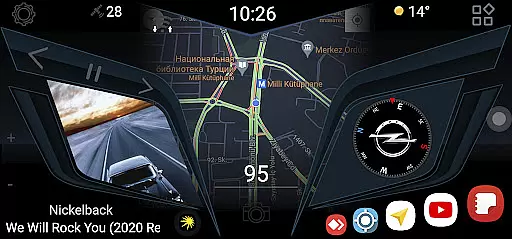
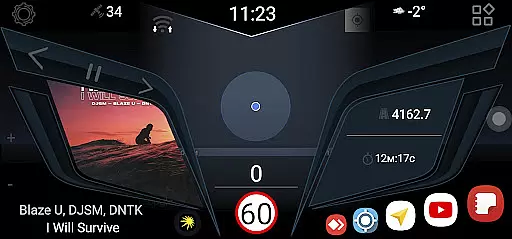
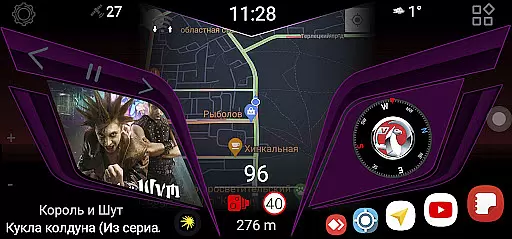
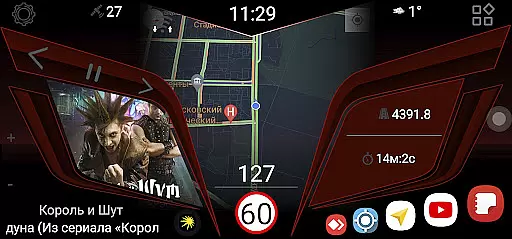
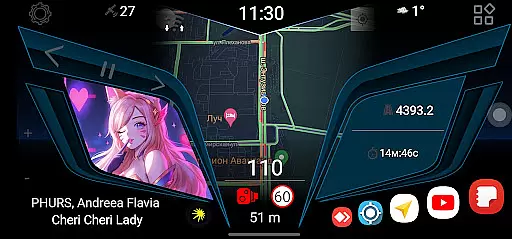
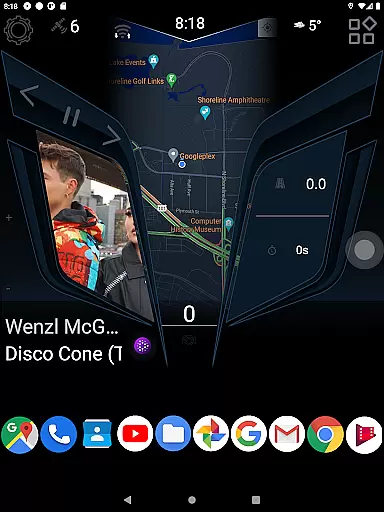
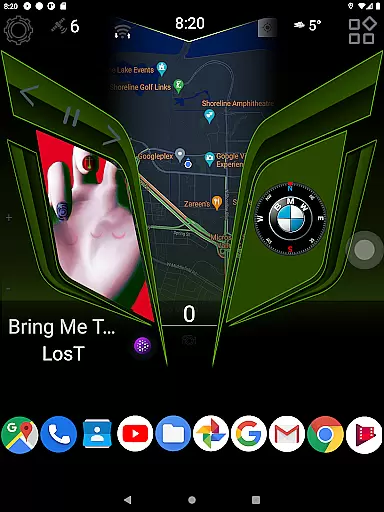
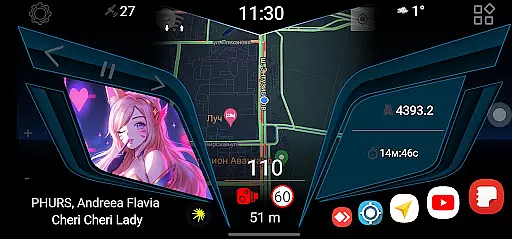
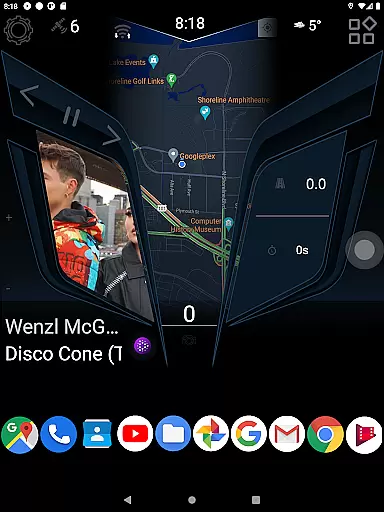
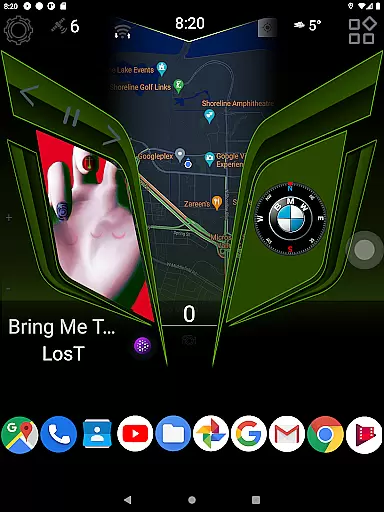
CL Theme Line is a specialized theme designed exclusively for the Car Launcher Free/Pro app, catering to users who desire a personalized and visually appealing in-car experience. This theme transforms the interface of your Car Launcher, providing a sleek and modern design that enhances usability while driving.
The application ensures seamless integration with the Car Launcher app from Apps Lab Studio, delivering an aesthetic upgrade without compromising functionality. By following a simple installation process, users can enjoy a refreshed look that maintains essential features for safe and convenient vehicle operation.
Ideal for drivers seeking both style and practicality, CL Theme Line optimizes the visual layout of your car's digital environment, making it easier to access navigation, music, and other critical apps while on the road.
CL Theme Line offers a range of distinctive features tailored to enhance the Car Launcher experience. One notable feature is its compatibility with both free and pro versions of the Car Launcher app, ensuring broad accessibility for various users. The theme boasts a clean, line-based design that minimizes distractions while maintaining clarity.
Another key aspect is the straightforward installation process. Users simply need to open the Car Launcher app, navigate to settings, select 'Choose a theme,' and click on their preferred option. This simplicity allows even those with minimal technical expertise to customize their interface effortlessly.
Furthermore, CL Theme Line prioritizes safety by preserving essential functionalities within an intuitive layout, allowing drivers to focus on the road while still accessing necessary applications. This thoughtful design underscores the theme's commitment to combining aesthetics with practicality.
When it comes to customizing your vehicle's digital interface, having access to detailed and accurate information is crucial. CL Theme Line offers a specialized theme designed exclusively for the Car Launcher Free/Pro app, providing users with essential details about their vehicle in an aesthetically pleasing format.
This theme enhances the user experience by integrating seamlessly with the Car Launcher application, ensuring that all vehicle-related data is presented clearly and concisely. The requirement of having the Car Launcher app installed emphasizes its role as a central hub for vehicle information management.
By following the simple installation process, users can enjoy a streamlined presentation of their vehicle's status and specifications. This level of detail supports better decision-making and fosters a deeper connection between the driver and their vehicle.
Price transparency is a key factor when choosing automotive accessories or services. CL Theme Line addresses this by offering its theme free of charge, making it accessible to all users who have the Car Launcher app installed on their devices.
The theme does not include any hidden costs or in-app purchases, ensuring that users can enjoy a fully-featured customization option without worrying about additional expenses. This straightforward pricing model builds trust and encourages wider adoption among car enthusiasts.
Moreover, the absence of extra fees for premium features allows users to experiment with different themes confidently. This approach not only enhances customer satisfaction but also promotes long-term engagement with the Car Launcher ecosystem.
User-friendly design
Easy installation process
Compatible with free and pro versions
Enhances visual appeal
Preserves essential functionalities
Requires Car Launcher app
Limited customization options
No standalone functionality
Dependent on third-party software
Potential compatibility issues

Wonder how much horsepower and torque your car/truck makes? Look no further.
 3.40
3.40
App Mirroring for Tesla Car's Browser
2.80
Better fuel to help keep you on the road
3.20
A full featured, real-time transit locator system
4.30
Autolist - The Largest Selection of Local Used Cars and Trucks
4.50
Read and delete OBD codes with any ELM327 OBD scanner. Coding functions included
3.40
Instantly redesign your car with AI. From sporty to futuristic, try it all.
4.50
O'Reilly Pro will streamline your parts lookup and ordering process!
3.20
Quick and easy car diagnostics to get you the right fix.
4.70
Take Control of Your Car
4.80
Shop, finance, or sell today.
4.80
Find Your Local Store or Shop Online for the Car, Truck, or SUV Parts You Need
4.70
A smarter way to park and reserve your spot ahead of time.
4.40
Car Sounds Engine Sounds app welcomes Auto Lovers to feel Car Simulator Sound
4.20
Monitor your behind-the-wheel behavior to become a safer driver and save.
4.10
ODB2 based monitoring application for the Chevy Bolt (2017-2021)
4.00
OBD diagnostics, Live Data, DPF regeneration for BMW
4.00
By enthusiasts, for enthusiasts
4.00
BlueDriver® is a Premium Diagnostic OBD2 Scan Tool. www.BlueDriver.com
3.90


User Reviews