
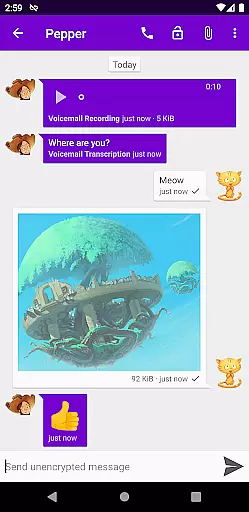
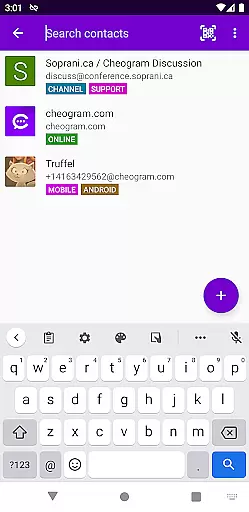
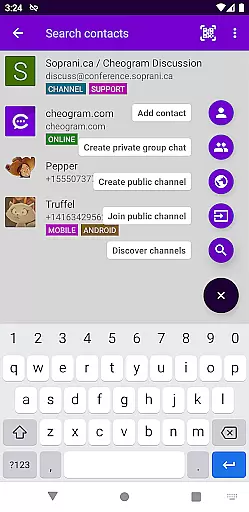
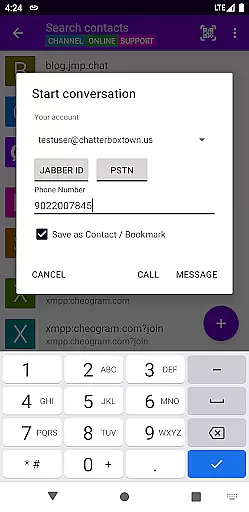
Cheogram is a communication app that connects users to a global network, emphasizing cross-platform interaction. It supports messaging with media and text, including animated content, and integrates with gateways for SMS-enabled phone numbers.
With features like address book integration, tagging of contacts, and lightweight threaded conversations, Cheogram enhances user connectivity. The app also offers a free one-month trial of the JMP.chat service, making it an ideal choice for those seeking versatile communication tools.
Cheogram stands out with its robust feature set tailored for seamless communication. The app supports rich messaging with both media and text, displaying subject lines discreetly and showing links to known contacts by name.
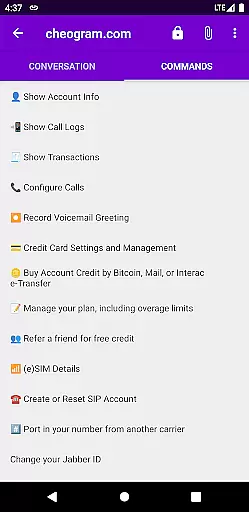
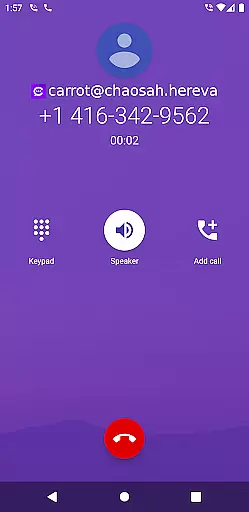
It integrates smoothly with gateways' add contact flows and the native Android Phone app when using a phone network gateway. Additional features include address book integration, tagging of contacts and channels, a command UI, and sticker packs, ensuring a comprehensive and engaging user experience.
Real-time messaging speed and reliability are crucial for any communication app, ensuring that messages are delivered instantly and without fail. Cheogram excels in this area by leveraging the robust Jabber service, which provides a stable and fast messaging platform.
The app supports both text and media messages, including animated media, allowing users to share various types of content seamlessly. Its integration with gateways' add contact flows and the native Android Phone app when using a gateway to the phone network enhances its messaging capabilities.
Users benefit from Cheogram's reliable message delivery system, which ensures their communications are consistently successful. This reliability fosters trust and encourages more frequent use of the app for personal and professional interactions.
Media sharing support is an essential feature for modern communication apps, enabling users to exchange photos, videos, and other files effortlessly. Cheogram offers comprehensive media sharing capabilities, supporting messages with both media and text, including animated media.
The app's integration with the native Android Phone app when using a gateway to the phone network further enriches the media sharing experience. Users can easily share media files with contacts across different networks, thanks to Cheogram's compatibility with SMS-enabled phone numbers.
By providing robust media sharing support, Cheogram enhances user engagement and satisfaction. The ability to share diverse content types makes conversations more dynamic and expressive, catering to a wide range of communication needs.
User-friendly interface
Rich messaging capabilities
Address book integration
Lightweight conversations
Free trial available
Limited to Jabber services
No standalone use
Requires external account
Complex setup
Feature learning curve

 3.90
3.90
Secure Messaging App to Enhance Messenger Texting Experience and Organize SMS.
3.50
A web browser that respects your privacy.
4.30
Adblock & VPN Browser: Blocks banners, pop-ups and video ads, fast downloader!
4.60
Messenger app for faster and simpler SMS text messaging, and personalized themes
4.10
Call Blocker app: Identify unknown callers, block spam calls, fraud & robocalls
4.30
Manage your mobile phone plan, check unlimited 5g data usage and track rewards
4.50
Caller ID, Spam Call & SMS Blocker
3.80
Share the moment!
4.10
We’re taking the yada yada out of wireless—now we’ve taken it out of your app.
4.70
Read OBD2 data and DTCs Create custom dashboards Enhanced diagnostics available
4.70
Talk & text free with a second phone number plus unlimited 5G data, no fees.
4.50
HD Video Meeting app is a fast & unlimited video conferencing app across world.
4.30
Enjoy secure messaging & calling. Safe Messenger: group chats, calls, messages.
4.20
Send SMS and chat messages easily with a fast text messaging app for Android.
4.10
Telegram is a messaging app with a focus on speed and security.
4.00
A Browser with powerful ad blocker to help focus on what really matters.
3.00
Watchgram for Telegram: Experience seamless Telegram messaging on your watch
1.80
Manage Phone Calls, call history, and contacts easily with Phone Pro.
4.2


User Reviews