
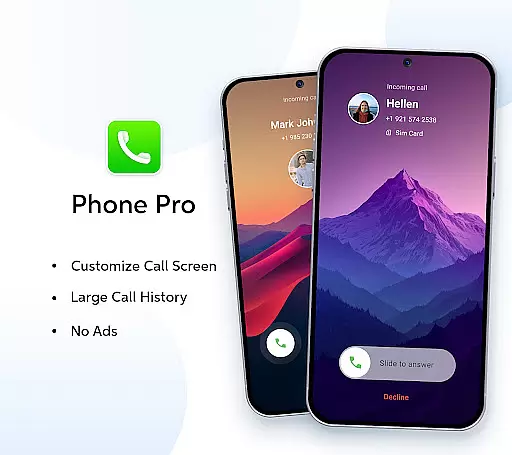

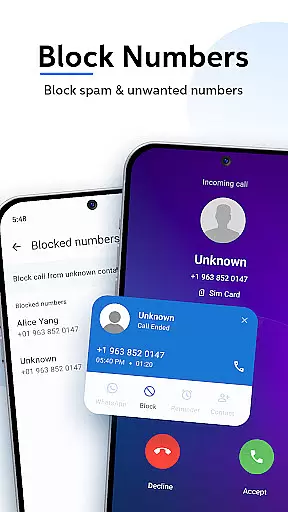
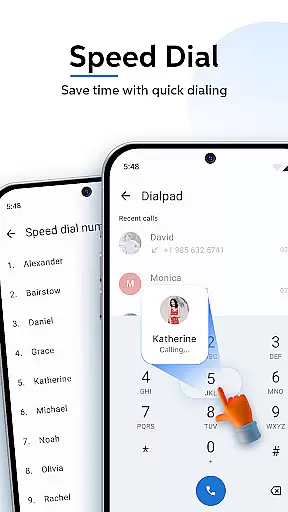

Phone Pro is a premium communication app designed to enhance your calling and contact management experience. This powerful dialer combines an intuitive interface with advanced features, offering users an ad-free environment for seamless call handling. With customizable call screens, extensive call history tracking, and personalized themes, Phone Pro ensures both functionality and user comfort.
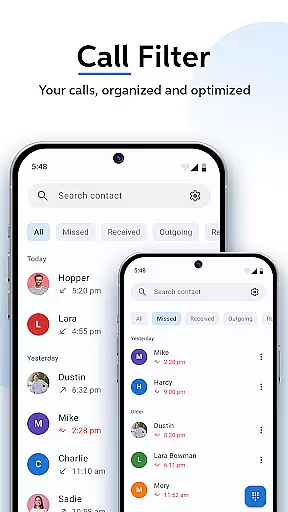
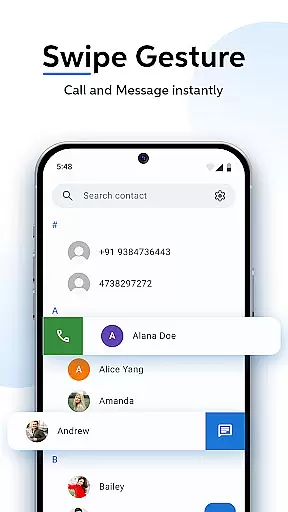
The app provides efficient tools for managing contacts, including swipe-to-call functionality, smart call filters, and T9 quick search. These features allow users to organize and access their contacts with ease. Whether you're a professional needing quick access to important contacts or someone who values a clutter-free calling experience, Phone Pro delivers a complete solution for all your communication needs.
Phone Pro stands out with its comprehensive feature set tailored for optimal call and contact management. The app offers an ad-free experience, allowing users to make calls without interruptions. Its customizable call screen options enable personalization of the call interface, including unique background images from the phone gallery.
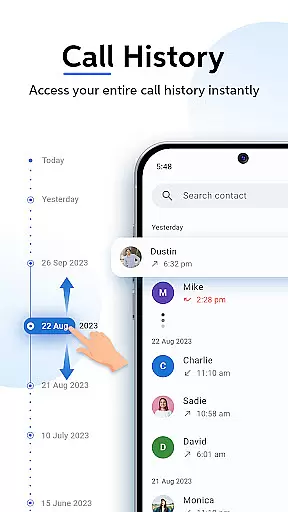
One of the key highlights is the extensive call history log, which helps users track past communications effortlessly. The app also supports multiple themes (Dark, Light, and Auto mode), catering to different viewing preferences. Advanced functionalities like T9 predictive search, smart call filters, and favorites organization further streamline the calling process, making Phone Pro a versatile tool for both personal and professional use.
Real-time messaging speed and reliability are crucial for any communication app, ensuring that messages are delivered instantly and without fail. Phone Pro excels in this area by providing a seamless calling experience with features like Smart Call Filters and Swipe-to-Call.
The app's infrastructure is designed to handle high volumes of calls efficiently, sorting them into missed, received, and outgoing categories. This ensures users can manage their communications effortlessly, without worrying about delays or missed messages.
With Phone Pro, users benefit from an uninterrupted calling experience thanks to its ad-free environment, which eliminates distractions and potential disruptions during calls. The app also supports extensive call logs, allowing users to track all past communications easily.
Media sharing support is an essential feature for modern communication apps, enabling users to exchange various types of media seamlessly. Phone Pro enhances this capability by integrating powerful tools such as T9 Quick Search and customizable call screens.
The app allows users to personalize their call screens with unique backgrounds, including images from their phone gallery, making each call more engaging and visually appealing. Additionally, the Favorites feature keeps frequently dialed contacts easily accessible, streamlining the process of sharing media with close contacts.
By offering a range of personalization options, including Dark, Light, and Auto modes, Phone Pro ensures a comfortable viewing experience while managing media files. These features collectively enhance the overall user experience, making media sharing not only efficient but also enjoyable.
Ad-free calling
Customizable UI
Extensive call logs
Smart search
User-friendly design
Premium only
No free version
Limited integrations
Gallery sync issues
Occasional bugs

Browse fast on Opera Mini, with Data Saving, News, Football Scores, and Download
 4.60
4.60
Call Blocker app: Identify unknown callers, block spam calls, fraud & robocalls
4.30
Create a secure hotspot on-the-go with Portable WiFi - Mobile hotspot.
4.40
An agentic AI browser for Android, built by Perplexity
4.50
Federated instant messaging for your mobile device (Jabber, XMPP, Snikket)
4.10
RemoteHams.com Android RCForb Client Pre-Release
4.30
An app dedicated solely to marriage, not dating, and supported by a rigorous verification mechanism to ensure seriousness.
4.3
SMS Messenger is a lightning-fast messaging app.
4.20
Caller ID, Spam Call & SMS Blocker
3.80
Use this Dialer app alone or as a TREK: Total Interface companion.
4.70
Messenger, an MMS & SMS messages app with Blockers, Driving mode & Private box
4.60
Build your web browser around you with private search, and more.
4.60
Faster version of Messages. Messenger for your contacts.
4.50
Use this SMS app standalone or as a TREK: Total Interface companion.
4.30
Group Chat That’s Fun & Games
4.30
Threema is the messenger with the most consistent focus on security and privacy.
4.00
Call & Text Anywhere With A Canadian Number.
3.60
Weargram is an unofficial Telegram Client for Wear OS.
3.50
Auto Reply SMS, Text Messaging, Away SMS Response, Busy SMS messages, Block Text
3.10


User Reviews