
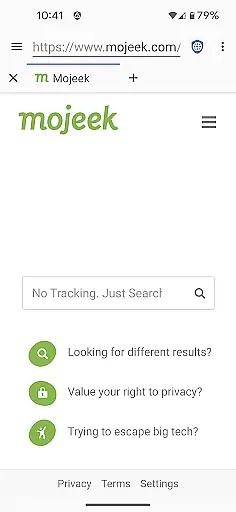
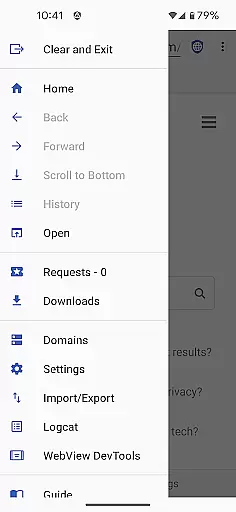
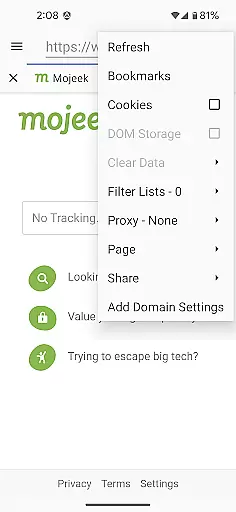
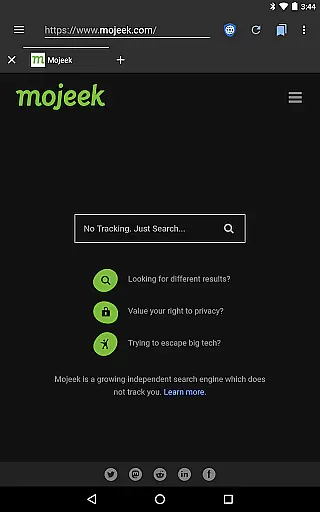
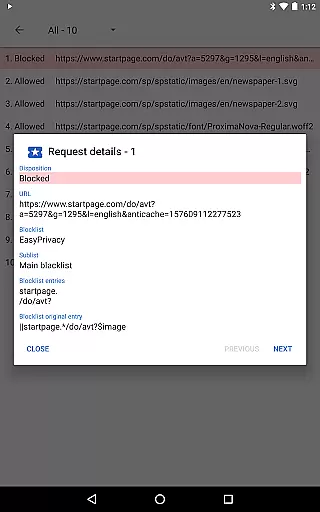
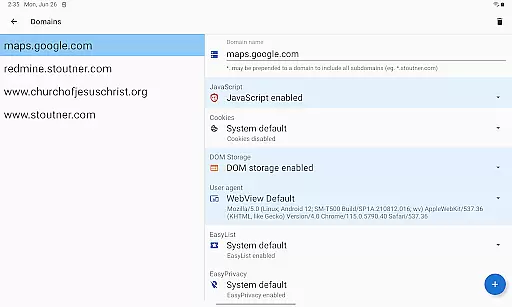
Privacy Browser is a communication app designed to protect user privacy by minimizing data collection both online and locally. Its primary function is to block invasive tracking technologies like JavaScript, cookies, and DOM storage that are commonly used by websites to monitor user activity. By disabling these privacy-sensitive features by default, the app ensures users retain control over their personal information.
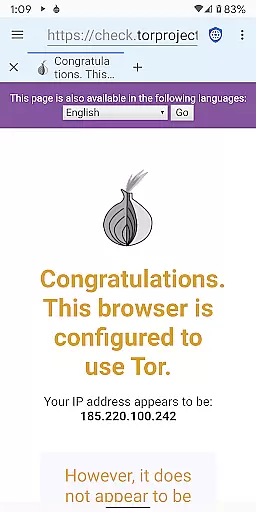
In addition to its privacy-focused architecture, Privacy Browser offers advanced features such as integrated EasyList ad blocking, Tor Orbot proxy support, and SSL certificate pinning. These tools help create a secure browsing environment while allowing users to customize settings for specific websites. The app also plans to introduce Privacy WebView in its 4.x series, which will enhance privacy protections even further. This makes Privacy Browser an ideal choice for users seeking secure, private internet access on Android devices.
Privacy Browser stands out with its robust privacy-centric features tailored for secure communication. One of its key characteristics is the ability to disable tracking technologies by default, enabling users to browse the web without being monitored. For sites requiring certain functionalities, users can temporarily enable features or set domain-specific preferences, ensuring flexibility without compromising security.
The app includes advanced capabilities such as EasyList ad blocking, which removes intrusive advertisements, and Tor Orbot proxy support for anonymous browsing. SSL certificate pinning adds another layer of protection against man-in-the-middle attacks. Additionally, Privacy Browser allows users to import and export settings and bookmarks, making it easy to manage configurations across devices. With future updates introducing Privacy WebView, this app continues to lead in providing cutting-edge privacy solutions.
Privacy Browser excels in providing real-time messaging speed and reliability by minimizing the data sent to the internet. This ensures that your communications remain fast and uninterrupted while maintaining a high level of privacy.
The browser disables privacy-sensitive features by default, which not only enhances your security but also streamlines the messaging process. By reducing unnecessary data exchange with websites, Privacy Browser ensures that your messages are delivered quickly and reliably.
For users who require additional functionalities for specific sites, Privacy Browser offers domain settings that automatically enable certain features when visiting those sites. This customization allows for optimized performance without compromising on privacy or speed.
Privacy Browser supports media sharing while ensuring that user data is not unnecessarily stored on the device or shared with websites. This approach aligns with its goal to minimize data collection and storage, offering a secure environment for sharing media files.
With integrated EasyList ad blocking and SSL certificate pinning, Privacy Browser provides a secure platform for media sharing. These features prevent unauthorized tracking and ads, ensuring that your shared content remains private and secure from external threats.
Additionally, the Tor Orbot proxy support enhances the anonymity of media sharing activities. Users can confidently share images, videos, and other media types knowing that their identity and location are protected from potential trackers and malicious actors.
Enhanced privacy controls
Ad-blocking functionality
Tor proxy support
Customizable domain settings
Secure SSL pinning
Requires WebView updates
No iOS version available
Limited multimedia support
Advanced setup needed
Occasional site compatibility issues

Messenger for SMS - texting message app, faster, simpler & safer, for you.
 4.70
4.70
Our Black Friday sale is here. Unlock special discounts on Proton Mail now.
4.30
Fast and mini browser with Ad Blocker,Video Downloader and Video Player
4.40
Manage and Fund Calling Accounts and Schedule and Join Video Sessions
3.60
Simplify texting with Messages SMS, offline messaging, themes & smart tools!
4.30
A browser that does more than load page, like keeping your privacy safe.
4.70
SMS Messenger is a lightning-fast messaging app.
4.20
Get through your inbox faster with the mail app designed to simplify your life.
4.40
Simple tool for businesses to talk to their customers.
4.40
Save 10% automatically on your first international mobile top up.
4.60
Connect and browse the internet with a fast VPN proxy server and IP blocker.
4.50
Create a secure hotspot on-the-go with Portable WiFi - Mobile hotspot.
4.40
BiP is a fast, secure, free messaging and HD video calling app!
4.10
SMS & MMS Messaging App to easily send messages or schedule SMS on Chat
4.10
Send SMS and chat messages easily with a fast text messaging app for Android.
4.10
Fast Dialer & Contact Manager with Caller ID and Spam Protection
4.00
Measure BHP, Torque & 0-60 Clear car OBD faults View engine data in Google Earth
4.00
Telegram is a messaging app with a focus on speed and security.
4.00
Official NDI app: turn your phone into a professional live-streaming IP camera.
3.20


User Reviews