

Rakuten Viber Messenger is a leading communication app that connects over a billion users globally through secure messaging and calling features. The app offers free text, voice, and video communication with end-to-end encryption, ensuring complete privacy for all conversations. It stands out as one of the top messaging apps due to its innovative features like disappearing messages, reminders, and creative tools such as lenses, GIFs, and stickers.
Designed for both personal and professional use, Rakuten Viber Messenger supports group chats of up to 250 members, making it ideal for families, teams, or communities. With additional capabilities like Viber Out for affordable international calls and Communities/Channels for interest-based discussions, this app provides versatile solutions for staying connected effortlessly.
Rakuten Viber Messenger boasts an array of advanced features tailored to enhance user experience. One standout feature is its end-to-end encryption, which ensures maximum security for all 1-on-1 and group communications. This makes it one of the most secure apps among top video chat platforms. Additionally, the app allows users to make high-quality audio and video calls to anyone worldwide at no cost, supporting multi-person calls with up to 60 participants.
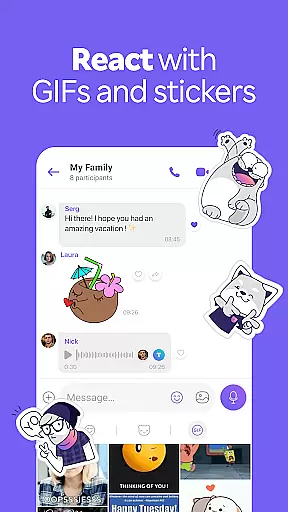
The app also includes creative tools like lenses, GIFs, and over 55,000 customizable stickers, enabling users to express themselves uniquely. Disappearing messages add another layer of privacy by allowing users to set timers on their chats. Furthermore, productivity-focused features such as notes, reminders, and reactions help streamline daily tasks while keeping interactions engaging and efficient.
Real-time messaging speed and reliability are crucial for maintaining seamless communication in today's fast-paced world. Rakuten Viber Messenger excels in this area by providing instantaneous message delivery across all devices.
The app ensures that text, photos, stickers, GIFs, voice, or video messages are transmitted without delay, allowing users to express themselves creatively and efficiently. With high-quality messaging and no hidden fees, Viber keeps you connected effortlessly.
Whether you're having a one-on-one conversation or participating in a group chat with up to 250 members, the real-time capabilities of Rakuten Viber Messenger ensure that every interaction is smooth and uninterrupted.
Media sharing support is an essential feature for any modern messaging app, enabling users to exchange various types of content seamlessly. Rakuten Viber Messenger offers robust media sharing capabilities, allowing free transmission of photos, videos, voice messages, and other file types.
With Viber, you can enjoy unlimited Viber-to-Viber audio and video calls worldwide, as well as crystal-clear voice and video quality on all your devices. The intuitive interface ensures that sharing multimedia content is straightforward and reliable.
Beyond just sending messages, Viber lets you personalize chats with lenses, GIFs, and over 55,000 stickers. You can even create custom stickers, making your conversations more engaging and expressive.
Free messaging and calling
End-to-end encryption
Group chats up to 250 members
Creative expression tools
Affordable international calls
Limited free landline calls
High data usage for video
Occasional bugs reported
Ads in some sections
Subscription costs for Viber Out

Fast and simple walkie talkie app
 4.20
4.20
We’re taking the yada yada out of wireless—now we’ve taken it out of your app.
4.70
Secure Messaging App to Enhance Messenger Texting Experience and Organize SMS.
3.50
At select facilities, you now have an easy way to video visit your loved ones!
3.30
Fast and mini browser with Ad Blocker,Video Downloader and Video Player
4.40
Call Blocker app: Identify unknown callers, block spam calls, fraud & robocalls
4.30
An app dedicated solely to marriage, not dating, and supported by a rigorous verification mechanism to ensure seriousness.
4.0
FolderSync enables easy sync of files between cloud storage and Android devices.
4.60
Say “hello” to privacy.
4.60
Browse fast on Opera Mini, with Data Saving, News, Football Scores, and Download
4.60
Stay in touch with the people who matter most.
4.60
Faster version of Messages. Messenger for your contacts.
4.50
Group Chat That’s Fun & Games
4.30
BE PRIVATE
Anonymous. No Trace. Fast.
4.20
SMS & MMS Messaging App to easily send messages or schedule SMS on Chat
4.10
Fast, Simple And Secure Application That Provides SMBv3 Server On Your Device
3.30
Comprehensive and powerful scan tool app with enhanced functions
3.00
Watchgram for Telegram: Experience seamless Telegram messaging on your watch
1.80
Bringing the functionality of Winlink to your Android device
4.0


User Reviews