
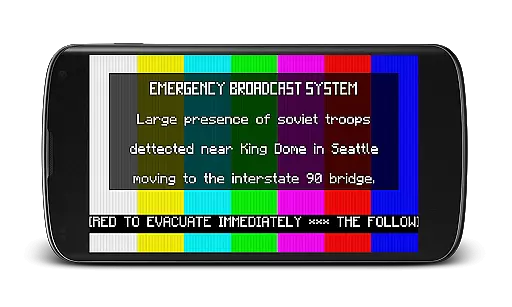
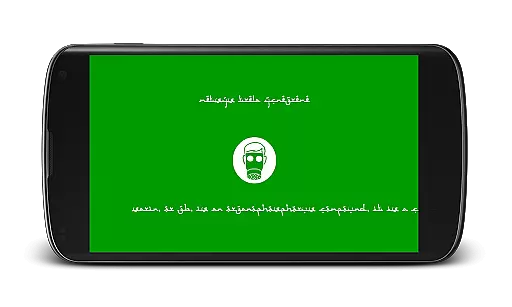
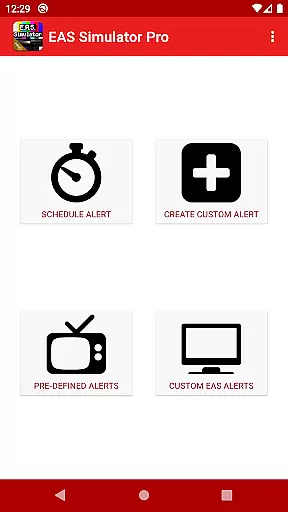
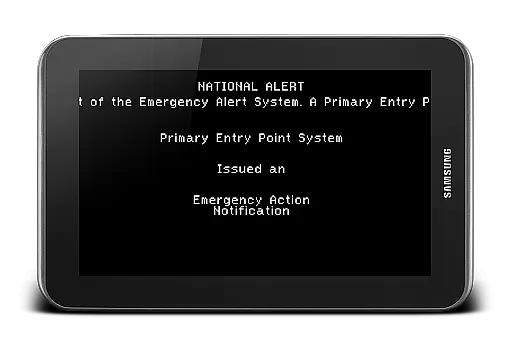
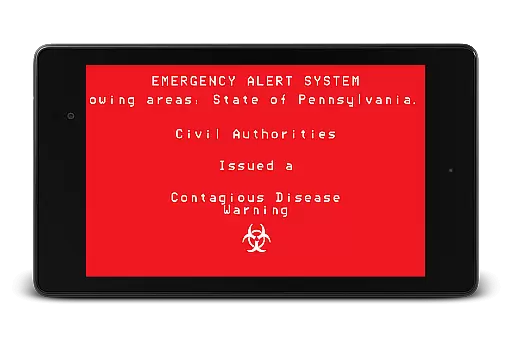
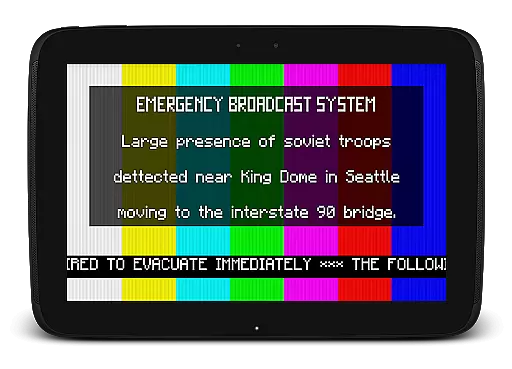
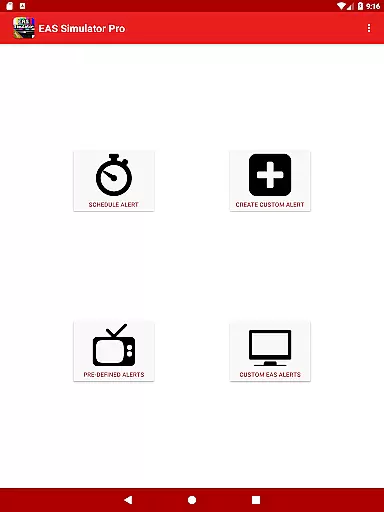
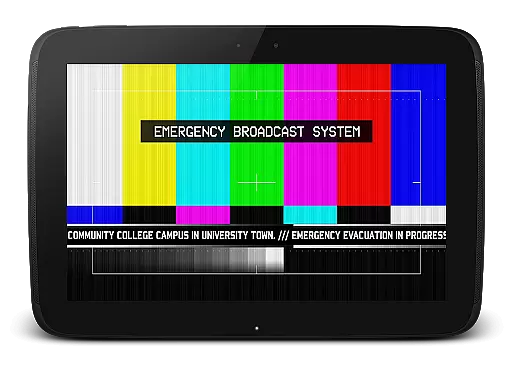
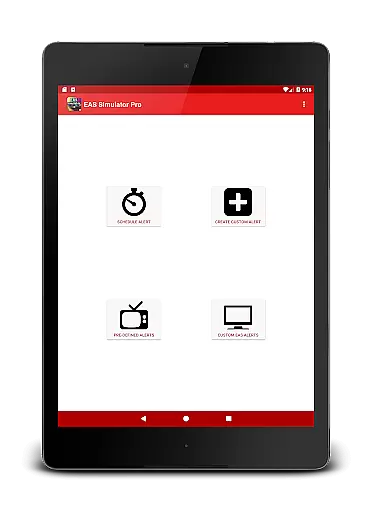
EAS Simulator Pro is an innovative entertainment app that allows users to simulate realistic Emergency Alert System (EAS) messages on their Android devices. With this app, you can create and play mock alerts for various scenarios, ranging from natural disasters to fictional apocalyptic events. The app offers a comprehensive alert editor, video conversion features, and pre-defined emergency scenarios inspired by real-life events and popular media.
One of the standout features is the ability to schedule alerts to play at specific times, even when the device is locked. This makes it ideal for drills, pranks, or role-playing activities. Whether you're interested in simulating a zombie apocalypse or testing your preparedness for natural disasters, EAS Simulator Pro provides a realistic and engaging experience.
The app's value lies in its combination of educational and entertainment elements. Users can learn about different types of emergencies while enjoying the creative freedom to design custom alerts. With over 9000 purchases and a top ranking in paid Android apps, this app has proven its appeal among users seeking both fun and functionality.
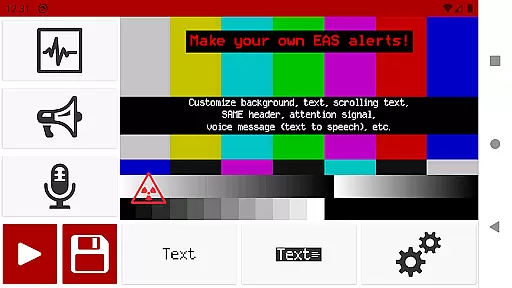
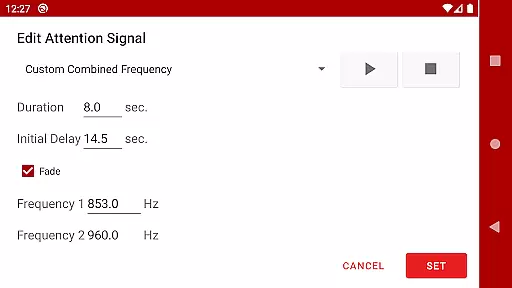
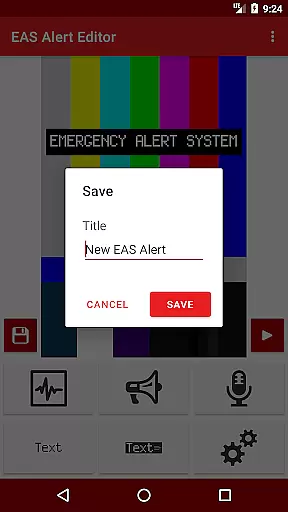
EAS Simulator Pro stands out with its extensive feature set tailored for creating realistic emergency alerts. The app provides full access to an advanced Emergency Alert System editor, allowing users to craft custom alerts without limitations. You can choose from various backgrounds similar to TV alerts, static or blinking texts, scrolling news-ticker like messages, and SAME headers with authentic beeping sounds.
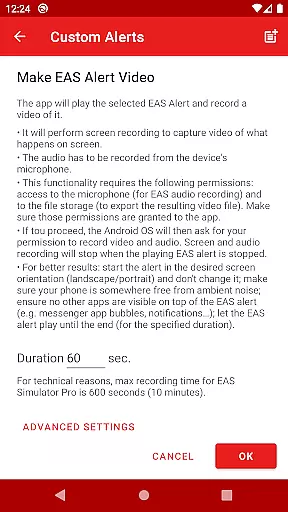
Another remarkable feature is the ability to convert EAS alerts into videos using screen recording and microphone audio. This functionality enables users to share their creations or use them for presentations. Additionally, the app supports exporting and importing alerts as files, making it easy to back up your work or collaborate with others who have the Demo or Pro version.
The app also includes pre-defined alerts featuring real-life natural disasters such as flash floods and tornadoes, alongside thrilling fictional scenarios like nuclear attacks and zombie pandemics. These ready-to-use alerts provide immediate value while the scheduling feature ensures timely playback for various purposes. Overall, EAS Simulator Pro delivers a unique blend of creativity, realism, and practicality.
In the realm of digital entertainment, content variety and freshness are paramount to maintaining user engagement. EAS Simulator Pro excels in this area by offering a diverse array of pre-defined alerts that cater to both real-life scenarios and thrilling fictional situations. From simulating natural disasters like flash floods and tornadoes to enacting a North Korean nuclear attack or a zombie apocalypse, the app provides an extensive selection designed to captivate users' imaginations.
Moreover, the application allows for the creation and saving of custom alerts without limitations, ensuring that content remains fresh and personalized to individual preferences. This feature empowers users to continuously explore new emergency scenarios, thus extending the app's replay value. By integrating realistic Emergency Alert System messages with creative freedom, EAS Simulator Pro keeps its library dynamic and engaging.
The ability to schedule alerts adds another layer of variety, as it enables users to plan drills or pranks at their convenienceu2014even if the device is locked. With these capabilities, EAS Simulator Pro not only entertains but also enhances preparedness through simulated experiences that are both educational and enjoyable.
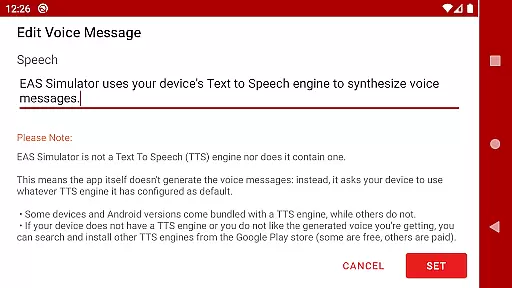
User engagement duration and retention are critical metrics for evaluating the success of entertainment applications. EAS Simulator Pro addresses these aspects by providing features that encourage prolonged interaction and repeated use. The app's realistic EAS alerts, complete with SAME headers, attention signals, voice messages generated by Text to Speech engines, and End of Message sounds, create an immersive experience that captures users' interest over extended periods.
Additionally, the export/import functionality allows users to share their creations with others who own either the Demo or Pro version of EAS Simulator. This social aspect fosters a community around the app where users can exchange unique alert scenarios, thereby increasing retention rates as they return to discover new content shared by peers.
Furthermore, scheduling capabilities ensure that even when not actively using the app, users remain engaged through timed notifications designed to play automatically under optimal conditionsu2014when the phone is idle with its screen off. Such thoughtful design elements contribute significantly to sustaining user attention and promoting long-term loyalty towards EAS Simulator Pro.
User-friendly interface
Realistic alert simulation
Customizable scenarios
No ads
Video export option
Requires TTS engine
Permissions needed
Export issues on some devices
Paid version only
OS restrictions may apply

Practice and master your ESP and intuition with five mode trainer.
 4.20
4.20
With the credits you earn play more games
2.90
Music visualizer and party effects for Hue
3.90
The JBL Portable app works with JBL portable Bluetooth speakers.
4.60
Chat with AI characters! Anime, games, roleplay & more.
4.50
VR 360 Cinema Player is the ultimate VR player for playing videos on mobile
3.50
With the Steam Mobile App, you can take Steam with you anywhere.
3.00
World's largest dedicated anime collection
4.70
Play casual games to get gift cards and money. More playing, more earning.
4.70
Triple A is a highly complex, kinetic, and interactive visualizer.
4.50
* Multiple Matches * Intuitive UI * Scoring Made Easy!
4.40
Earn gift cards for playing games. Become a real game tester!
4.40
Atomus is a 10-finger multi-touch interactive visualizer.
4.30
Best of icon for christmas
4.30
Himnario LLDM - Fast and Easy to read , updated Hymnal 2019 Edition Official
4.20
Binge-worthy short dramas on DramaRush—engaging stories that fit your day.
3.90
Fool your friends & Family with Fake ultrasound test report
3.60
Watch whatever you want, whenever you want, wherever you want.
3.30
Air Horn - Siren Sounds Prank, Fun way to wake up your Friends and Family
4.4


User Reviews