
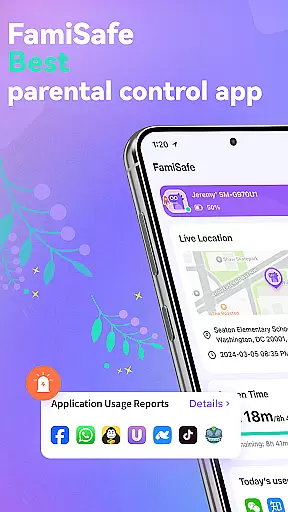
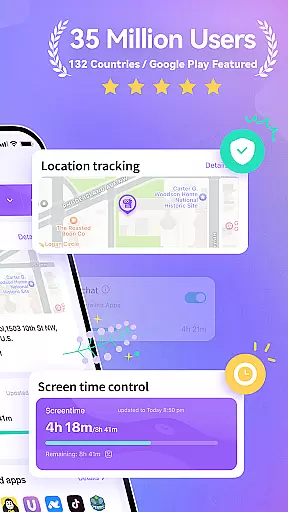

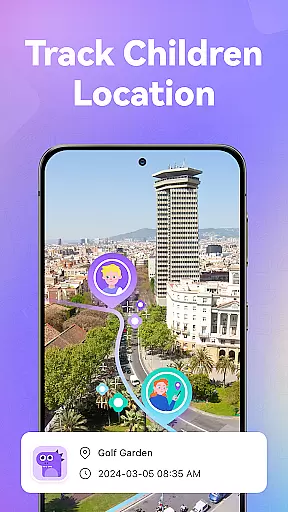
FamiSafe is a comprehensive parental control app designed to help parents ensure their children's digital safety. The app offers real-time monitoring of online activities, including app usage, website visits, and video-watching habits on platforms like YouTube and TikTok. Parents can also track their child's location with GPS accuracy and view historical movement data.
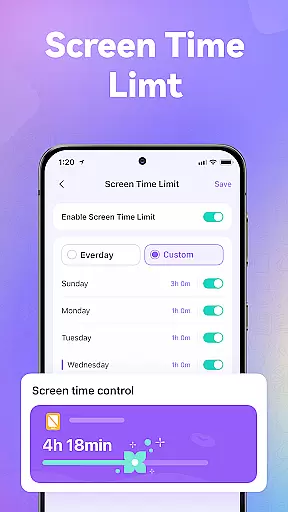
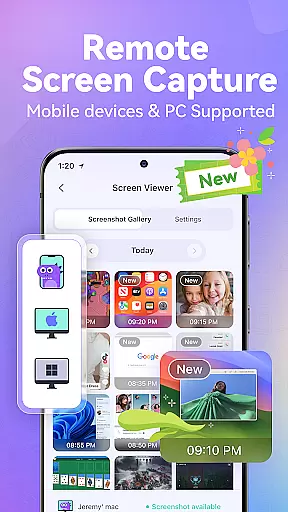
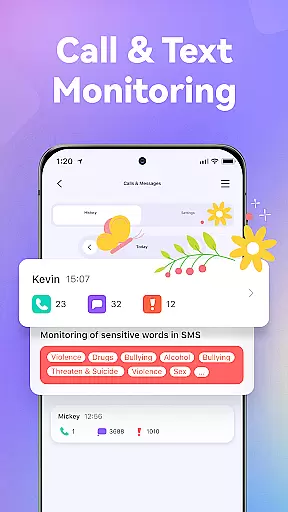
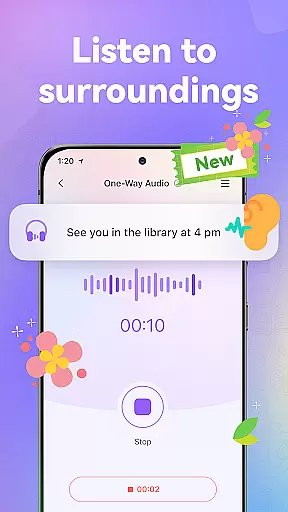
With FamiSafe, parents can set customized screen time limits, block inappropriate websites and apps, and monitor calls and messages for potential dangers. The app includes features such as remote screen capture, one-way audio listening, and an SOS panic button for emergencies. These tools empower parents to guide their children towards healthy digital habits while ensuring their safety.
This app is ideal for modern families who want to maintain open communication and trust while providing necessary supervision. By pairing the parent's device with the child's through FamiSafe Kids, multiple family members can participate in co-parenting. The app's trusted reputation is evidenced by numerous awards, making it a reliable choice for concerned parents.
FamiSafe stands out with its robust feature set tailored for parental control needs. One of the key functionalities is the ability to monitor online activities in detail - from tracking time spent on individual apps to analyzing visited websites. This allows parents to understand their child's digital footprint comprehensively.
The app's location tracking feature uses advanced GPS technology to provide accurate real-time positioning and historical location data. Parents can set up geofencing alerts for specific areas. When it comes to content filtering, FamiSafe offers powerful blocking capabilities for inappropriate websites and apps, including adult content and potentially addictive games.
Unique features like remote screen capture and one-way audio listening provide additional layers of security. The panic button function enables quick emergency response, while sensitive word and image detection helps identify potentially dangerous conversations across various social media platforms. These comprehensive tools work together to create a safe digital environment for children.
When it comes to parenting apps, the credibility of the content and expert validation are paramount. FamiSafe u2013 Parental Control App ensures that all features are developed with the guidance of child psychologists and digital safety experts. This guarantees that the app not only helps parents monitor their children's activities but also promotes healthy digital habits.
The app provides reliable tools for monitoring online activities, including app usage, website visits, and video watching patterns on platforms like YouTube and TikTok. These features are designed based on expert recommendations to ensure they contribute positively to a child's development while keeping them safe from inappropriate content.
FamiSafe goes beyond simple tracking by incorporating sensitive word detection and sexual picture analysis across various social platforms. This advanced feature set is continuously refined with input from digital safety experts, ensuring parents receive accurate alerts about potential dangers in their child's digital environment.
By choosing FamiSafe, parents benefit from an app that has been recognized by multiple organizations, including the National Parenting Product Awards. This external validation confirms the app's commitment to providing trustworthy and expert-approved parenting solutions.
Accurate growth tracking is essential for understanding a child's development in the digital age. FamiSafe offers precise monitoring tools that allow parents to track their child's location, screen time, and digital habits with high reliability. The app's GPS tracker provides real-time location updates, giving parents peace of mind when their child is away from home.
The screen time control feature enables parents to set customized limits, promoting healthier device usage patterns. By accurately tracking how much time children spend on different apps and websites, FamiSafe helps parents guide their kids toward more productive online activities while preventing overuse or addiction.
In addition to basic tracking, FamiSafe includes advanced features like remote screenshot capture and one-way audio monitoring. These tools provide deeper insights into a child's digital environment, allowing parents to make informed decisions about their safety and well-being.
All tracking data is presented through clear reports and visualizations, making it easy for parents to understand their child's progress and adjust settings accordingly. This comprehensive approach to growth tracking ensures parents have all the information they need to support their child's healthy development in today's digital world.
Comprehensive monitoring features
User-friendly interface
Multi-device support
Real-time location tracking
Award-winning reliability
Paid subscription required
Setup process may be complex
Limited free trial period
Some features need technical knowledge
Requires separate child app installation

Family GPS locator app — child location tracker. GPS kids tracker, family safety
 4.70
4.70
Pregnancy and baby formula tips for moms, plus Enfamil coupons & cash back
4.10
A Coloring for the Whole Family! Discover the Joy of Family Love Through Colors!
3.60
Watching baby, helping parents
4.10
Join over 1MM parents & professionals who've used OFW to navigate co-parenting
4.40
Babysitting video camera - Turn your two phones or tablets into a single nanny.
4.40
Track pregnancy health and wellness with pregnant tracker from healthcare advice
4.4
Parental control App for Location, Remote Camera, Screen Mirroring, Block Apps.
4.60
Advanced baby tracking, expert sleep help & parenting support for every stage.
4.80
FamilyAlbum helps you share, save, and remember your child's special moments.
4.80
All-In-One Pregnancy Tracker, Your Baby's Milestones, Growth Stages & Parenting
4.70
Sleep better with white noise app! Discover rain sounds, fan noise and more.
4.70
GPS phone tracker: find kids on map. Location tracking and parental control.
4.50
All-in-one pregnancy app, contraction timer, kick counter & due date calculator
4.40
Free symptom & med tracker with expert-reviewed tips.
4.30
Find unique + popular baby names for your little peanut.
4.30
Magic chalkboard coloring and drawing!
4.20
Screen Time, App and Web Block & Monitoring, Location Tracker
3.60
SemLog aims to raise awareness among families and their children
3.40


User Reviews