
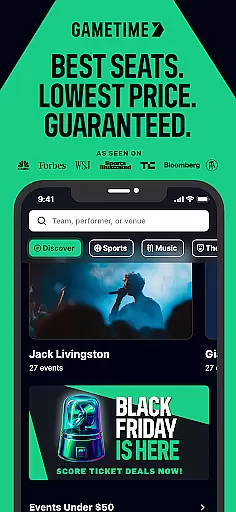
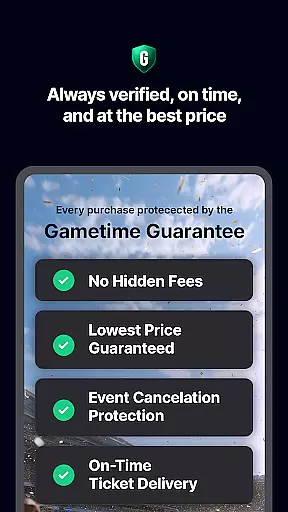
Gametime is a leading mobile application designed to help users secure tickets for live events at optimal prices. The app specializes in offering deals for sports games, concerts, festivals, comedy shows, and theatrical performances. With its unique feature of decreasing ticket prices as the event time approaches, Gametime ensures users can access last-minute deals. Additionally, it provides Gametime Ticket Coverage, a complimentary service policy that includes benefits like the Lowest Price Guarantee and Job Loss Protection.
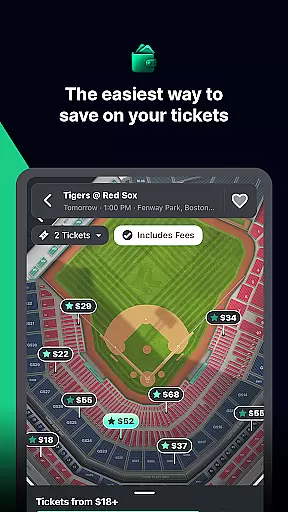
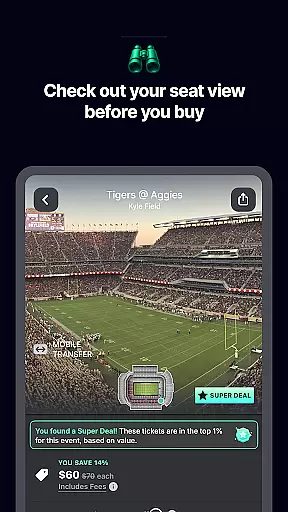
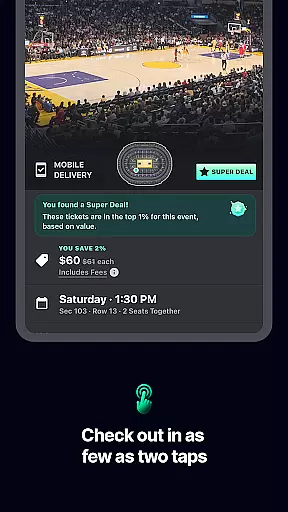
The app's intuitive interface allows users to browse venue maps, compare seat locations, and view panoramic photos of the view from different sections. Its streamlined 2-click checkout process and mobile ticket delivery system make purchasing seamless. Moreover, Gametime promotes eco-friendly practices by eliminating the need for paper tickets and enabling direct mobile sharing with friends. Whether you're looking to attend a Lakers game or a Taylor Swift concert, Gametime offers an efficient and reliable way to experience live entertainment.
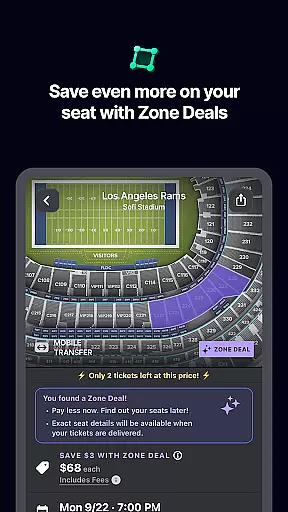
Gametime stands out with its comprehensive set of features tailored for live event enthusiasts. One of its key functionalities is the ability to buy tickets up to 90 minutes after an event has started, coupled with Special Zone Deals that offer additional discounts. The inclusion of Gametime Ticket Coverage provides users with peace of mind through benefits such as Lightning Refunds and Job Loss Protection.
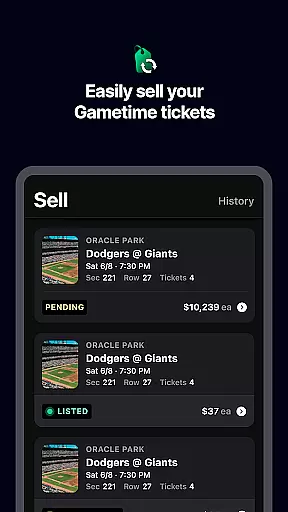
For ease of use, the app incorporates detailed venue maps and panoramic seat views, empowering users to make informed decisions about their purchases. Its transparent pricing model displays all fees upfront, ensuring no hidden costs. Furthermore, Gametime facilitates effortless ticket selling, allowing users to list tickets, receive instant text notifications upon sale, and get paid via PayPal. These features collectively enhance the overall ticket-buying experience while catering to both buyers and sellers in the secondary ticket market.
Task creation and detail customization are essential features for any event management app like Gametime. This functionality allows users to create, modify, and personalize their event tickets with ease. With the ability to customize details such as seat selection, ticket type, and pricing, users can tailor their event experience according to their preferences.
Gametime takes this a step further by offering special zone deals and discounts that help users save even more while purchasing tickets. The app's intuitive interface provides venue maps and panoramic photos, enabling users to make informed decisions about their seating choices. These features ensure that users not only get the best seats at the lowest prices but also enjoy a seamless ticket-buying process.
The value of task creation and customization extends beyond just buying tickets. Gametime allows users to list and price their tickets easily if they need to resell them. By providing text updates when tickets sell and facilitating payments through PayPal, Gametime ensures a hassle-free experience for both buyers and sellers. This level of customization empowers users to manage their event tickets efficiently, enhancing their overall experience.
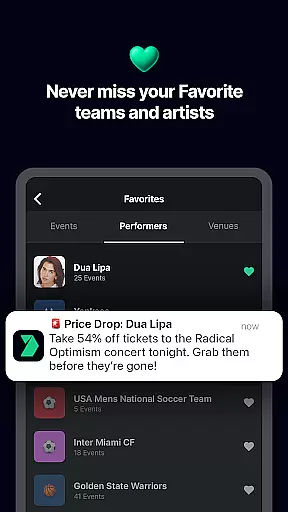
Reminder settings in an events app play a crucial role in ensuring users never miss an important event. For Gametime, this feature is designed to keep users informed about upcoming events, ticket deals, and last-minute opportunities. By setting reminders, users can stay updated on their favorite sports games, concerts, and theater shows without having to manually track each event.
Gametime enhances its reminder settings by integrating them with real-time updates and alerts. Users receive notifications about falling ticket prices as the event time approaches, allowing them to take advantage of the best deals available. Additionally, reminders about special promotions or zone deals enable users to maximize their savings while planning their entertainment activities.
This feature adds significant value by streamlining the user's event management process. With timely reminders and updates, users can focus on enjoying live entertainment rather than worrying about missing out on great deals. Gametime's reminder settings thus serve as a vital tool in helping users make the most of their event experiences, ensuring they are always in the loop and ready to enjoy the thrill of live events.
User-friendly interface
Complimentary ticket coverage
Transparent pricing model
Mobile ticket delivery
Instant ticket sharing
Resale market only
Limited event categories
No primary ticket sales
Potential high prices
Dependent on third-party listings

The Ultimate Tournament Hub
 4.70
4.70
Mobile Event Guide for Greater NY Dental Meeting
4.0
Buy event tickets easily with our user-friendly App. Stay updated on hot events
4.0
Local events, contests, and giveaways for local dads
3.70
Create invitation cards for birthdays, weddings, Christmas and more.
4.80
Digital Income Wallet of the Final Libertadores 2025
4.1
Soft Proxy for Your Online World
4.1
Meet people over dinner
4.40
TV Garden - World Live TV : Play & cast your videos seamlessly!
3.20
Fantasy of Lights Event App
5.00
Invitation card maker for birthday party & Wedding. Digital greeting card editor
4.90
CUE Live utilizes ultrasonic sound waves to sync devices at CUE enabled events
4.80
The KRUU app - plan, celebrate, remember
4.80
Plan your wedding for free on the go: vendors, budget, website and checklists!
4.80
The calendar app in this 2026 year see all dates.
4.20
Rocket Monkey - Space rocket launch schedule for launch sites around the world
4.20
The world's largest selection of tickets is now at your fingertips
3.90
Audio guide companion APP for SEE's Michelangelo's Sistine Chapel
3.50
Browse events, find transportation, keep up with the latest news from your team
4.5


User Reviews