
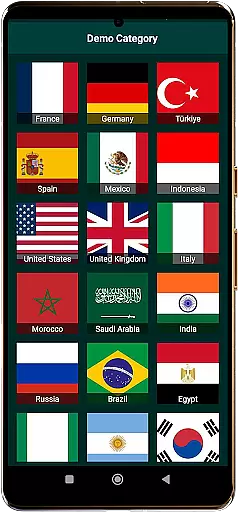
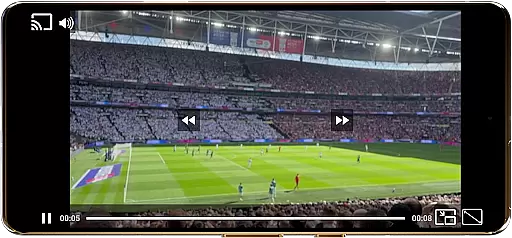
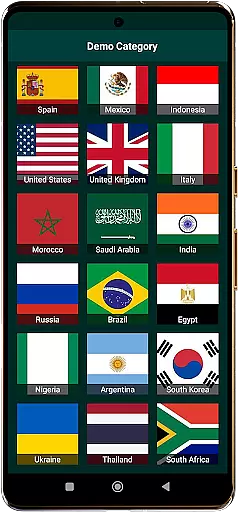
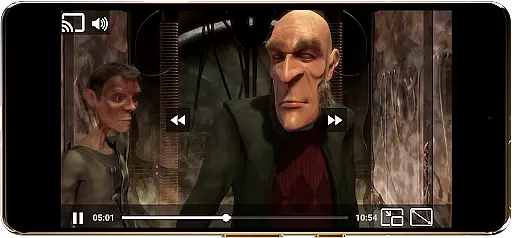
World TV Garden Videos Player is a versatile video player app designed for seamless global TV viewing. The app allows users to watch live TV streams, news, sports, and entertainment channels from around the world using private streaming links. With support for various formats like HLS, DASH, and MP4, it ensures smooth playback across different devices.
The app's key features include Picture-in-Picture mode for multitasking, customizable controls for personalized viewing, and Chromecast support for enhanced big-screen experiences. Users can save their favorite streams, adjust audio settings, and enjoy full-screen mode for an immersive experience. Whether you're interested in USA TV live, UK TV online, or Asian TV channels, this app provides a gateway to international content.
This application is particularly useful for expats, travelers, and global content enthusiasts who want to stay connected with TV channels from their home countries or explore new cultural programs. By importing legal streaming links, users can create a personalized TV experience tailored to their preferences.
World TV Garden Videos Player stands out with its broad format compatibility, supporting popular streaming protocols such as HLS and DASH, along with direct MP4 links. This ensures users can access a wide range of international TV channels without worrying about format restrictions. The app's smooth playback feature guarantees lag-free streaming, making it ideal for watching live sports, news, and entertainment without interruptions.
One of the standout features is the Picture-in-Picture mode, allowing users to multitask while keeping an eye on their favorite channels. The customizable controls let viewers adjust scaling modes and playback settings to suit their preferences. Additionally, the app supports Chromecast, enabling users to cast their favorite shows to a larger screen for a better viewing experience.
Other notable features include an enhanced audio quality setting for optimal sound during music programs, a favorites list for quick access to preferred streams, and full-screen mode for complete immersion. These features collectively provide a comprehensive and user-friendly platform for enjoying global TV content.
In the realm of event management within applications like World TV Garden Videos Player, task creation is pivotal for organizing viewing schedules and customizing details to fit personal preferences. This app allows users to seamlessly add their streaming links into a Favorites section, effectively creating tasks that represent their preferred Global TV or Live Sports channels.
By tapping into saved streams inside Favorites, users can instantly start playback, ensuring their links are legitimate and organized. This feature not only simplifies the process of watching TV from around the world but also empowers users to tailor their viewing experience with adjustable scaling modes and playback settings.
The ability to customize details extends to incorporating Picture-in-Picture Mode (PIP) and Chromecast support, enhancing multitasking capabilities and allowing for an immersive viewing experience on any TV. Users can enjoy optimized sound and full-screen mode, making each viewing session both personalized and engaging.
Reminder settings in applications such as World TV Garden Videos Player play a crucial role in keeping users engaged with their favorite Live TV Streams, Live News, and Entertainment Channels. Although the app does not host or stream content directly, it empowers users to manage their own reminders for when specific events or shows are live.
Users can stay updated with International News by adding links to news channels from various countries and setting up alerts for important broadcasts. This proactive approach ensures that users never miss out on significant global happenings or cultural programs they wish to follow.
Moreover, the Favorites List feature enables quick and easy access to saved TV streams and movies, complementing reminder settings by providing a streamlined way to jump back into content. By organizing streams and setting timely reminders, users can effortlessly maintain a personalized and up-to-date viewing schedule.
User-friendly interface
Wide format support
Smooth streaming performance
Customizable viewing options
Chromecast integration
No built-in channels
Requires manual link input
Legal use responsibility
Limited offline functionality
Dependent on external links

Mobile Event Guide for Greater NY Dental Meeting
 4.2
4.2
CUE Live utilizes ultrasonic sound waves to sync devices at CUE enabled events
4.80
Here you can choose tickets for films, performances, concerts and other events
4.60
Create invitation cards for birthdays, weddings, Christmas and more.
4.80
Get live football here
4.30
The KRUU app - plan, celebrate, remember
4.80
Everything you need for the Best Thursday Ever.
4.40
The official app for Sched events! View your event schedule here.
4.20
Invitation Card Maker, Design & share wedding, birthday & party invites fast
4.40
Discover events & experiences in NYC, LA, Chicago, DC, Miami and more!
4.70
Create Wedding Invitation and Wedding Anniversary Cards using our app
4.60
PheedLoop Go! is the mobile event app for events powered by PheedLoop.
4.40
Meet people over dinner
4.40
The calendar app in this 2026 year see all dates.
4.20
Manages display and transfer of tickets from the Mundo Tickets platform
3.80
Audio guide companion APP for SEE's Michelangelo's Sistine Chapel
3.50
Create Birthday Cards in Birthday Invitation Maker and Birthday Card Creator App
3.00
Digital Income Wallet of the Final Libertadores 2025
4.4
The Official Football Ticketing App for Fans in Qatar
4.1


User Reviews