
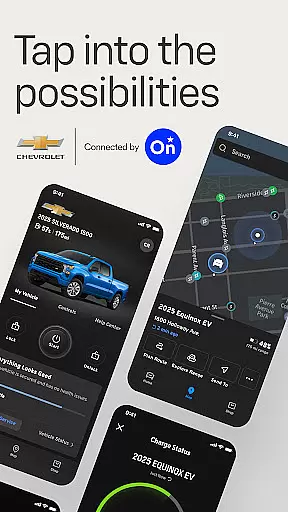
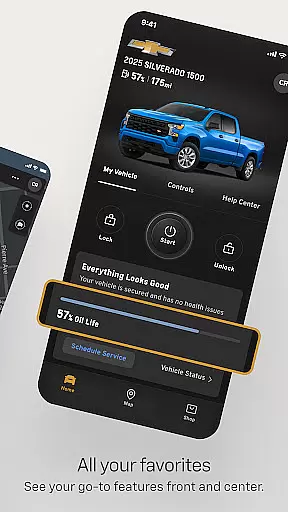
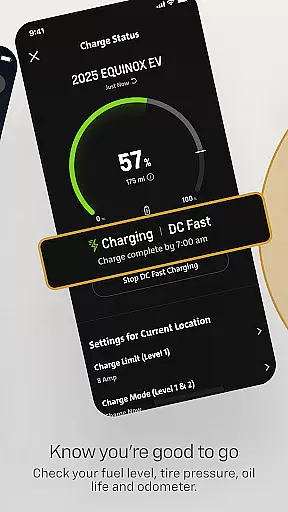
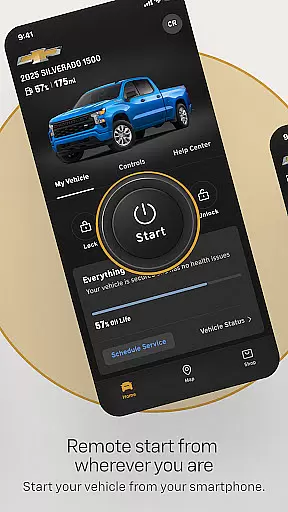

myChevrolet is a comprehensive vehicle management app that allows users to control and monitor their Chevrolet vehicles directly from their smartphones. The app provides essential features such as remote start, climate control settings, and vehicle location services. It also offers maintenance tracking for fuel levels, tire pressure, oil life, and odometer readings.
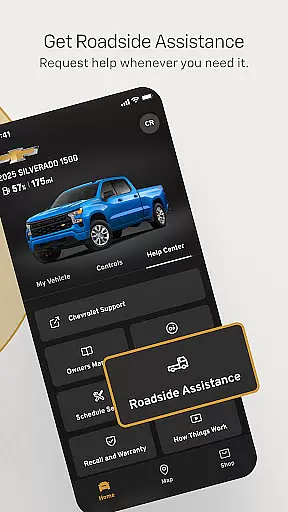
In addition to these core functionalities, myChevrolet simplifies the process of scheduling service appointments and requesting Roadside Assistance with just a tap of a button. This makes vehicle ownership more convenient and efficient, ensuring that drivers can stay informed about their car's status while enjoying seamless access to necessary services.
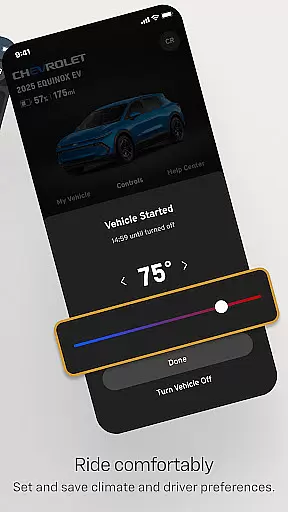
The myChevrolet app stands out with its robust set of features designed to enhance the driving experience. One notable feature is the ability to remotely start your vehicle and adjust cabin temperature settings through an intuitive interface on your smartphone. This ensures comfort before you even enter your car.
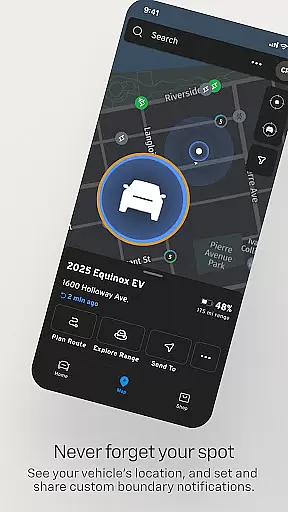
Another significant aspect is the integration of OnStar technology which enables precise vehicle location tracking and walking directions to help users find their parked cars easily. Furthermore, the app provides detailed insights into critical vehicle metrics like fuel levels, tire pressure, oil life, and mileage. These features collectively empower owners by keeping them well-informed about their vehicle’s health and performance at all times.
The myChevrolet app offers a comprehensive suite of features that cater to various aspects of vehicle ownership, making it an essential tool for Chevrolet drivers. With functionalities ranging from remote vehicle control to maintenance tracking, the app ensures users have access to a wide array of services that enhance their driving experience.
Through the app, users can remotely start their vehicle, adjust cabin temperature, and even locate their car with walking directions. These features are complemented by important vehicle health metrics such as fuel level, tire pressure, oil life, and odometer readings, providing a holistic view of the vehicle's status at any given time.
In addition to vehicle management, the app also facilitates service scheduling and provides easy access to Roadside Assistance, ensuring that help is just a tap away when needed. This extensive coverage of lifestyle features makes vehicle ownership more convenient and worry-free.
Every feature within the myChevrolet app is developed in collaboration with OnStar, ensuring that the information and services provided are both reliable and credible. The integration with OnStar guarantees that data such as vehicle diagnostics and location services are accurate and up-to-date, offering users peace of mind when utilizing these tools.
Moreover, the app includes detailed disclosures about the availability and limitations of its services, promoting transparency and helping users understand the scope of functionalities based on their device, vehicle, and subscription plan. This commitment to clarity reinforces the trust users place in the app.
By partnering with established service providers and maintaining clear communication about service variations by region, myChevrolet establishes itself as a credible source for vehicle management solutions, enhancing the overall ownership experience through dependable and expertly crafted features.
User-friendly interface
Comprehensive vehicle monitoring
Remote start functionality
Integrated roadside assistance
Efficient service scheduling
Limited device compatibility
Requires data connection
Varied feature availability
Potential subscription costs
Country-specific limitations

Smart controls for your Ember Smart Mugs
 4.10
4.10
Earn points with every purchase with Moe Rewards.
4.20
Premium floor cleaning robots
4.50
Discounts, savings, and rewards
4.20
Crochet made easy: step-by-step tutorials, beginner patterns & projects
4.60
Simple, stylish & fresh watch face. Customize colors, gradients & complications.
4.70
Colorful minimal digital watch face for Wear OS
4.60
Digital smart watch face made for Wear OS.
4.70
PARAVOX 4 is a professional ITC paranormal research application.
4.50
Kasa Smart is your portal to your TP-LINK Smart Home.
4.70
This app is intended to support professional EMDR therapy.
4.50
Unique "Isometric" style digital watch face for Wear OS
4.50
Paranormal Spirit Bell Trigger Device
4.30
Going above and beyond known spirit communication
3.60
The Miracle Box includes methods used by Steve Huff of Huff Paranormal.
3.20
LineLearner, the quick way to learn lines.
2.90
Duo Watch Face (animated)
4.2
Big bold hybrid watch face with 30 colors, 5 fonts & 5 complications.
4.2
Wear your favorite memories, loved ones, pets or travel photos on your watch
4.0


User Reviews