


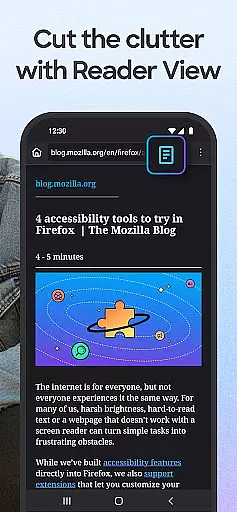
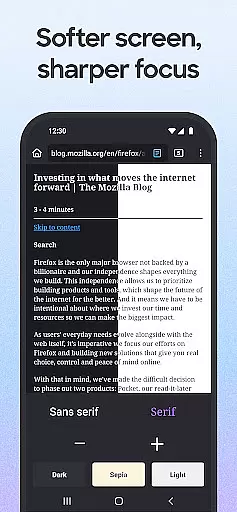
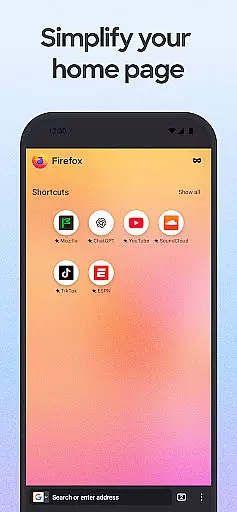
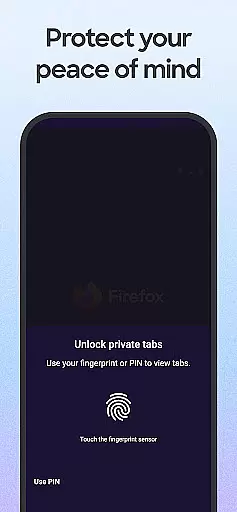
Firefox Fast & Private Browser is a top-tier communication tool designed to provide users with a secure and customizable browsing experience. As a privacy-focused browser, it offers automatic tracker blocking, enhanced tracking protection, and private browsing modes that ensure your online activities remain confidential. The browser allows you to manage passwords efficiently across devices when synced with your Mozilla account, making logins seamless.
In addition to its robust security features, Firefox stands out with its user-friendly interface. You can organize and view tabs as thumbnails or lists, sync tabs between mobile and desktop, and customize the browser with helpful add-ons. The search functionalities are tailored for convenience, enabling quick access to frequently visited sites and one-hand navigation. With over 20 years of commitment to user privacy and an ad-free experience, Firefox continues to be a reliable choice for those seeking speed, simplicity, and security in their web interactions.
Firefox Fast & Private Browser boasts a comprehensive set of features that cater to both privacy-conscious and convenience-seeking users. One of its standout capabilities is the Enhanced Tracking Protection, which blocks trackers by default and offers a 'strict' setting for additional privacy. This feature ensures that social media trackers, cross-site cookie trackers, crypto-miners, and fingerprinters do not invade your browsing sessions.
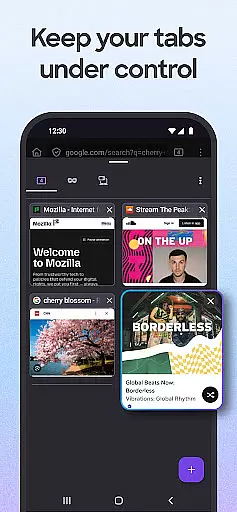
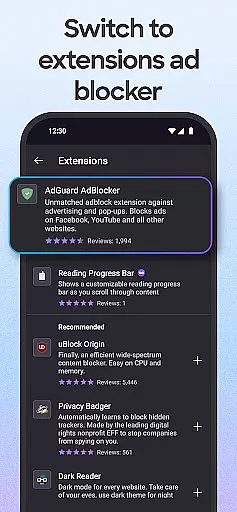
The browser also excels in usability with its easy-to-use tab management system. Users can create multiple tabs without losing track, switch between thumbnail and list views, and even see synced tabs from other devices when logged into their Mozilla account. Furthermore, Firefox provides extensive customization options, allowing users to tailor their browsing experience with various add-on extensions like ad blockers and turbo-charged privacy settings. These features collectively enhance both the security and convenience of using Firefox as your primary web browser.
Real-time messaging speed is crucial for any communication platform, and Firefox Fast & Private Browser excels in this area by ensuring that your interactions with websites are as swift as possible. The browser achieves this through its advanced tracking protection features, which prevent ad trackers from slowing down page loads.
Firefox's Enhanced Tracking Protection works automatically to block scripts and trackers that typically bog down browsing sessions. This not only enhances privacy but also significantly boosts the speed of message delivery and webpage interactions. Users can expect pages to load faster, making their real-time communications seamless and efficient.
The reliability aspect is equally important, and Firefox ensures that your connection remains stable even when using resource-heavy web applications. By optimizing how tabs and resources are managed, the browser minimizes crashes and maximizes uptime. This means you can stay connected without worrying about sudden disconnections or slowdowns.
Media sharing support is an essential feature for modern browsers, allowing users to easily distribute content across different platforms and devices. Firefox offers robust media sharing capabilities that make it simple to send links, videos, and other web content directly from the browser.
With just a few taps, Firefox lets you share items on a page with quick access to your most recently used apps. Whether you're sending a news article or a video link, the process is streamlined and intuitive. This functionality extends to private browsing modes as well, ensuring that your shared content remains secure regardless of your current session type.
Additionally, Firefox supports multitasking features like picture-in-picture mode, where videos can be pinned on top of the screen while you continue browsing or switch to other tasks. This flexibility allows users to consume media in a way that suits their workflow best, all while maintaining the ability to share what they find interesting with others effortlessly.
Fast browsing speed
Strong privacy protections
Customizable with add-ons
Efficient password management
User-friendly interface
Limited native integrations
Occasional performance lags
Fewer extensions than Chrome
No built-in email client
Less popular on mobile

 3.90
3.90
Manage your data, talk & text - affordable phone plans & data usage made simple
4.30
Radio communication simulator for gaming communities
4.1
Save 10% automatically on your first international mobile top up.
4.60
Our Black Friday sale is here. Unlock special discounts on Proton Mail now.
4.30
Caller ID App! Add names & photos to unknown calls & Call Recording
4.40
2nd Phone Number Line for Anonymous Texting, Calling, and Picture Messages
4.30
HD Video Meeting app is a fast & unlimited video conferencing app across world.
4.30
FolderSync enables easy sync of files between cloud storage and Android devices.
4.60
We’re taking the yada yada out of wireless—now we’ve taken it out of your app.
4.70
Connect and browse the internet with a fast VPN proxy server and IP blocker.
4.50
Call Blocker app: Identify unknown callers, block spam calls, fraud & robocalls
4.30
Share the moment!
4.10
WazzapMigrator: transfer your WhatsApp history from iPhone to Android
4.00
Messages is Private SMS Messenger 2023 with text message, instant messaging.
4.00
Tether to Windows, OS X, Linux PCs or Android tablets. No root. No tether fees.
3.90
Pure modern IRC experience for Android
3.70
Manage and Fund Calling Accounts and Schedule and Join Video Sessions
3.60
Official NDI app: turn your phone into a professional live-streaming IP camera.
3.20


User Reviews