
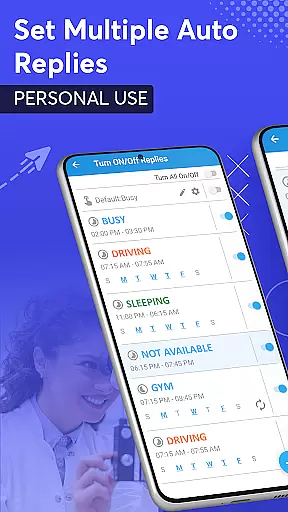
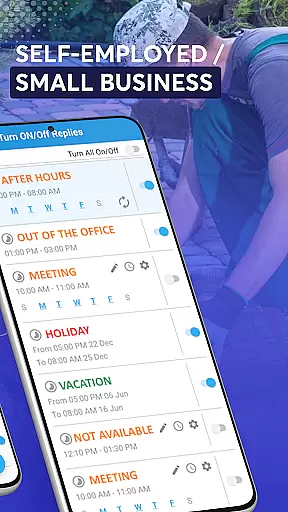
SMS Auto Reply is a versatile communication tool designed to streamline your messaging experience. This app allows users to automatically respond to incoming messages across multiple platforms, including SMS, WhatsApp, Facebook, and more. Whether you're driving, in a meeting, or simply need some uninterrupted time, SMS Auto Reply ensures that your contacts are informed of your unavailability.
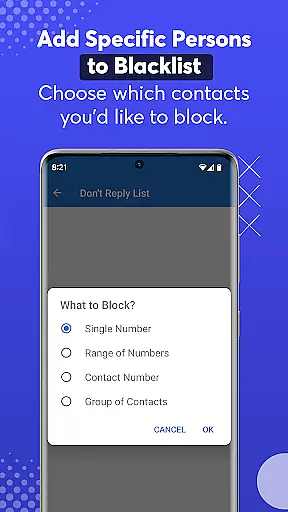
With customizable auto-reply options, the app caters to various scenarios such as driving, sleeping, or attending class. It also supports personalized lists for tailored responses and includes a do-not-reply list to block unwanted messages. The app's Smart Drive Mode enhances safety by activating hands-free functionality when connected via Bluetooth, ensuring minimal distraction while driving.
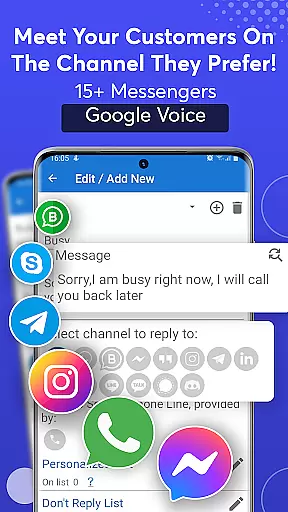
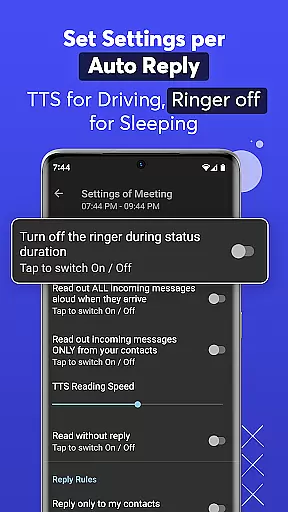
The standout feature of SMS Auto Reply is its ability to integrate with numerous messaging apps like WhatsApp, Facebook, Telegram, and others, providing seamless automated responses. Users can set up recurring auto-replies based on specific days and times, ensuring timely communication without manual intervention. Additionally, the app offers Text-to-Speech (TTS) capabilities, reading out incoming messages aloud and allowing users to respond without needing to look at their phones.
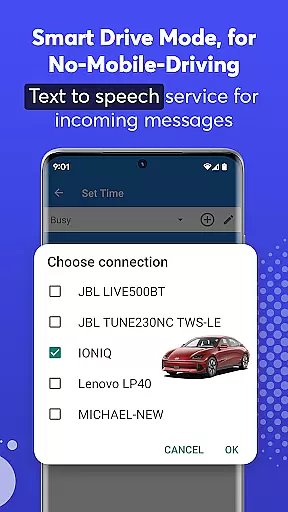
Another remarkable aspect is the Smart Drive Mode, which activates the auto-reply function when the phone connects to a car's Bluetooth system. This mode not only enhances safety but also provides a hands-free experience by reading messages aloud and enabling voice-based replies. With virtually no battery drain, the app efficiently manages resources while offering features like archiving sent messages and setting alarms for status changes.
Real-time messaging speed and reliability are crucial for any communication app, ensuring that messages are delivered instantly and without fail. SMS Auto Reply excels in this area by providing automatic responses to incoming messages across multiple platforms such as SMS, WhatsApp, Facebook, and more.
The app's robust infrastructure ensures that auto-replies are sent out immediately after receiving an incoming message, regardless of the user's situationu2014be it driving, in a meeting, or sleeping. This immediacy not only keeps the sender informed but also maintains the flow of communication without unnecessary delays.
Moreover, the reliability of SMS Auto Reply is evident in its ability to handle various scenarios with precision. Whether it's setting up multiple auto-replies based on different contexts or customizing messages for specific contacts, users can trust that their automated responses will be accurate and timely every time.
By integrating seamlessly with Bluetooth technology, the app further enhances its real-time capabilities. For instance, when connected to a caru2019s Bluetooth system, it automatically activates drive mode, reading out incoming messages through Text-to-Speech (TTS) services while sending pre-set repliesu2014all designed to keep drivers focused on the road ahead.
Media sharing support is another vital feature for modern communication apps, allowing users to exchange various types of media effortlessly. SMS Auto Reply extends its functionality beyond text-based interactions by enabling automatic responses to multimedia messages received via popular platforms like WhatsApp, Facebook Messenger, Instagram, and others.
This capability ensures that even if you're occupied or unable to respond manually, your contacts receive acknowledgment of their shared photos, videos, or audio files. By leveraging advanced algorithms, the app intelligently crafts appropriate replies tailored to the type of media received, enhancing user engagement and satisfaction.
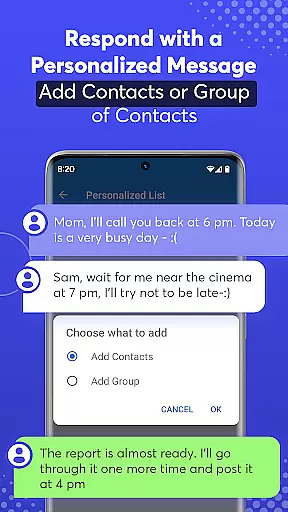
In addition to handling standard media formats, SMS Auto Reply offers extensive customization options. Users can create personalized lists specifying which contacts should receive unique auto-replies containing emojis or other native elements supported by apps like WhatsApp. This level of personalization not only enriches the interaction but also strengthens relationships by making each response feel thoughtful and genuine.
Furthermore, the appu2019s compatibility with over 15 social messengersu2014including Telegram, LinkedIn, Viber, Skype, Google Chat, Discord, Signal, Line, KakaoTalku2014ensures broad coverage for diverse user needs. Regardless of platform preferences, individuals can rely on SMS Auto Reply to manage their digital communications effectively, freeing them from constant device monitoring while maintaining active participation in conversations.
Customizable auto-replies
Multi-platform support
Text-to-speech functionality
Smart Drive Mode
Efficient resource management
Premium version costs
Limited free features
Occasional message delays
Bluetooth connectivity issues
Complex setup for beginners

Secure Messaging App to Enhance Messenger Texting Experience and Organize SMS.
 3.50
3.50
Identify unknown numbers, block spam calls, customize calls with cool themes.
4.60
Chat on the Jabber network (XMPP protocol); support for SMS and other gateways
2.10
Fast Dialer & Contact Manager with Caller ID and Spam Protection
4.00
Send SMS and chat messages easily with a fast text messaging app for Android.
4.10
Watchgram for Telegram: Experience seamless Telegram messaging on your watch
1.80
FolderSync enables easy sync of files between cloud storage and Android devices.
4.60
Build your web browser around you with private search, and more.
4.60
Useful. Social. Expressive.
4.70
Save 10% automatically on your first international mobile top up.
4.60
Talk & text free with a second phone number plus unlimited 5G data, no fees.
4.50
Call Blocker app: Identify unknown callers, block spam calls, fraud & robocalls
4.30
RemoteHams.com Android RCForb Client Pre-Release
4.30
BE PRIVATE
Anonymous. No Trace. Fast.
4.20
BiP is a fast, secure, free messaging and HD video calling app!
4.10
This app enables the phone to receive and send FT8 traffic!
3.80
Pure modern IRC experience for Android
3.70
Official NDI app: turn your phone into a professional live-streaming IP camera.
3.20
TeamSpeak - Secure Chat for Gaming & Business
3.10


User Reviews