
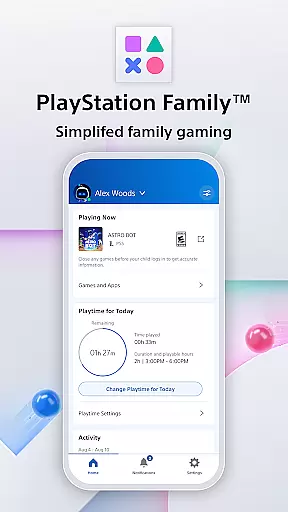
PlayStation Family is a comprehensive parenting tool designed to simplify family gaming management. This app provides parents with essential features to monitor and control their child's gaming activities effectively.
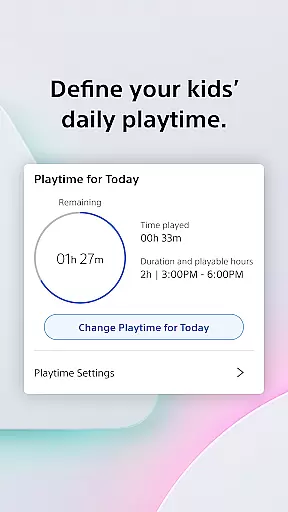
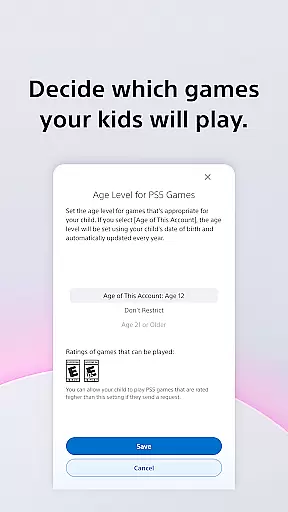
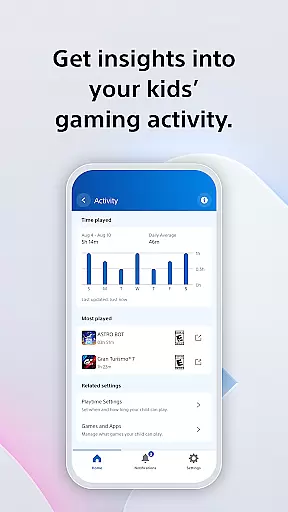
The app offers an easy-to-use activity report that gives real-time insights into your child's gaming habits, including online status and playtime hours. With customizable parental controls, you can define appropriate playtime schedules and manage access to games based on age recommendations.
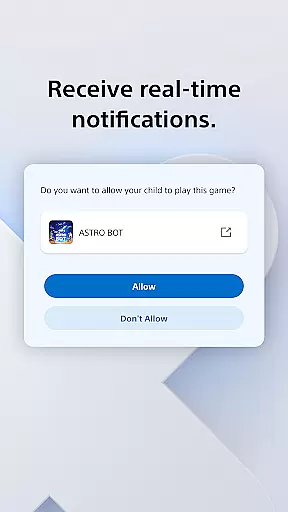
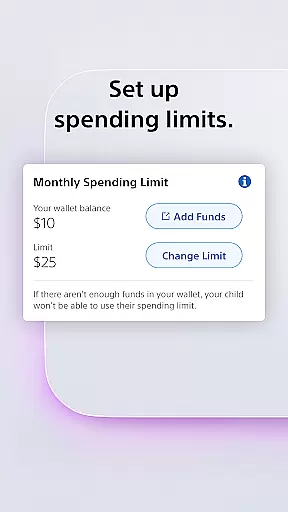
Additionally, PlayStation Family allows you to receive real-time notifications for extra playtime requests, customize privacy settings for social interactions, and control spending limits. These features ensure a balanced and safe gaming environment, making it easier for parents to foster healthy gaming habits within the family.
PlayStation Family stands out with its robust set of features tailored for parental control. The app provides an intuitive interface for setting up age-based parental controls, ensuring children only access age-appropriate content.
One of the key features is the customizable playtime management, allowing parents to seamlessly integrate gaming into their family's daily routine. Whether it's scheduling homework, mealtime, or bedtime, parents have full control over when their children can play.
Moreover, the app delivers detailed activity reports and real-time notifications. Parents can view their child's gaming activity, approve or decline extra playtime requests directly from their phone, and manage privacy settings for social interactions. These capabilities empower parents to make informed decisions and maintain a healthy balance between gaming and other activities.
PlayStation Family offers comprehensive lifestyle management specifically tailored for gaming families. The app covers essential aspects such as playtime scheduling, spending controls, and social interaction settings.
Parents can define daily gaming routines that fit their family's schedule, ensuring a balanced approach to leisure and responsibilities. The customizable playtime feature allows setting specific hours for gaming, promoting healthy habits among children.
Beyond time management, the app provides tools for monitoring and controlling in-game spending. This ensures that parents maintain oversight over financial transactions, fostering responsible consumption behaviors within the gaming ecosystem.
The PlayStation Family app delivers authentic and credible content directly from Sony Interactive Entertainment. As an official PlayStation product, it guarantees accurate information about children's gaming activities and parental controls.
All features are designed in compliance with PlayStation's terms of service, which users can review on the official website. This transparency reinforces trust in the app's functionality and its impact on family gaming management.
While some advanced features are exclusive to PS4 or PS5 systems, the core functionalities provide reliable and expert-backed solutions for modern parenting challenges in digital entertainment.
User-friendly interface
Real-time notifications
Customizable playtime
Comprehensive activity reports
Age-based parental controls
Limited to PlayStation devices
Some features PS4/PS5 only
Requires constant monitoring
No cross-platform support
Dependent on internet connection

Big bold digital watch face with 30 colors, 6 complications and AOD.
 4.0
4.0
Pay your rent, submit work orders and much more with the RentCafe Resident App.
4.70
Earn points with every purchase with Moe Rewards.
4.20
Paranormal EVP, Ghost Box, Spirit box, ITC, Haunted, Spirit communication device
3.70
This is a simple and highly functional alarm clock "Smart Alarm" paid version.
4.20
Play. Earn. Repeat. Get rewarded for playing mobile games. Welcome to Mobius!
4.80
Smart home security protection
3.20
PARAVOX 4 is a professional ITC paranormal research application.
4.50
A unique and customizable watch face which rotates its layout every minute.
4.80
Countdown to Christmas 2025 with festive games & activities in a virtual village
4.80
The go to app for taking unlimited notes!
4.50
The Work of Byron Katie— the mobile app for inner peace.
4.40
Get your life organized with My Agenda!
4.30
BILT interactive 3D instructions help you get the job done right
3.50
Creativity and savings for kids, beginners and experts in arts and crafts
3.50
Take Hobby Lobby with you wherever you go!
3.40
Big bold weather watch face with dynamic backgrounds and 3 complications
4.2
A uniquely designed isometric digital watch face made for Wear OS
4.5
Wear your favorite memories, loved ones, pets or travel photos on your watch
4.2


User Reviews