
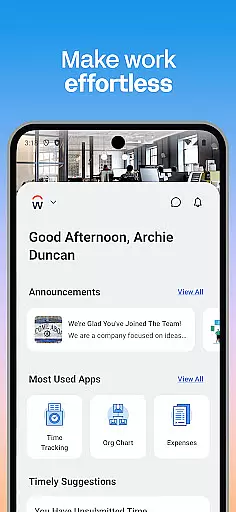
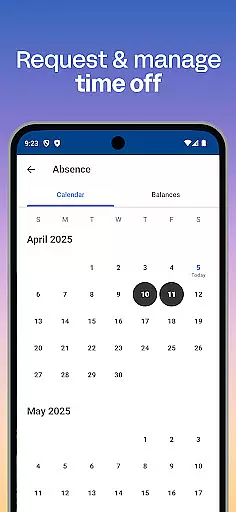
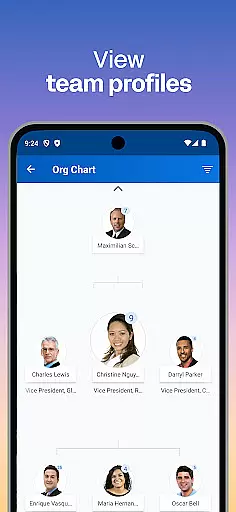
Workday is a comprehensive business management application designed to enhance workplace productivity through its all-in-one platform. The app provides users with essential tools and insights needed for efficient task management, including time tracking, payroll access, and team communication.
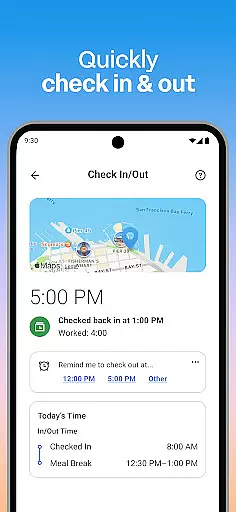
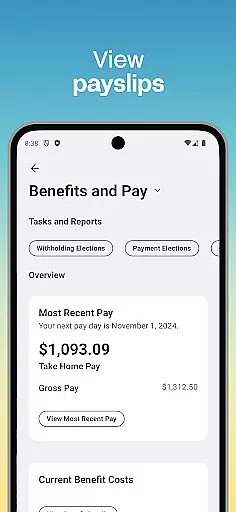
One of the standout features of Workday is its ability to consolidate numerous work-related tasks into a single mobile solution. Users can conveniently check in to work, request time off, submit timesheets, and even view payslips. Additionally, the app offers learning opportunities through training videos and helps users discover new internal job opportunities within their organization.
The app's intuitive interface ensures that both employees and managers can easily navigate through various features. Managers have access to additional HR functionalities such as approving employee requests, managing payroll, and conducting performance reviews. With its robust security measures, including biometric authentication and cloud-based data storage, Workday ensures that your information remains safe and up-to-date at all times.
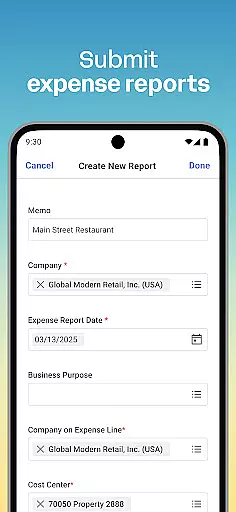
Workday stands out due to its extensive range of features tailored for both employees and managers. For employees, the app offers push notification reminders for important tasks, the ability to submit timesheets and expenses, view payslips, request time off, and connect with teammates. It also includes learning modules with training videos and internal job opportunities.
Managers benefit from advanced HR tools that allow them to approve employee requests with a simple tap, view detailed team profiles, adjust employee roles, manage payroll, and conduct performance reviews. Interactive reports and dashboards provide valuable insights into team performance and operational efficiency.
Designed with simplicity and flexibility in mind, Workday ensures that users have quick access to the tools and insights they need most. Its user-friendly interface organizes everything intuitively, allowing users to manage their work life from anywhere at any time. Furthermore, top-notch security features like biometric authentication protect user data, ensuring peace of mind even if a device is lost or stolen.
Collaboration is at the heart of workplace productivity, and Workday excels in this area by offering a suite of tools designed to enhance team interaction. Through its mobile platform, users can connect with teammates, approve employee requests, and even give performance reviews with just a few taps. This streamlined approach ensures that collaboration is not only efficient but also integrated seamlessly into daily workflows.
The app provides managers with specialized features for overseeing teams effectively. They can view detailed employee profiles, adjust roles, and manage payroll adjustments while also tracking hours and monitoring timesheets. These capabilities foster transparency and accountability within teams, empowering managers to maintain optimal operational efficiency without being tied to a desktop.
For employees, the ability to learn about their teammates and access training videos creates an environment that promotes continuous learning and relationship-building. The inclusion of interactive reports and dashboards further enhances collaborative efforts by providing real-time insights that are critical for informed decision-making.
Ultimately, Workday's collaborative work features offer significant value by centralizing essential functions in one convenient location. Users benefit from enhanced communication channels, simplified approval processes, and comprehensive management tools that collectively drive productivity and foster a cohesive work culture.
Effective task management is crucial for maintaining productivity, and Workday addresses this need by offering robust tools that help users stay on top of their responsibilities. With functionalities ranging from submitting timesheets and expenses to requesting time off, the app ensures that all essential tasks are easily accessible and manageable from a single interface. Push notification reminders further enhance this experience by alerting users to important deadlines and pending actions.
For managers, the app simplifies oversight with features like one-tap approval for employee requests and the ability to browse interactive reports and dashboards. This allows them to quickly address team needs while keeping track of broader organizational goals. Such tools not only save time but also improve accuracy in task handling, leading to more reliable outcomes.
Employees benefit from personalized task management options such as checking in and out of work, viewing payslips, and finding internal opportunities through gigs and jobs. These features empower individuals to take control of their schedules while fostering professional growth within the organization. By integrating these varied functions into one platform, Workday supports both individual and collective productivity.
In summary, Workday's task management capabilities stand out due to their comprehensive nature and user-centric design. By consolidating diverse tasks into an intuitive mobile solution, the app enables users to efficiently manage their work lives, ensuring they remain productive regardless of location or time constraints.
User-friendly interface
Comprehensive task management
Robust security features
Interactive reports
Training and development resources
Limited customization options
Occasional syncing issues
Requires stable internet connection
Advanced features for managers only
Steep learning curve for new users

GoTo Mobile is a simple & secure calling, messaging & meetings solution
 4.80
4.80
Earn free swag, G-Cards & food • Enter sweepstakes • Find stores • So much more.
4.70
viewing and sharing PDFs and other files—anytime, anywhere!
4.5
Simple, Fast & Lightweight
3.90
Recover what matters — quickly and easily.
4.70
A secure, all-in-one team collaboration app
4.30
ADP Mobile Solutions is an employee self service app
4.50
No more passwords, easier sign-in, and greater protection for your accounts.
4.60
Chat, meet, and collaborate to achieve more together, all in one place on Teams
4.60
Find the right fit, faster.
4.70
We help people get jobs
4.70
Find jobs and make money fast with JobStack.
4.60
Grow your business and connect with more people with Meta Business Suite.
4.60
Ship, Track, Find a Location or Get a Quote with UPS. Anytime. Anywhere.
4.60
Amazon A to Z is the place to manage your work-life at Amazon.
4.50
The Penny Puss app with DG penny finder
4.10
Work happy with AI Companion
4.10
On the go? Take FedEx with you.
4.00
Convert Your Lovable.dev Website into a Mobile App Instantly!
4.4


User Reviews