





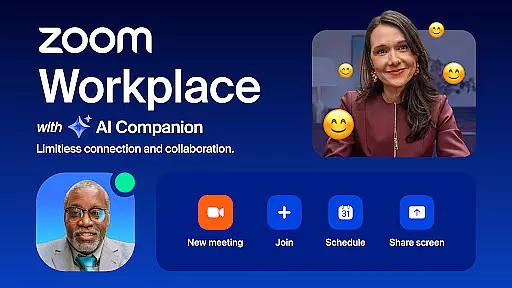
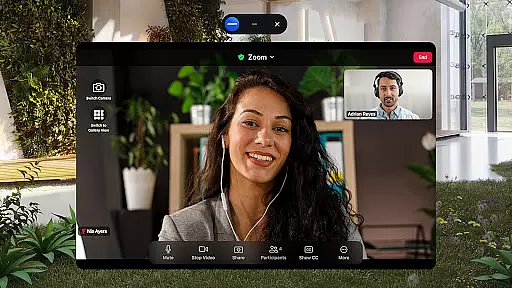
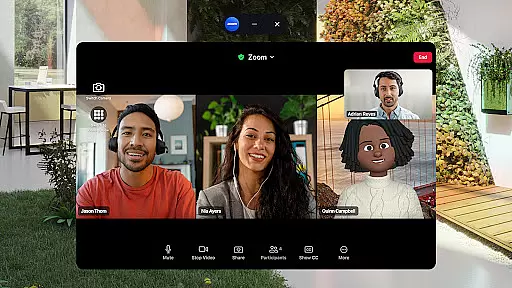
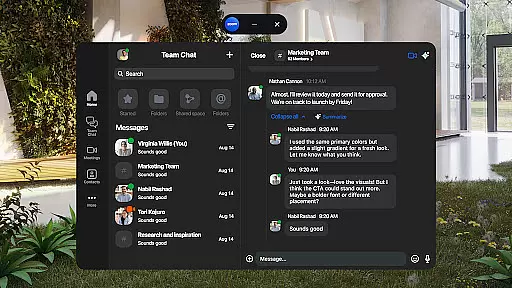
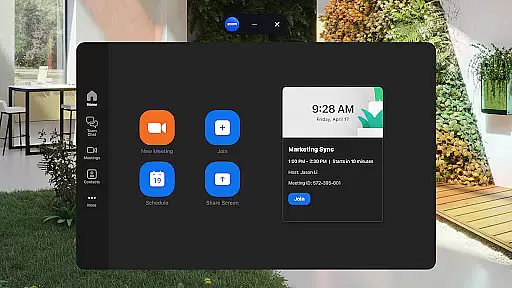
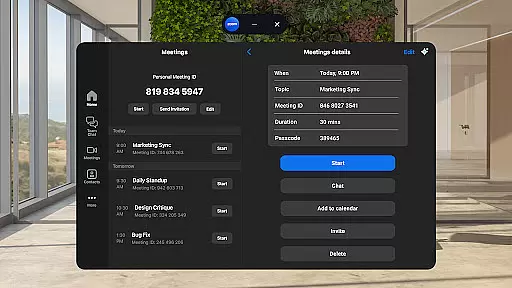
Zoom Workplace is a comprehensive business communication platform designed to enhance team productivity through its integration of multiple essential tools. This AI-powered solution combines team chat, video conferencing, phone capabilities, collaborative whiteboards, shared calendars, integrated email, and document management features into one unified interface.
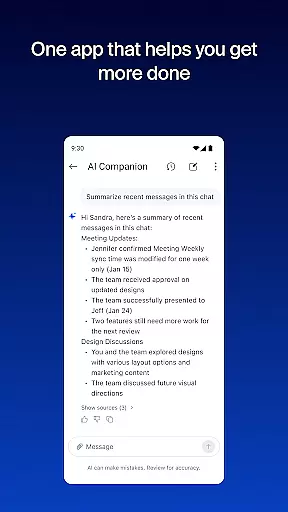
The application's standout feature is the AI Companion, which helps users quickly catch up on unread messages, draft new content, and maintain focused conversations. Available at no extra cost with a Pro or Business Zoom license, this intelligent assistant ensures teams can work efficiently across mobile devices. The app also supports seamless transitions between devices, allowing users to move live meetings effortlessly from one platform to another.
Designed for modern businesses, Zoom Workplace enables professionals to streamline their workflows while maintaining enterprise-grade security. Whether scheduling meetings, collaborating on documents, or conducting virtual brainstorming sessions, this platform provides a secure and efficient environment for all business communication needs.
Zoom Workplace distinguishes itself through its robust set of integrated business tools. The platform's AI Companion feature offers automated meeting summaries, content drafting assistance, and message summarization, helping teams stay organized and productive. Its single-app approach streamlines communications by combining video meetings, team chat, phone calls, and SMS messaging in one place.
The application's productivity enhancement features include Zoom Docs for information sharing, virtual whiteboards for collaborative brainstorming, and Picture-in-Picture functionality for multitasking on mobile devices. Users can seamlessly transition between devices using one-tap meeting transfers and take advantage of hands-free control through 'Hey Google' voice commands.
Security remains a top priority, with enterprise-grade protection and single sign-on (SSO) capabilities. The platform supports various administrative functions such as assigning meeting co-hosts and schedulers, while offering flexible cloud recording options. These features, combined with its cross-device compatibility, make Zoom Workplace a versatile solution for modern business environments.
Zoom Workplace revolutionizes collaborative work by integrating essential communication tools into a single platform. The application combines team chat, video meetings, phone capabilities, and collaborative whiteboards, all accessible from your mobile device.
With an AI-first approach, the app provides users with AI Companion, which is designed to enhance productivity. This feature allows users to quickly summarize unread messages, draft new content, and maintain impactful conversations. Such capabilities ensure that teams can stay aligned and efficient, regardless of their physical location.
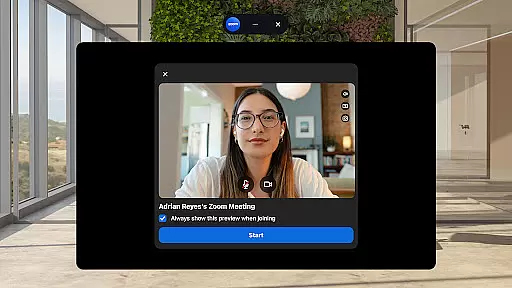
The streamlined communication experience supports seamless interaction through one-tap meeting scheduling or joining, direct chatting with colleagues and external contacts, and managing phone calls or SMS messages. These functions are crucial for businesses that require dynamic and flexible communication solutions.
Furthermore, Zoom Workplace ensures that collaboration is not only efficient but also secure. With enterprise-grade security protocols and single sign-on options, businesses can protect sensitive information while benefiting from advanced collaborative features.
Task management within Zoom Workplace is designed to improve overall productivity by organizing and sharing information effectively. The platform offers Zoom Docs, which allows teams to create, manage, and share documents seamlessly, ensuring everyone has access to the necessary resources.
One standout feature is the automated meeting summaries provided by AI Companion. After meetings conclude, users receive concise summaries that highlight key points discussed, action items, and responsibilities. This functionality helps in keeping track of tasks and decisions made during discussions.
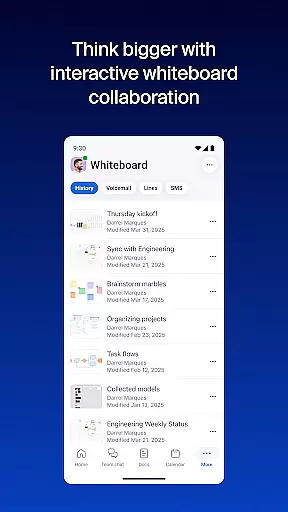
In addition to document management, Zoom Workplace includes brainstorming tools such as virtual whiteboards. Teams can visually map out ideas and strategies, fostering creativity and innovation. This visual approach to task management aids in clearer understanding and execution of plans.
Moreover, the ability to bounce between locations without interrupting workflow enhances task continuity. Users can transition ongoing meetings or calls across devices effortlessly, maintaining productivity whether they're on a smartphone, tablet, or desktop.
User-friendly interface
Comprehensive feature set
Strong security protocols
Seamless device integration
AI-powered assistance
Paid features required
Limited free version
Internet dependency
Subscription costs
Regional restrictions

The revolutionary flexible staffing platform
 4.40
4.40
Your employer must have UKG Ready software configured for Mobile.
4.60
Drive and earn extra money
4.50
Use Generative Summary to understand your rental or insurance docs in seconds.
4.70
Build a store in minutes with our full suite of AI tools. Start for free!
4.20
Smarter career moves start here. AI job alerts, insights & the right tools.
4.20
All-in-one Mobile solutions for employees & managers to succeed at work
4.30
The app that lets you deliver with Amazon.
4.50
No more passwords, easier sign-in, and greater protection for your accounts.
4.60
BuildCalc - the easiest AND the most advanced construction calculator app.
4.80
Make invoices, bills, receipts & estimates on the go with Invoice Generator.
4.70
Mobile POS for any business: sales, invoices, retail, restaurants & appointments
4.60
Make money as a delivery driver with DoorDash and work when you want as a Dasher
4.30
The Penny Puss app with DG penny finder
4.10
enjoy effortless PDF reading anytime, anywhere
3.90
Quickly open and manage PDF files on your device.
3.80
Windows App allows you to connect to remote PCs and virtual apps.
3.70
view, manage, and share every PDF file you have
3.60
Delivery Track App - Tracking with Fedex, USPS, UPS, DHL. Monitor your Orders.
3.20


User Reviews