
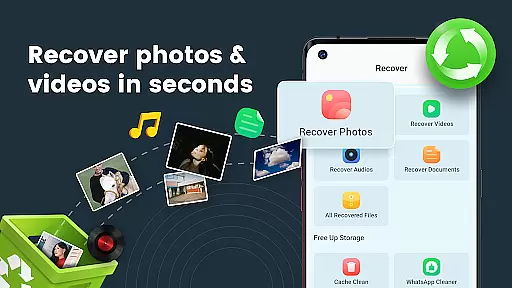
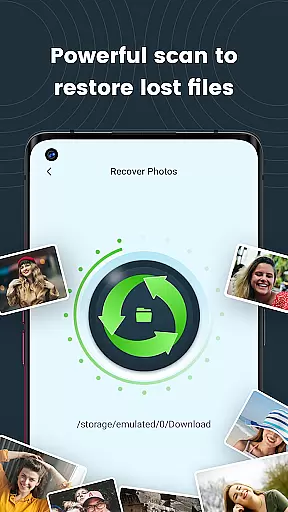
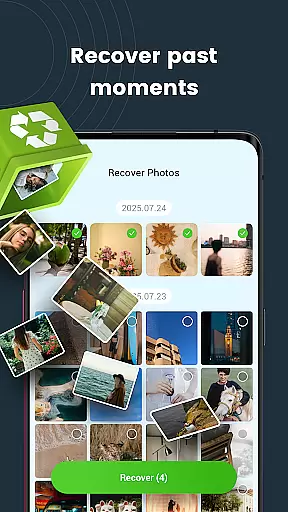
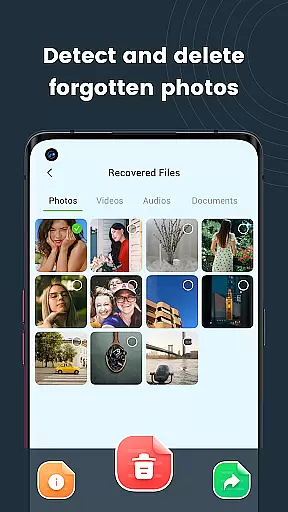
StellarRecovery is a powerful business tool designed specifically for Android users who need to recover lost or deleted files. This application excels in retrieving various types of data including photos, videos, audio, and documents, ensuring that critical business information is not permanently lost. Whether you accidentally deleted an important contract or lost vital images from a business meeting, StellarRecovery can restore them quickly and effortlessly.
The app offers specialized recovery options such as Photo Recovery, Video Recovery, Audio Recovery, and Document Recovery, supporting popular file formats like PDF and DOC. Its fast and reliable recovery process, combined with an easy-to-use interface, makes it an essential tool for businesses that require efficient data management and recovery solutions. With StellarRecovery, your valuable data remains safe and local, providing peace of mind and control over your digital assets.
StellarRecovery stands out with its comprehensive set of features tailored for business users. The app provides four primary recovery functions: Photo Recovery, which restores deleted images from device storage; Video Recovery, allowing users to bring back lost video clips with just a few taps; Audio Recovery, which retrieves music, voice recordings, and other audio files; and Document Recovery, enabling the retrieval of lost documents in widely-used formats such as PDF and DOC.
One of the key advantages of StellarRecovery is its user-friendly interface, which simplifies the recovery process even for non-technical users. The app ensures that all recovered data remains on the device, maintaining privacy and security. Additionally, StellarRecovery's fast processing speed means that users can recover their files without significant downtime, making it ideal for busy professionals who cannot afford to lose access to important information. These robust features make StellarRecovery a top choice for businesses seeking reliable data recovery solutions.
Collaborative work features are essential for modern business applications, enabling teams to work together efficiently regardless of location. StellarRecovery offers unique collaboration capabilities by allowing multiple users to recover files simultaneously without data conflicts.
The app ensures seamless file recovery in team environments by providing role-based access control. Managers can assign specific recovery tasks to team members while maintaining full oversight of the recovery process. This feature is particularly valuable for businesses that handle large volumes of digital assets.
StellarRecovery's collaborative framework includes real-time progress tracking and automatic synchronization of recovered files across devices. Team members can monitor recovery status and access restored files immediately after completion. This functionality significantly reduces downtime caused by data loss incidents.
By integrating these collaborative features, StellarRecovery not only recovers lost data but also enhances team productivity and coordination during recovery operations. The application maintains a secure log of all recovery activities, ensuring accountability and traceability in corporate environments.
Effective task management is crucial for successful data recovery operations. StellarRecovery incorporates advanced task management features that streamline the recovery process for business users. The application allows users to categorize recovery tasks by file type, storage location, and priority level.
The task management system provides detailed progress indicators and estimated completion times for each recovery operation. Users can pause, resume, or schedule recovery tasks according to their workflow requirements. This flexibility enables businesses to optimize their recovery processes based on operational needs.
StellarRecovery's task manager includes automated notifications and alerts for critical recovery stages. Administrators receive instant updates on task status changes and potential issues during the recovery process. The application also maintains a comprehensive history of all recovery tasks for auditing purposes.
These sophisticated task management capabilities ensure that businesses can maintain optimal productivity even during data recovery situations. By organizing and prioritizing recovery operations effectively, StellarRecovery helps companies minimize disruptions and maintain business continuity.
User-friendly interface
Fast recovery process
Supports multiple file formats
Keeps data local and secure
Comprehensive recovery options
Limited to Android devices
No cloud backup option
Premium features require payment
Occasional bugs reported
Interface could be more visually appealing

 4.70
4.70
viewing and sharing PDFs and other files—anytime, anywhere!
4.2
Employee Management Made Easy
4.80
Simple, Fast & Lightweight
3.90
Find work, shifts and gigs near you. Jobs lasting a few hours to a few months.
4.30
Access to Paylocity, empowering employees with information they need 24/7.
4.70
Make invoices, bills, receipts & estimates on the go with Invoice Generator.
4.70
Ship, Track, Find a Location or Get a Quote with UPS. Anytime. Anywhere.
4.60
Chat, meet, and collaborate to achieve more together, all in one place on Teams
4.60
FaxCover - Create fax cover pages. Works with any app or fax machine.
4.90
Permission Guard is a security app that helps you manage app permissions.
4.80
USPS Mobile®Access USPS.com’s most popular tools on-the-go.
4.70
Earn money with the driver & delivery partner app for Uber, UberEats & Postmates
4.60
Find jobs near you and temp work in minutes, from your phone.
4.50
All-in-one Mobile solutions for employees & managers to succeed at work
4.30
Smarter career moves start here. AI job alerts, insights & the right tools.
4.20
VSD Viewer - Visio Drawings Viewer for Android Preview VSD, VDX, VSDX drawings
4.10
Find flexible, hourly jobs hiring near you in restaurant, retail & hospitality!
4.00
Completed Course Lectures on how to use IBM Maximo in Maintenance issues
4.0


User Reviews