
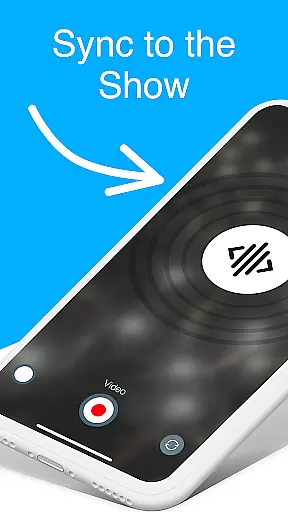
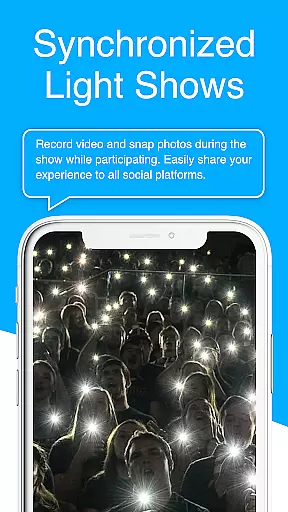
CUE Live is an innovative mobile application designed specifically for enhancing event experiences through the use of inaudible, ultrasonic sound waves. This technology enables seamless data transmission and device synchronization at events equipped with CUE technology. Attendees can activate their smartphones to participate actively in the event, making it possible to influence live shows directly from their seats. Whether you're physically present or joining remotely, this app bridges the gap between passive observation and active participation.
One of the standout features of CUE Live is its ability to transform any event into an interactive experience. By simply clicking a button on the website, users can trigger different visual effects such as colors and themes, effectively becoming co-creators of the event atmosphere. Additionally, specialized modes like UPN and DJ mode offer advanced functionalities that elevate the overall engagement level, ensuring every participant has a memorable experience.
The hallmark of CUE Live lies in its cutting-edge use of ultrasonic sound waves for data transmission. This feature allows for real-time synchronization across multiple devices without the need for traditional connectivity methods such as Wi-Fi or Bluetooth. The result is a smooth and uninterrupted interaction between the event and its audience, regardless of location.
Beyond basic synchronization, CUE Live offers unique modes tailored to enhance specific types of events. UPN mode provides unparalleled network capabilities, allowing users to connect and interact on a broader scale. Meanwhile, DJ mode empowers users to take control of certain aspects of the event, such as music or lighting, offering a personalized touch to the proceedings. These features collectively ensure that every user can engage deeply and meaningfully with the event content.
Task creation and detail customization are essential features for event applications, allowing users to tailor their experiences. CUE Live excels in this area by enabling users to activate their phones through inaudible, ultrasonic sound waves at CUE technology-enabled events.
This app allows for the seamless synchronization of devices, both for attendees and remote participants. Users can customize their involvement by triggering various visual effects on the website with a simple button click, enhancing engagement and interaction.
The ability to use UPN and DJ modes offers additional layers of personalization and control, taking the event experience to the next level. These features ensure that every user can participate actively and make each event uniquely theirs.
Reminder settings in event applications help users stay informed and engaged by providing timely notifications. CUE Live ensures users never miss a moment by leveraging advanced ultrasonic technology to synchronize devices and relay data during events.
With customizable reminder settings, users can choose how and when they receive alerts about event activities. This flexibility enhances user experience by allowing personalized notification preferences, ensuring timely participation without overwhelming the user.
By integrating reminder settings with interactive features like UPN and DJ modes, CUE Live not only keeps users informed but also engaged, making every event an immersive experience. This combination of timely reminders and interactive elements sets CUE Live apart in the Events category.
User-friendly interface
Innovative ultrasonic tech
Real-time synchronization
Interactive event features
Enhanced engagement tools
Limited to CUE-enabled events
Dependent on ultrasonic signals
Premium features may cost extra
Requires compatible devices
Occasional signal interference

The calendar app in this 2026 year see all dates.
 4.20
4.20
Audio guide companion APP for SEE's Michelangelo's Sistine Chapel
3.50
Purchase line-skip passes, drinks, cover, and more at bars and clubs
3.50
Wedding planner app with wedding venues, wedding checklist, countdown & budget.
4.60
Instant photo sharing for every occasion
3.80
Digital Income Wallet of the Final Libertadores 2025
4.0
Fast Scans. Happy Fans. For Every Hometown!
4.60
Introducing the official Magic: The Gathering app for mobile.
4.20
Discover events & experiences in NYC, LA, Chicago, DC, Miami and more!
4.70
Clubs, Festivals, Discounted Tickets, Guest Lists & VIP Tables
4.90
Find Live Event Ticket Deals to Sports, Concerts, Festivals, & Comedy For Less!
4.80
The Ultimate Tournament Hub
4.70
Buy and Sell Tickets for Concerts, Sports, and Theater.
4.70
Events, Meetings, Photo Shoots
4.50
Octrober 2025: We've updated the MyGenMobile App with a new look and feel!
4.40
Freebie Games for Epic Games, Steam, Amazon, Rockstar etc.
4.40
Track birthdays, habits & goals. Unlimited countdowns and count-ups
4.20
Microsoft Ignite is an event that showcases latest advancements in technology
4.00
TV.Garden is a video player to play your own TV streams from around the world!
3.40


User Reviews