

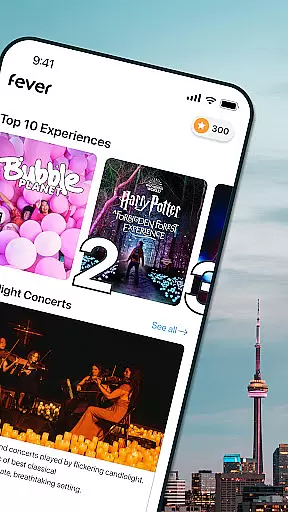
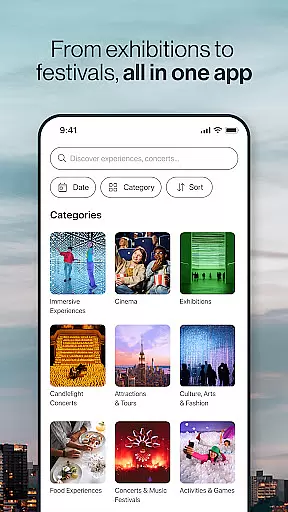
Fever is your ultimate guide to exploring the best events and experiences in your city. This app provides a comprehensive platform for discovering local happenings, secret spots, and exclusive pop-up events that are often only available through Fever. Whether you're interested in arts, music, food, or nightlife, Fever offers a diverse selection tailored to various interests.
One of the standout features of Fever is its access to unique, exclusive events such as immersive art exhibits and themed experiences like 'Jurassic World: The Exhibition' and 'Van Gogh: The Immersive Experience.' Additionally, users can take advantage of practical tools like event filters, favoriting options, and mobile ticketing, all designed to enhance convenience and personalization. With real-time maps and user-based recommendations, Fever ensures you never miss out on exciting opportunities near you.
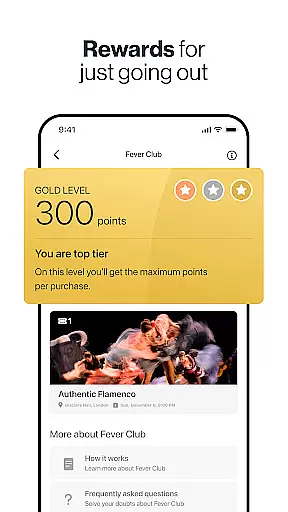
The app's value extends beyond just event discovery; it creates an engaging experience by offering rewards through the Fever Club, seamless ticket transfers, and multilingual customer support. Whether you're a tourist or a local resident, Fever helps you make the most of your city's vibrant offerings, making it an essential tool for anyone seeking memorable experiences.
Fever distinguishes itself with a robust set of features designed to streamline event discovery and attendance. One of its key functionalities is the access to exclusive events that cannot be found on other platforms, including high-profile exhibitions and interactive experiences. These curated events cater to a wide range of tastes, from cultural exhibits to adventurous outings, ensuring there's something for everyone.
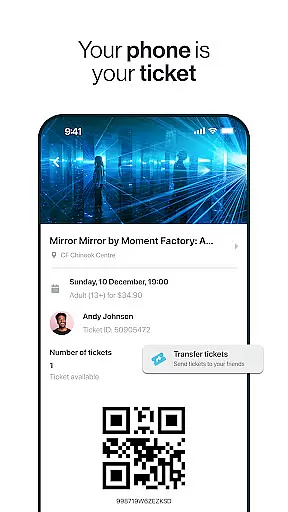
In addition to exclusive content, Fever incorporates practical features like advanced filtering options, which allow users to search based on date, time, and preferences. The app also includes a favorites list for quick access to preferred events, a ticket transfer system for easy sharing with friends, and a detailed map showing nearby events. Furthermore, Fever enhances personalization with user-based recommendations, ensuring that suggestions align with individual interests.
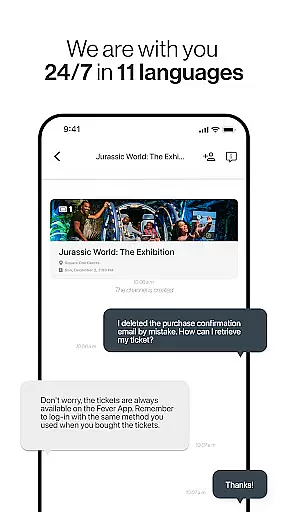
Convenience is at the core of Fever's design, exemplified by its fully mobile, paper-free ticketing system and 24/7 multilingual customer support. These features collectively create a seamless user experience, empowering individuals to effortlessly explore and engage with their city's dynamic event scene.
Task creation and detail customization are essential features for any event discovery app like Fever. This functionality allows users to create personalized event schedules tailored to their preferences and needs.
Fever excels in this area by offering a robust filtering system that enables users to search for events based on specific criteria such as date, time, and category. Whether you're interested in arts and museums or concerts and festivals, Fever ensures you can find exactly what you're looking for with ease.
Additionally, the app provides detailed event descriptions, including venue information, ticket pricing, and available dates. This level of detail empowers users to make informed decisions about which events to attend, enhancing their overall experience.
By leveraging these features, users benefit from a highly customized event discovery process. They can save their favorite events, receive personalized recommendations, and easily share tickets with friends and family, ensuring they never miss out on the experiences that matter most to them.
Reminder settings play a crucial role in ensuring users don't miss out on their planned events. For an app like Fever, which offers a vast array of activities and experiences, having reliable reminder functionalities is key to user satisfaction.
Fever addresses this need by integrating flexible reminder options within its platform. Users can set up notifications for upcoming events, ensuring timely alerts that help them stay organized and punctual. These reminders can be customized according to personal preferences, allowing for different notification times and frequencies.
Moreover, Fever's reminder system works seamlessly with other features such as favorited events and personalized recommendations. By combining these tools, the app creates a cohesive user experience that not only informs but also enhances engagement with the city's vibrant scene.
Ultimately, Fever's reminder settings provide peace of mind, knowing that you'll always be updated on your plans. This feature ensures that users can fully immerse themselves in the diverse range of events offered, confident that they won't overlook any important details or last-minute changes.
User-friendly interface
Exclusive event access
Personalized recommendations
Mobile ticketing
24/7 customer support
Limited rural coverage
Premium costs for exclusives
Occasional app glitches
Dependent on location
Variable event quality

Here you can choose tickets for films, performances, concerts and other events
 4.60
4.60
Greeting card maker with photos best app| Birthday cards| All wishes eCards FREE
4.50
Community for Mods, Addons, Melsaves, Melmods for Melon Playground
4.0
Create Wedding Invitation and Wedding Anniversary Cards using our app
4.60
TV Garden is a video player to play your own TV streams from around the world!
4.2
The Official Football Ticketing App for Fans in Qatar
4.4
Connect with an ecosystem of 5M+ eventgoers and organizers.
4.50
Save money on concert, sport, and theater tickets, and discover upcoming events.
4.80
Buy and sell tickets to sports, concerts, theater, festivals, and comedy events
4.10
Clubs, Festivals, Discounted Tickets, Guest Lists & VIP Tables
4.90
Create invitation cards for birthdays, weddings, Christmas and more.
4.80
Birthday Greetings provides Birthday Card, Frames, Gifs & Father's day Wishes
4.80
Discover events, experiences, and things to do near you - Anytime, Anywhere!
4.70
For weddings, parties & events
4.60
The world's largest selection of tickets is now at your fingertips
3.90
TV Garden - World Live TV : Play & cast your videos seamlessly!
3.20
Create Birthday Cards in Birthday Invitation Maker and Birthday Card Creator App
3.00
Some connections are better kept private
4.5
The official app of the Carmel Christkindlmarkt!
4.1


User Reviews