
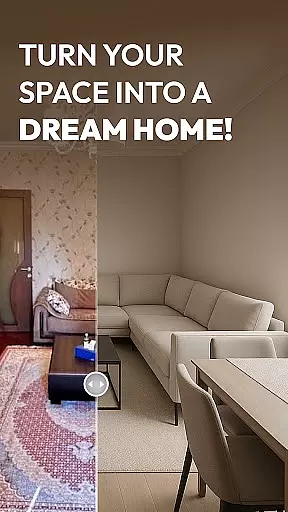
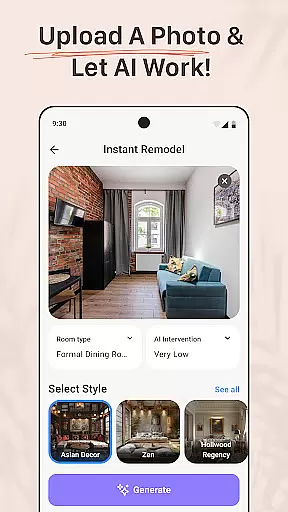
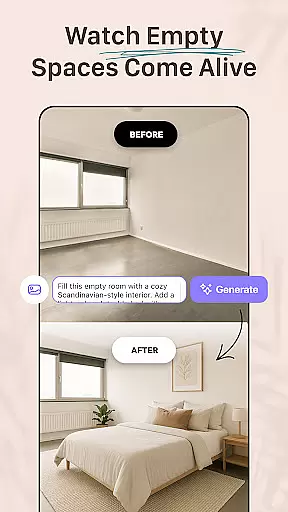
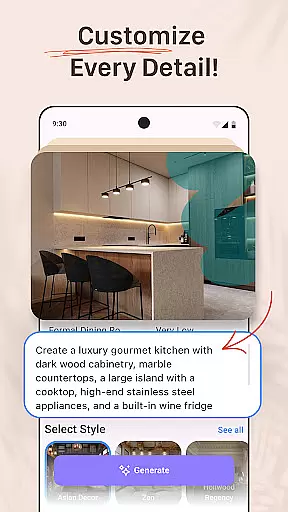


AI Remodel is a revolutionary app in the House & Home category, designed to assist homeowners, renters, and professional designers in planning and visualizing home renovation projects. The app leverages advanced AI technology to provide users with intuitive tools for creating detailed floor plans, exploring various interior design styles, and generating 3D renderings of their dream spaces.
One of the standout features of AI Remodel is its ability to suggest layouts, color schemes, and furniture arrangements based on user input or uploaded photos. This functionality empowers users to experiment with different design ideas and make informed decisions before committing to any physical changes. Whether you're redesigning a single room or undertaking a complete home renovation, AI Remodel offers the creative freedom and precision needed to bring your vision to life.
The app's seamless integration with Planner 5D enhances its capabilities, allowing for accurate measurements, real-time scaling, and high-resolution exports of design plans. This makes AI Remodel not only a powerful tool for DIY enthusiasts but also an invaluable resource for professionals looking to present their concepts with clarity and style.
AI Remodel boasts an impressive array of features tailored to meet the needs of both novice and experienced designers. At its core, the app provides a comprehensive suite of design tools that enable users to create detailed floor plans and visualize their ideas in a fully interactive 3D environment. The inclusion of smart layout tools allows for the customization of spaces by moving walls, adding lighting, and testing different materials, ensuring that every aspect of a renovation project can be meticulously planned.
A key highlight of AI Remodel is its use of interior design AI, which suggests optimal layouts, color palettes, and furniture placements. This AI-driven approach not only simplifies the design process but also inspires creativity by offering curated looks and style combinations that users may not have considered. Additionally, the app supports the exploration of various design aesthetics, from minimalism to rustic themes, providing endless possibilities for personalization.
Another significant feature is the seamless integration with Planner 5D, which enhances the precision and control users have over their designs. This integration facilitates accurate scaling, real-time measurements, and the ability to export professional-grade plans. Whether you're sketching initial concepts or finalizing detailed layouts, AI Remodel ensures that your designs are both functional and visually appealing.
Property listing authenticity is a crucial feature for any home design and renovation app like AI Remodel. This functionality ensures that all the design elements, floor plans, and 3D renderings accurately represent the actual space being renovated or designed.
AI Remodel achieves this by using advanced AI algorithms to create precise floor plans and rich 3D visualizations. Users can upload photos of their existing spaces, and the app will generate accurate representations that serve as the foundation for further design work.
The benefit to users is significant. By starting with an authentic representation of their space, they can make informed decisions about layouts, color schemes, and furniture placement. This accuracy helps prevent costly mistakes during the renovation process and ensures that the final result matches their vision.
This level of authenticity in property listings gives AI Remodel a competitive edge in the House & Home category. It bridges the gap between imagination and reality, allowing homeowners, renters, and professional designers to visualize and execute their dream spaces with confidence.
Home management features in AI Remodel provide users with comprehensive tools to handle various aspects of their home renovation projects efficiently. These features go beyond basic design capabilities and offer solutions for organizing, tracking, and implementing design changes.
The app includes smart layout tools that allow users to draw custom floor plans, move walls, add lighting, and test different materials all within a single platform. Its integration with Planner 5D ensures precise measurements and real-time scaling, making it easier for users to manage complex renovation tasks.
Users benefit from having all their project information in one place. They can track progress, store material choices, and maintain a record of design iterations. This organizational capability is particularly valuable for large-scale renovations where multiple stakeholders are involved.
What sets AI Remodel apart is how these home management features seamlessly combine with its design tools. The app's ability to transform creative ideas into actionable plans while maintaining project documentation makes it an invaluable resource for both DIY enthusiasts and professional designers seeking efficient project management solutions.
User-friendly interface
Advanced AI suggestions
3D visualization tools
Planner 5D integration
Versatile design options
Requires learning curve
Limited free features
Occasional bugs
Premium subscription cost
Device compatibility issues

Make Renting Easy
 4.40
4.40
Universal TV remote Control for Roku TV brands via WiFi remote
4.3
Calculate baluster spacing with ease and precision.
4.4
Resident Center, powered by Buildium, is designed with simplicity in mind.
4.50
View houses and apartments for rent, updated daily.
4.80
Find the perfect paint color with advanced tools to explore and visualize color.
3.80
Security App with HD Video, 2-way Audio, and event detection for Home monitoring
4.40
Control your Vivint Smart Home with the next generation Vivint App.
4.30
3D House Design and AI Room Planner - from floor plans to full interior design.
4.40
B-hyve Pro App for landscape irrigation professionals
4.70
Find your next home, house, apartment, condo, casa, flat, rental, studio, or bed
4.70
Search for Homes, Rentals, Agents & Schools
4.70
Map-based search app for apartments and homes for rent.
4.60
The official app for Home Assistant. Control your home anywhere in the world.
4.30
Smart AI plant care schedules, Real plant experts, support & Thriving community!
4.20
Universal Tv Remote Control for all Tv. Cast for chromecast & all Tv Controller
4.20
AI floor creator to design your dream house, plan rooms & style your home
4.00
Use Home by ShowingTime to easily manage showings, tours, feedback and more
3.60
Unlock AI-based barcode scanning and support the development of Grocy Android
4.1


User Reviews