

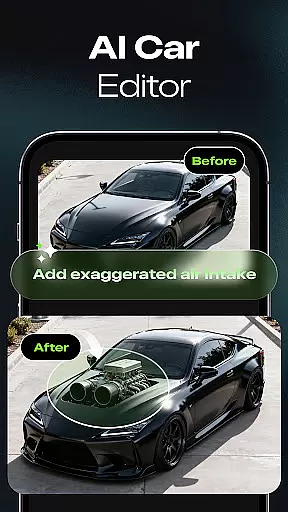

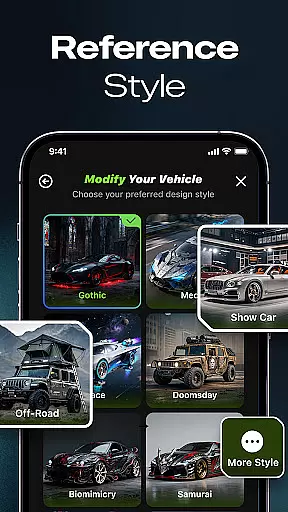
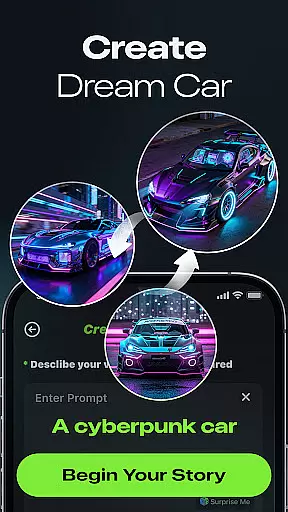
Car Editor & Al Car Designer is a cutting-edge mobile application tailored for automotive enthusiasts who wish to explore and visualize car customization ideas. This app leverages the power of artificial intelligence to transform your car modification dreams into reality, offering features such as AI Car Design Generator, Smart Detail Editing, and One-Tap Style Transformation.
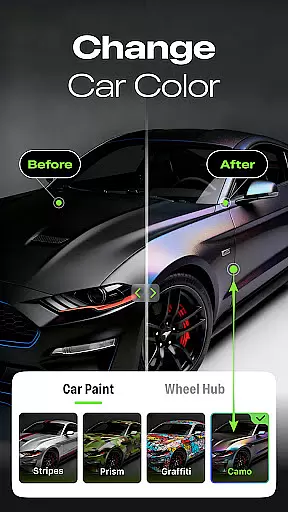
The app allows users to upload a photo of their vehicle and generate stunning modification concepts ranging from sporty and futuristic designs to luxury and retro aesthetics. With capabilities like changing colors, lights, accessories, or textures through simple taps, it ensures seamless integration of modifications. Whether you're planning an actual upgrade or indulging in creative experimentation, this tool provides realistic visualizations that cater to both hobbyists and professionals.
Car Studio serves as a virtual playground where users can save, compare, and share their favorite designs, making it an essential utility for anyone interested in automotive design.
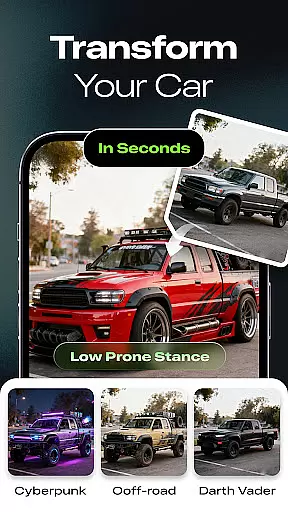
Car Editor & Al Car Designer stands out with its innovative use of AI technology to facilitate car customization. The AI Car Design Generator enables users to upload images and receive multiple design concepts, ensuring a broad spectrum of creative possibilities. This feature caters to various tastes, whether you prefer cyberpunk, racing, off-road, or minimalist styles.
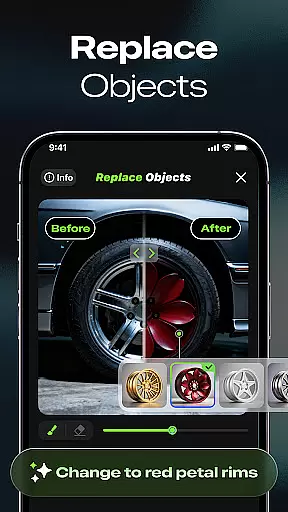
Smart Detail Editing allows precise modifications by simply tapping or marking areas on the car image. Users can alter specific details like paint jobs, lighting effects, and accessories while maintaining a natural look. Additionally, the One-Tap Style Transformation offers instant makeovers, preserving the original structure while applying dramatic style changes.
Subscription benefits include multi-image generation, unlimited design iterations, ad removal, and access to exclusive content like paid styles and video generation. These advantages ensure that users have a comprehensive toolkit for exploring endless customization options without limitations.
Understanding detailed vehicle information is crucial for car enthusiasts and potential buyers alike. Car Studio offers an innovative solution by allowing users to upload photos of their cars and receive AI-generated modification concepts. This feature provides a comprehensive view of various customization options, from sporty and futuristic designs to luxury and retro styles.
The app's smart detail editing tool enables users to tap or mark specific areas of the car image, instantly changing colors, lights, accessories, or textures. These modifications are seamlessly blended into the original image, offering a realistic preview of potential upgrades. The level of detail provided ensures that users can make informed decisions about real-life modifications.
With its one-tap style transformation feature, Car Studio allows users to explore different aesthetics such as cyberpunk, racing, off-road, or minimalist themes. Each transformation maintains the car's original structure while showcasing how these changes would look in reality. This functionality empowers users to visualize their dream cars with precision and ease.
Ultimately, Car Studio bridges the gap between imagination and reality by providing highly realistic results without requiring any design skills. Whether planning an actual upgrade or experimenting with creative ideas, users benefit from a detailed understanding of their vehicle's potential, making it an invaluable tool for both hobbyists and professionals.
Price transparency is essential in the automotive industry, ensuring customers understand the costs associated with car modifications. Car Studio addresses this need by offering clear subscription benefits that outline what users can expect from both free and paid versions of the app.
For free users, Car Studio allows the generation of one image per task, which is ideal for those who want to experiment with basic features. However, subscription users gain access to advanced capabilities, including the ability to initiate up to four screenshots at a time. This tiered approach ensures that users know exactly what they are paying for and can choose a plan that suits their needs.
Subscribers also enjoy unlimited generation of images, a significant advantage given the high cost of the AI model used for generating these visuals. Additionally, subscribers benefit from ad-free usage, enhancing their overall experience. Other distinctive subscription benefits include access to paid styles and video generation features, further adding value to the premium package.
By clearly outlining these benefits, Car Studio fosters trust and satisfaction among its users. The transparency in pricing and features ensures that customers feel confident in their investment, knowing they are receiving fair value for their money. This openness not only attracts more users but also builds long-term loyalty within the car enthusiast community.
User-friendly interface
Highly realistic results
Versatile style options
Seamless editing experience
Innovative AI technology
Paid subscription required
Limited free features
Internet connection needed
Occasional processing delays
Advanced tools may overwhelm beginners

OBDII - ELM327 Terminal tool for 96-00 Volvos
 4.50
4.50
App Mirroring for Tesla Car's Browser
2.80
Theme for Car Launcher
4.5
Digital Car Key/Launcher, Screen Mirror, Android Dashboard, Remote Wireless Link
4.40
Boost profits and hit your goals faster with GigU's amazing tools for gigworkers
4.00
Car Values, Research and More
4.80
Your Path to Driving Licensing Success Begins Here! Develop your driving skills.
4.40
Find Your Local Store or Shop Online for the Car, Truck, or SUV Parts You Need
4.70
7-Day Returns on All Cars
4.80
Play what you want through Android Auto
4.90
The Texaco App allows you to pay for fuel from the comfort of your car!
4.80
DMV practice test 2025: Driver License permit test & written test for all states
4.70
Quick and easy car diagnostics to get you the right fix.
4.70
CVT diagnostics with ELM327 for Nissan-based vehicles
4.40
Realtime Charts is a plugin for the Torque Pro App (OBD 2 & Car)
4.20
Get your personalized financing options and shop for used cars today!
4.20
myAudi offers users services and Audi connect services for Audi drivers
4.10
Discover new and used cars in Syria easily! Browse ads and connect with sellers.
3.70
Theme for Car Launcher
4.3


User Reviews