
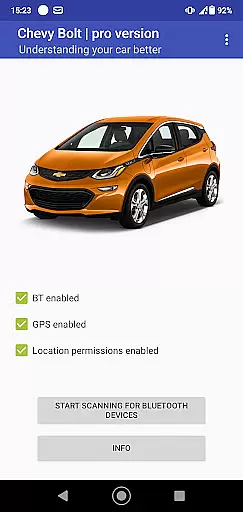
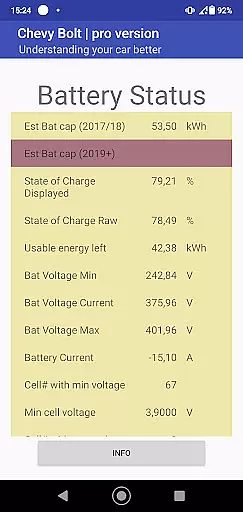
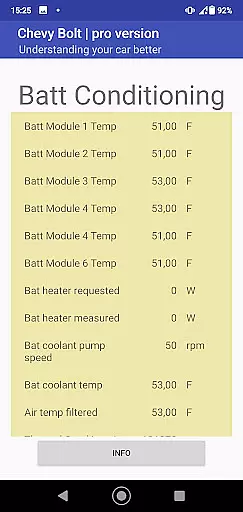
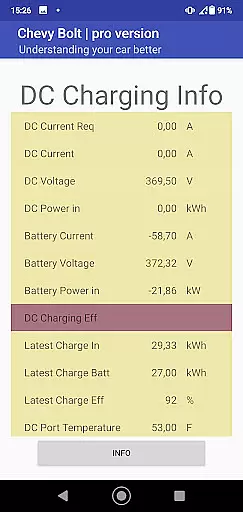
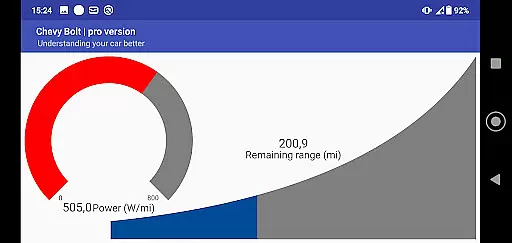
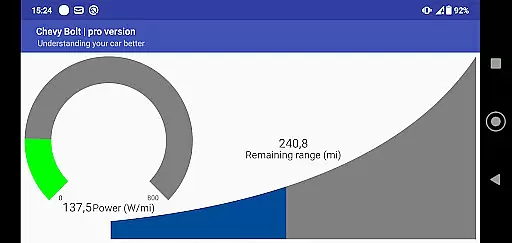
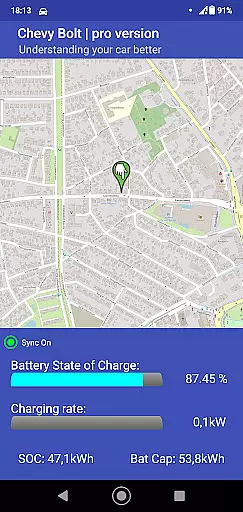
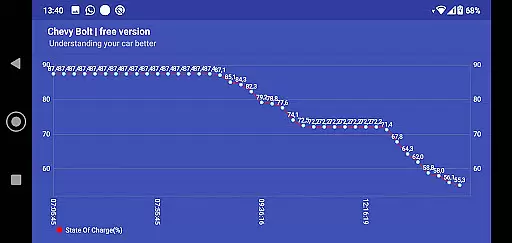
Chevy Bolt Monitor Pro is a specialized application designed for Chevy Bolt owners who want to maximize their understanding of their vehicle's performance. The app provides detailed monitoring of crucial parameters such as battery state of charge, battery temperature, and charging efficiency. It serves as an essential tool for electric vehicle enthusiasts who need real-time insights into their car's health and efficiency.
What sets this app apart is its dual monitoring capability. Users can track their vehicle's metrics locally via Bluetooth or remotely over the Internet. This flexibility ensures that whether you're in the driver's seat or miles away, you have access to vital information about your Chevy Bolt. By leveraging these features, users can optimize their driving habits and maintain their vehicle more effectively.
The app is particularly useful for eco-conscious drivers who want to monitor and improve their energy consumption patterns. With Chevy Bolt Monitor Pro, users gain valuable data that helps them make informed decisions about charging schedules, driving styles, and maintenance needs. This ultimately leads to a more efficient and cost-effective electric vehicle ownership experience.
Chevy Bolt Monitor Pro offers a comprehensive set of features tailored specifically for Chevy Bolt owners. One of its standout capabilities is the ability to monitor various vehicle parameters in real time. This includes critical data points like battery state of charge, battery temperature, and charging efficiency, which are essential for maintaining optimal vehicle performance.
In addition to its robust monitoring functions, the app supports both local and remote monitoring options. Local monitoring is conducted via Bluetooth, allowing users to connect directly to their vehicle when they're nearby. For those times when proximity isn't possible, remote monitoring over the Internet ensures that users can still access their vehicle's data from anywhere. This dual approach provides unparalleled convenience and peace of mind.
Another notable feature is the app's user-friendly interface, which presents complex data in an easily digestible format. Users can customize their dashboard to display the most relevant information for their needs. Whether it's tracking energy consumption trends or receiving alerts about potential issues, Chevy Bolt Monitor Pro empowers users with the knowledge they need to keep their electric vehicle running smoothly.
Detailed vehicle information is crucial for Chevy Bolt owners who want to maximize their driving experience and maintain optimal vehicle health. This app provides comprehensive monitoring of key parameters such as battery state of charge, battery temperature, and charging efficiency.
By offering both local monitoring over Bluetooth and remote monitoring over the Internet, the app ensures that users have access to real-time data about their vehicle's performance wherever they are. This dual capability allows for continuous tracking and peace of mind.
The detailed insights provided by the app enable users to make informed decisions regarding their driving habits and maintenance schedules. Understanding these metrics can lead to improved efficiency and prolonged vehicle lifespan.
Ultimately, having access to such granular details empowers Chevy Bolt owners with knowledge, helping them optimize their vehicle's performance while ensuring safety and reliability on every journey.
Price transparency in automotive apps like Chevy Bolt monitor pro is essential for users seeking clarity on the costs associated with owning and maintaining their electric vehicle. While this app itself may be free or require a purchase, it indirectly contributes to cost savings by providing valuable data.
Through features that monitor battery state of charge and charging efficiency, users can better manage energy consumption and reduce unnecessary expenses related to inefficient charging practices. The app's ability to provide real-time updates helps prevent unexpected issues that could lead to costly repairs.
Moreover, understanding various parameters such as battery temperature allows users to take preventive measures against potential damages, thus avoiding high maintenance costs. This proactive approach supported by transparent data presentation enhances user confidence in managing their vehicle expenses effectively.
In summary, while primarily focused on monitoring, the app fosters price transparency by equipping users with the information needed to minimize operational costs and make financially sound decisions regarding their Chevy Bolt.
User-friendly interface
Real-time monitoring
Remote access capability
Customizable dashboard
Dual monitoring options
Limited to Chevy Bolt
Requires compatible device
Internet connection needed
Premium features may cost extra
Steep learning curve for beginners

Ultimate OBD2 Car Scanner: Diagnostics, Service and Modification Tool
 4.30
4.30
On the CarShield app, you can view contracts, make payments, & request roadside.
4.40
OBD2 car scanner and diagnostics: read Check Engine, DTC, economy....
4.30
Theme for Car Launcher
4.3
Theme for Car Launcher
4.1
* This app needs an adapter cable and a certain OBD2 adapter to work *
4.20
Play what you want through Android Auto
4.90
Available in select states.
4.00
Trip computer+car diagnostic tool with widest variety of features and dashboard!
4.70
Take Control of Your Car
4.80
The ExtraMile App allows you to pay for fuel from the comfort of your car!
4.70
1M+ high-quality auto parts at your fingertips. Fitment guaranteed.
4.70
OBDII - ELM327 Terminal tool for 96-00 Volvos
4.50
Get price alerts, vehicle history details and more for cars near you!
4.50
Digital Car Key/Launcher, Screen Mirror, Android Dashboard, Remote Wireless Link
4.40
Your car is talking. Start listening.
4.30
Control maps, media and messaging, with the Google Assistant while you drive
4.10
Take state-specific DMV permit tests and ace the exam.
3.90
Mobile Phone Parking - So easy to park
3.70


User Reviews