

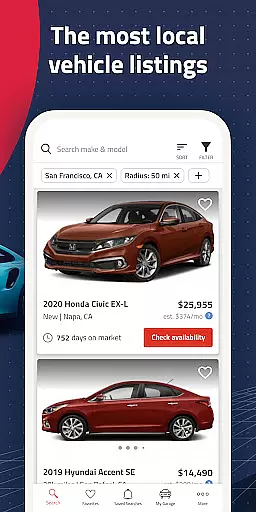
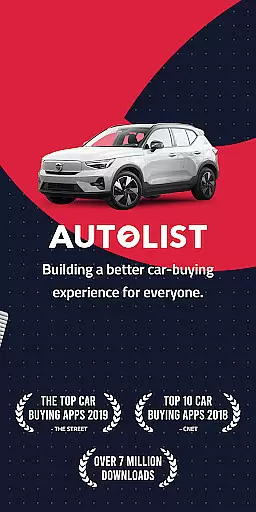
Autolist is a premier automotive marketplace app that simplifies the used car search process. With access to millions of listings from thousands of sources, it aggregates the largest selection of local cars, trucks, and SUVs in one place. The app's intelligent filtering system allows users to refine searches by price, year, color, and features, ensuring a tailored car-buying experience.
Beyond its vast inventory, Autolist provides valuable tools such as price history charts and Listimate values for each vehicle, empowering buyers with market insights to make informed decisions. Users can directly contact dealers or private sellers through the app to inquire about availability, request quotes, or schedule test drives, streamlining the purchasing journey.
Whether you're a first-time car buyer or looking to upgrade your vehicle, Autolist's comprehensive platform ensures you find the perfect ride at the best possible price, saving both time and money.
Autolist stands out with its extensive inventory of used cars, offering millions of listings from various sources nationwide. Its powerful search functionality lets users browse vehicles by specific makes, models, and years, catering to diverse preferences and needs.
The app's advanced filtering options enable buyers to narrow down choices based on detailed criteria like installed features, interior and exterior colors, and pricing. Additionally, Autolist's unique Listimate value estimation and complete price history for each car provide transparency and aid in negotiating fair deals.
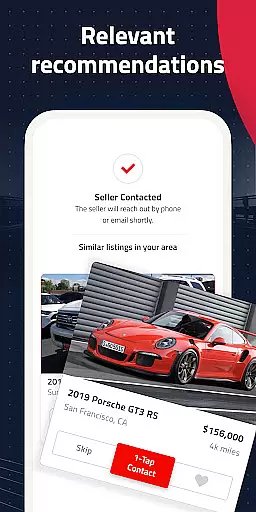
Autolist also excels in user engagement by allowing direct communication with sellers via call, text, or email within the app. Saved searches and favorites ensure users stay updated on new inventory and price changes, making the car-buying process efficient and stress-free.
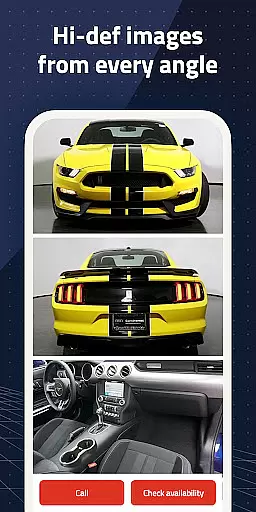
When searching for a used car, having access to comprehensive vehicle details is crucial for making an informed decision. Autolist provides extensive data on each listing, including specifications like mileage, engine type, transmission, and installed features.
The app aggregates information from thousands of sources, ensuring that users have the most up-to-date and accurate details about the vehicles they are interested in. This includes not only basic specifications but also specific features such as sunroofs, navigation systems, and safety equipment.
With Autolist's detailed vehicle information, buyers can easily compare different cars, understand their mechanical condition, and make better decisions without needing to visit multiple dealerships or websites.
This level of transparency empowers users to shop with confidence, knowing exactly what they are getting before contacting sellers or visiting lots.
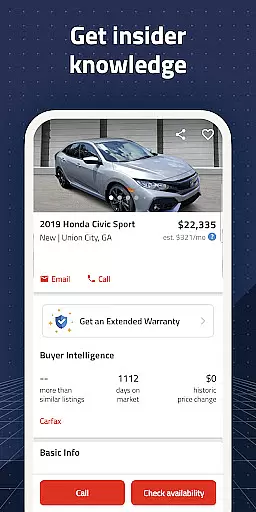
One of the biggest challenges in buying a used car is understanding its true market value. Autolist addresses this by providing complete price histories and Listimate values for every vehicle listed on the platform.
Users can view historical pricing data, helping them identify trends and determine if a car is priced fairly based on its condition and market demand. The Listimate feature offers an estimated value range, giving buyers additional confidence when negotiating prices.
In addition to historical data, Autolist allows direct communication with dealers and private sellers through call, text, or email directly from the app. This facilitates quick requests for quotes and clarifications about pricing.
By offering these transparent pricing tools, Autolist ensures that buyers can make well-informed financial decisions and secure the best possible deal on their next vehicle purchase.
User-friendly interface
Comprehensive car listings
Powerful search filters
Transparent pricing data
Direct seller communication
Limited international listings
Occasional listing inaccuracies
Premium feature costs
Ad-heavy interface
Variable seller responsiveness

OBD diagnostics, Live Data, DPF regeneration for BMW
 4.00
4.00
OBD1 ECMs application. Data log or tune directly from your phone or tablet!
4.60
Attention! This is the theme for the Car Launcher app
4.1
Ferrari inspired analog & digital watch face with quick access and premium style
4.1
Oil change service & coupons for car maintenance at Valvoline Instant Oil Change
4.70
Take state-specific DMV permit tests and ace the exam.
3.90
Available in select states.
4.00
Trip computer+car diagnostic tool with widest variety of features and dashboard!
4.70
7-Day Returns on All Cars
4.80
Play what you want through Android Auto
4.90
Take Control of Your Car
4.80
Buy and sell your boat
4.70
Browse millions of cars, track vehicle listings or sell your car today
4.70
Get price alerts, vehicle history details and more for cars near you!
4.50
Ultimate OBD2 Car Scanner: Diagnostics, Service and Modification Tool
4.30
Realtime Charts is a plugin for the Torque Pro App (OBD 2 & Car)
4.20
myAudi offers users services and Audi connect services for Audi drivers
4.10
BlueDriver® is a Premium Diagnostic OBD2 Scan Tool. www.BlueDriver.com
3.90
App Mirroring for Tesla Car's Browser
2.80


User Reviews