
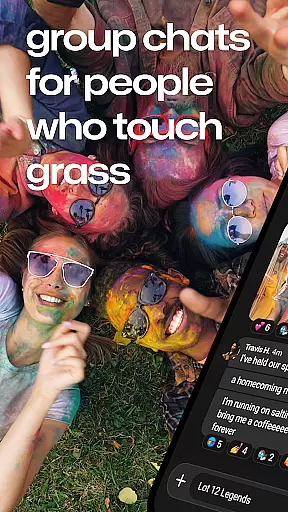
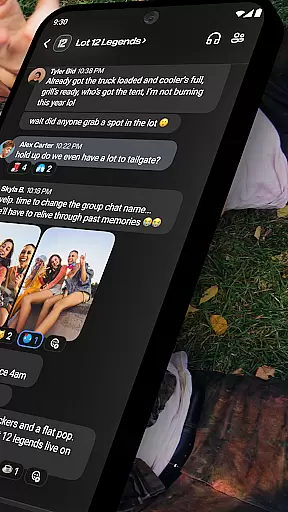
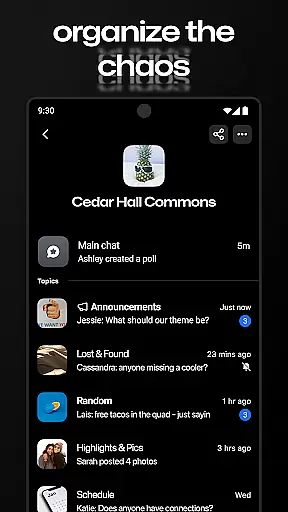

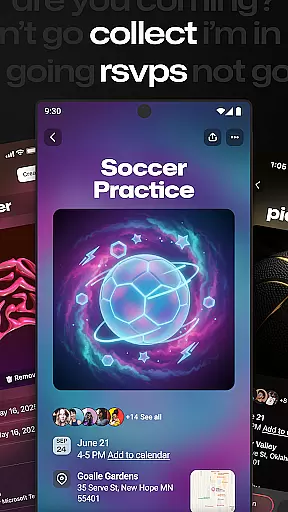
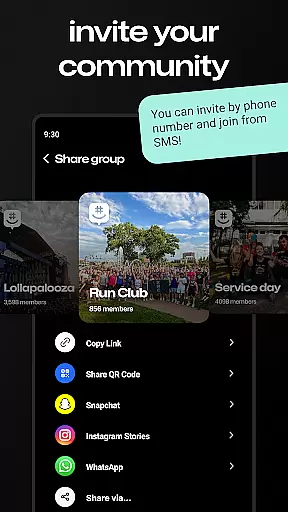
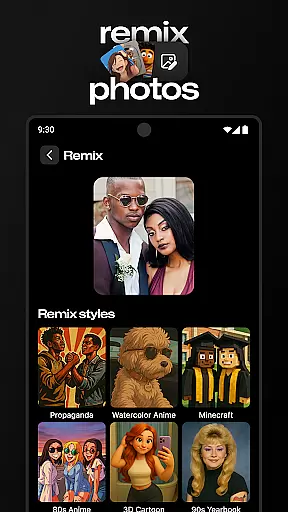

GroupMe is a free communication app designed to help users stay connected with important groups in their lives. Whether it's family, friends, coworkers, or other communities, this app makes group messaging simple and efficient. With features like SMS integration, exclusive emoji, GIF support, and a built-in gallery, GroupMe ensures that you can share more than just words.
The app also allows users to control notifications, send direct messages, and even chat from their computer via the web interface. It’s perfect for staying in touch whether your connections are across the hall or across the globe. GroupMe is especially valuable for organizing teams, events, or any group that needs seamless communication.
GroupMe offers a variety of powerful features that enhance group communication. One standout feature is the ability to add anyone to a group via phone number or email, allowing new users to start chatting over SMS immediately. The app provides extensive notification controls, enabling users to mute specific chats or the entire app as needed.
Users can express themselves with exclusive emoji packs, search and send GIFs, and view content shared from URLs directly in the chat. The gallery feature saves all shared photos and videos, making it easy to revisit memories. Additionally, the direct message functionality allows for one-on-one conversations with all the benefits of group chat. These features make GroupMe an indispensable tool for maintaining meaningful connections.
Real-time messaging is essential for maintaining seamless communication in today's fast-paced world. GroupMe ensures that your messages are delivered instantly, allowing you to stay connected with friends, family, and coworkers without delay.
The app employs optimized data transmission protocols to maintain high-speed message delivery across different network conditions. Whether you're sending a quick text or sharing media, GroupMe prioritizes the speed and reliability of your conversations.
Users benefit from this real-time interaction by experiencing fluid exchanges that mimic face-to-face conversations. This immediacy not only enhances personal relationships but also supports efficient teamwork and collaboration.
Moreover, GroupMe's infrastructure is designed to handle large volumes of messages, ensuring that even during peak usage times, the service remains stable and dependable. This reliability fosters trust among users who rely on GroupMe as their go-to communication platform.
In addition to text-based communication, modern messaging apps like GroupMe offer robust media sharing capabilities. These features allow users to enrich their conversations with photos, videos, and other multimedia content, making interactions more engaging and expressive.
GroupMe supports various file formats, enabling users to share images, GIFs, memes, and links directly within their chats. The integration of rich media transforms simple text threads into dynamic group discussions where ideas and experiences can be vividly shared.
This functionality extends beyond mere convenience; it creates opportunities for creative expression and deeper connection among group members. By incorporating visual elements into conversations, users can convey emotions and reactions more effectively than through words alone.
Furthermore, GroupMeu2019s gallery feature archives shared media, providing an easy way to revisit memories captured during conversations. This archival system not only preserves important moments but also allows users to relive experiences whenever they choose, adding lasting value to their digital interactions.
User-friendly interface
Free to use
Great for group organization
Integrated gallery
Cross-platform support
SMS limited to US
No video calls
Occasional bugs
Limited customization
Notification delays

SMS & MMS Messaging App to easily send messages or schedule SMS on Chat
 4.10
4.10
Google's fast and secure browser
4.10
Our Black Friday sale is here. Unlock special discounts on Proton Mail now.
4.30
This app enables the phone to receive and send FT8 traffic!
3.80
Manage Phone Calls, call history, and contacts easily with Phone Pro.
4.3
Bringing the functionality of Winlink to your Android device
4.1
SMS Messenger is a lightning-fast messaging app.
4.20
A customizable phone number in the cloud
4.20
Say “hello” to privacy.
4.60
Useful. Social. Expressive.
4.70
Adblock & VPN Browser: Blocks banners, pop-ups and video ads, fast downloader!
4.60
Connect and browse the internet with a fast VPN proxy server and IP blocker.
4.50
The ultimate productivity solution for all your email communication needs.
4.40
Send SMS and chat messages easily with a fast text messaging app for Android.
4.10
Quickly and easily identify and block unknown callers
3.70
Call & Text Anywhere With A Canadian Number.
3.60
Secure Messaging App to Enhance Messenger Texting Experience and Organize SMS.
3.50
TeamSpeak - Secure Chat for Gaming & Business
3.10
An app dedicated solely to marriage, not dating, and supported by a rigorous verification mechanism to ensure seriousness.
4.2


User Reviews