
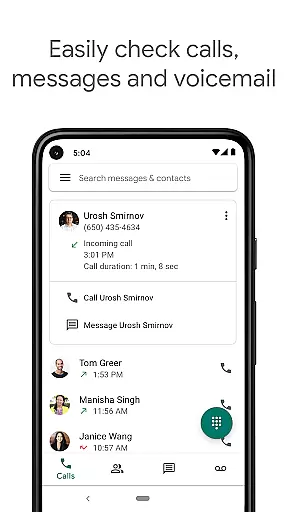
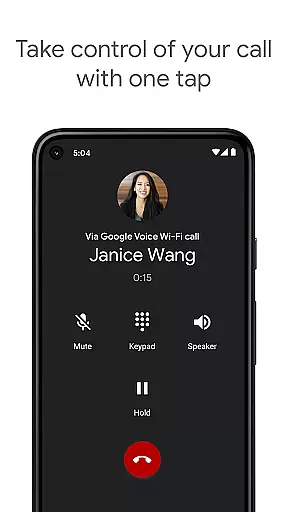
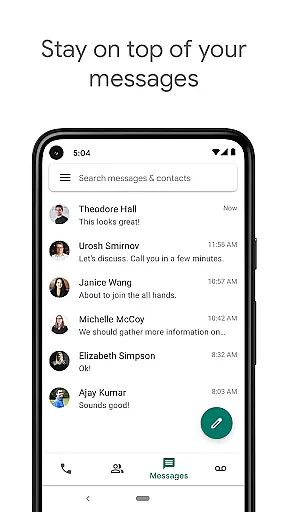
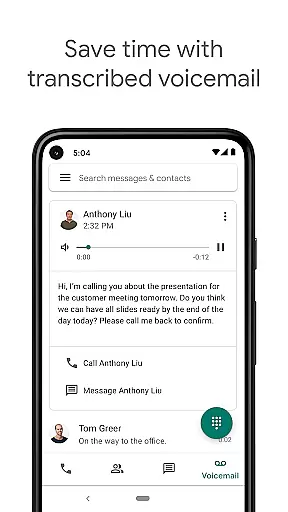
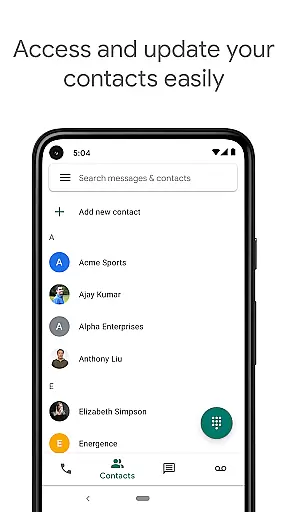
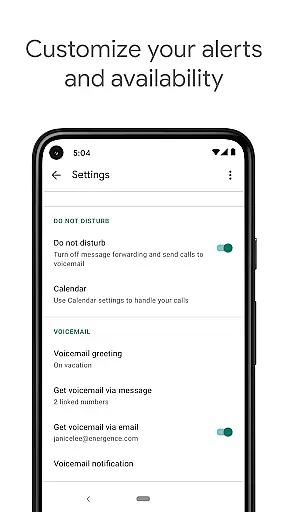
Google Voice is a communication app that provides users with a dedicated phone number for calling, text messaging, and voicemail services. The app seamlessly syncs across multiple devices including smartphones and computers, allowing users to stay connected regardless of location. With features like spam filtering, personalized call settings, and voicemail transcription, it offers a comprehensive communication solution.
The app's standout functionality includes advanced voicemail transcriptions, automatic spam filtering, and the ability to manage messages across devices. Users can send and receive SMS messages from all their devices, making it ideal for professionals who need constant connectivity. Additionally, Google Voice offers cost-effective international calling rates, saving users money on long-distance calls.
This app is particularly useful for individuals managing both personal and professional communications. Its cross-device syncing ensures users can access their communication history anytime, anywhere. The ability to customize settings for calls, texts, and voicemail makes it an invaluable tool for optimizing communication efficiency.
Google Voice stands out with its robust feature set tailored for modern communication needs. One of its key features is automatic spam filtering, which helps users avoid unwanted calls by intelligently identifying and blocking potential spam numbers. This feature alone significantly enhances the user experience by reducing interruptions from telemarketers and scam calls.
Another notable feature is the advanced voicemail transcription service. When a user receives a voicemail, Google Voice provides a written transcript that can be read directly in the app or sent to the user's email. This functionality is especially beneficial for quickly reviewing messages without needing to listen to lengthy recordings. Additionally, the app allows users to manage their communication preferences with personalized settings for call forwarding, text messages, and voicemail.
Lastly, Google Voice supports sending and receiving individual and group SMS messages from multiple devices. This multi-device support ensures users can maintain consistent communication whether they're at home, in the office, or traveling. The combination of these features creates a powerful communication tool that adapts to various user scenarios.
Google Voice ensures real-time messaging speed and reliability by syncing across all your devices. Whether you are at home, in the office, or on the go, messages are delivered instantly and can be accessed from any device with the app installed.
The platform's infrastructure is designed to handle high volumes of text messages efficiently. This means that even during peak usage times, users can expect consistent performance without delays in sending or receiving messages.
With features like spam filtering and personalized settings for managing calls and texts, Google Voice provides a dependable communication experience. Users have control over their interactions, ensuring they only receive messages from contacts they care about.
Moreover, since all communications are backed up and searchable within the app, users never have to worry about losing important information. The seamless integration between devices guarantees that every message is saved and accessible whenever needed.
Google Voice offers robust media sharing support, allowing users to send and receive various types of media files effortlessly. From photos to documents, users can share multimedia content directly through the app, enhancing communication beyond just text.
The app supports multiple file formats, making it versatile for different needs. Whether itu2019s sharing images with family or sending work-related PDFs, Google Voice accommodates diverse media types without compromising quality or speed.
In addition to individual messaging, group SMS capabilities enable collaborative conversations where media sharing becomes even more valuable. Group members can easily exchange media files, fostering better teamwork and social connections.
Furthermore, because Google Voice syncs across devices, shared media is accessible no matter which device you use. This cross-device compatibility ensures that whether you're on your phone or computer, your shared content remains readily available.
User-friendly interface
Advanced voicemail transcription
Effective spam filtering
Multi-device message management
Cost-effective international calls
Limited international availability
No MMS support
Dependent on cellular minutes
Occasional transcription errors
Restricted Google Workspace access

Pure modern IRC experience for Android
 3.70
3.70
Manage BoostMobile Account
4.60
Our Black Friday sale is here. Unlock special discounts on Proton Mail now.
4.30
Experience real private browsing without tracking, surveillance, or censorship.
4.50
HD Video Meeting app is a fast & unlimited video conferencing app across world.
4.30
Smart and simple anti-wiring application - IMSI-catchers catcher
4.40
Watchgram for Telegram: Experience seamless Telegram messaging on your watch
1.80
RemoteHams.com Android RCForb Client Pre-Release
4.30
Bringing the functionality of Winlink to your Android device
4.5
We’re taking the yada yada out of wireless—now we’ve taken it out of your app.
4.70
فیلتر شکن قوی پرسرعت کلید جدید برای اندرویدسریع ترین وی پی ان برای همه اپراتورها
4.70
FolderSync enables easy sync of files between cloud storage and Android devices.
4.60
The ultimate productivity solution for all your email communication needs.
4.40
Simple tool for businesses to talk to their customers.
4.40
SMS & MMS Messaging App to easily send messages or schedule SMS on Chat
4.10
Federated instant messaging for your mobile device (Jabber, XMPP, Snikket)
4.10
Fast Dialer & Contact Manager with Caller ID and Spam Protection
4.00
Quickly and easily identify and block unknown callers
3.70
Call & Text Anywhere With A Canadian Number.
3.60


User Reviews