
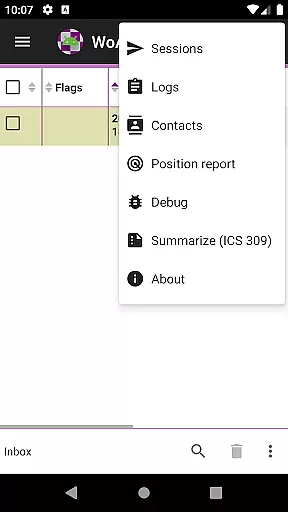
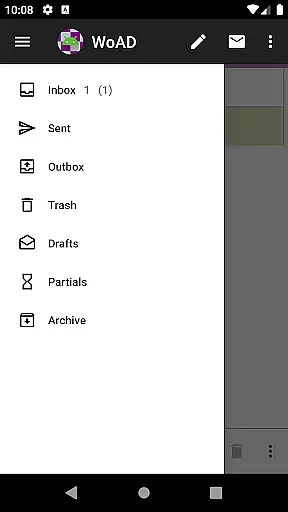
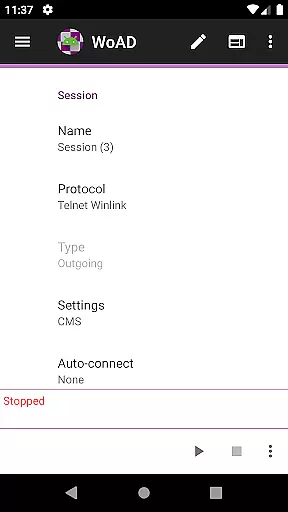
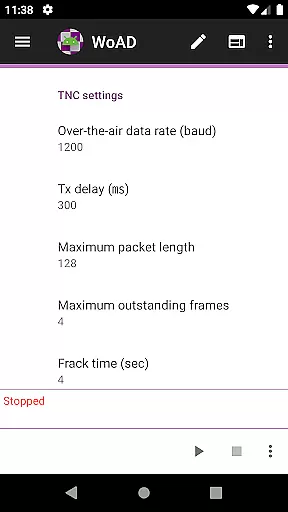
WoAD is a specialized communication application designed for licensed amateur radio operators. It serves as a client for the Winlink Global Radio Email system, enabling users to send and receive emails via radio frequencies or internet connections. The app supports both peer-to-peer (P2P) communication and connection to the broader Winlink network, making it an essential tool for emergency communications and off-grid messaging.
The application requires technical proficiency in packet radio operations and familiarity with the Winlink system. While its steep learning curve may challenge beginners, WoAD offers advanced features that cater to experienced ham radio enthusiasts. Users can access comprehensive documentation and community support to maximize their experience with this powerful communication tool.
WoAD provides a robust set of features tailored for amateur radio communication. The app supports multiple connection methods including VHF/UHF AX.25 packet radio and internet-based links, ensuring reliable message delivery even in challenging environments. Its integration with the Winlink system allows users to maintain email communications when traditional infrastructure is unavailable.
The application includes advanced configuration options for experienced users while maintaining compatibility with various hardware setups. Technical documentation and community resources help users troubleshoot issues and optimize their configurations. Regular updates and bug fixes ensure the application remains compatible with evolving communication standards and user requirements.
Real-time messaging speed and reliability are crucial for effective communication, especially in critical situations where every second counts. WoAD ensures that messages are transmitted swiftly and reliably, leveraging the robust infrastructure of the Winlink Global Radio Email system. This allows users to send and receive messages without delays, ensuring timely communication.
The app utilizes both internet connections and VHF/UHF AX.25 packet connections to maintain reliable communication channels. By supporting multiple connection types, WoAD provides redundancy and flexibility, which is essential for maintaining communication links under various conditions. Whether you're using it for emergency response or routine communications, the speed and reliability of message delivery are guaranteed.
For amateur radio operators and participating government agencies, this level of reliability ensures that important information reaches its destination without fail. The technical sophistication of WoAD means that even in challenging environments, such as remote locations or during network outages, users can rely on the app to deliver their messages promptly and securely.
Media sharing support is an integral feature of modern communication apps, allowing users to exchange not just text but also images, documents, and other file types. WoAD facilitates media sharing by enabling the transmission of various file formats through its integration with the Winlink system and peer-to-peer connections. This capability enhances the richness of communication, providing more context and detail than text alone.
Users can share critical data such as maps, weather reports, and operational documents, which are often necessary in amateur radio operations. The ability to transmit these files over both internet and radio frequencies ensures that users have the flexibility to communicate effectively regardless of their environment. This versatility is particularly beneficial for emergency communications, where visual aids and detailed reports can significantly impact decision-making.
Moreover, WoAD's support for media sharing is designed with the technical nature of ham radio in mind. While the learning curve may be steep for newcomers, the comprehensive documentation and active user community provide ample resources to help users navigate the complexities of media sharing within the app. This ensures that all users, regardless of their experience level, can leverage WoAD's full capabilities for efficient and effective communication.
User-friendly interface
Reliable message delivery
Comprehensive documentation
Active community support
Regular software updates
Steep learning curve
Limited to licensed users
Technical expertise required
No beginner-friendly mode
Complex setup process

فیلتر شکن قوی پرسرعت کلید جدید برای اندرویدسریع ترین وی پی ان برای همه اپراتورها
 4.70
4.70
Secure Messaging App to Enhance Messenger Texting Experience and Organize SMS.
3.50
Use this Dialer app alone or as a TREK: Total Interface companion.
4.70
Chat on the Jabber network (XMPP protocol); support for SMS and other gateways
2.10
Manage and Fund Calling Accounts and Schedule and Join Video Sessions
3.60
Messages is Private SMS Messenger 2023 with text message, instant messaging.
4.00
Comprehensive and powerful scan tool app with enhanced functions
3.00
TeamSpeak - Secure Chat for Gaming & Business
3.10
Threema is the messenger with the most consistent focus on security and privacy.
4.00
A browser that does more than load page, like keeping your privacy safe.
4.70
Identify unknown numbers, block spam calls, customize calls with cool themes.
4.60
Group Chat That’s Fun & Games
4.30
SMS Messenger is a lightning-fast messaging app.
4.20
Fast Dialer & Contact Manager with Caller ID and Spam Protection
4.00
Fun, free app that lets kids video call and message family and close friends.
3.80
Quickly and easily identify and block unknown callers
3.70
At select facilities, you now have an easy way to video visit your loved ones!
3.30
A Browser with powerful ad blocker to help focus on what really matters.
3.00
Watchgram for Telegram: Experience seamless Telegram messaging on your watch
1.80


User Reviews