
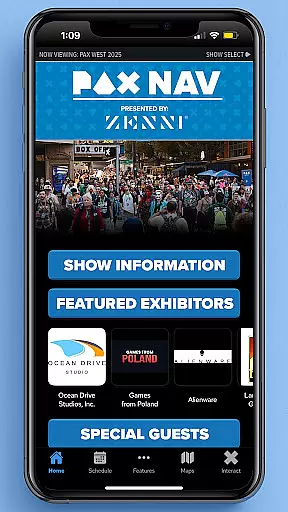
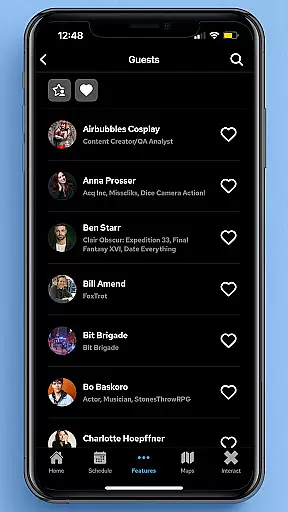
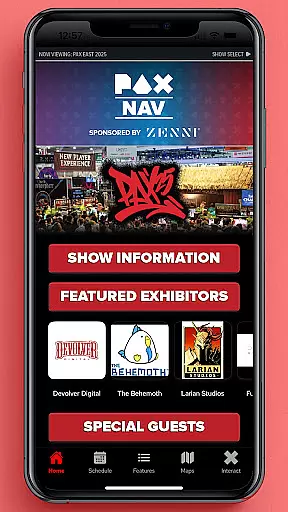
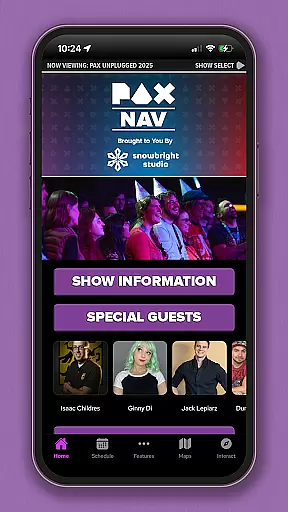
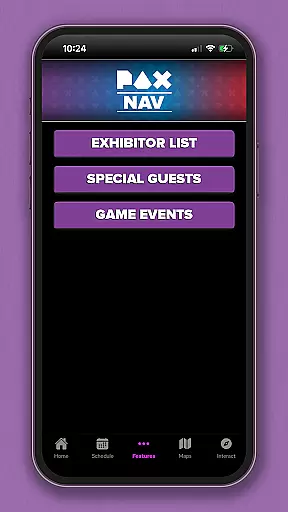
PAX Nav is the official app for PAX West, PAX East, and PAX Unplugged events. It provides users with comprehensive access to event schedules, exhibitor lists, interactive maps, exclusive show specials, and entry into the PAX XP program. Designed specifically for gaming enthusiasts and event attendees, this app serves as an all-in-one guide to maximize your PAX event experience. Whether you're planning your day or navigating the venue, PAX Nav ensures you have the most up-to-date information at your fingertips.
With its user-friendly interface, PAX Nav allows attendees to customize their schedules, locate exhibitors, and discover special promotions available only through the app. The app's mapping feature helps users easily navigate large convention centers, ensuring they can find their way to panels, booths, and other key locations without hassle. This makes it an essential tool for anyone attending these popular gaming conventions.
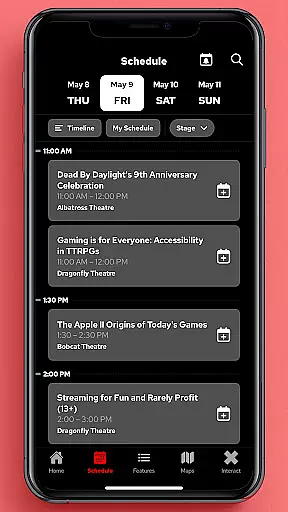
PAX Nav offers a robust set of features tailored for PAX event attendees. One of its standout capabilities is the interactive map, which provides detailed layouts of convention centers, helping users efficiently navigate between sessions and exhibitors. The app also includes a complete schedule of panels, tournaments, and special events, allowing users to plan their visit down to the minute.
In addition to navigation and scheduling, PAX Nav integrates with the PAX XP program, enabling users to earn rewards and track their participation in various activities throughout the event. Users can also browse through exhibitor lists, view exclusive show specials, and receive real-time updates about any changes or important announcements. These features collectively enhance the overall event experience by keeping attendees informed and engaged.
Task creation and detail customization are essential features for event management applications like PAX Nav. This functionality allows users to create personalized schedules by selecting specific panels, workshops, or exhibitors they want to see at the event.
PAX Nav takes this a step further by providing detailed information about each session or exhibitor. Users can view descriptions, speaker bios, room locations, and special requirements. The app also enables attendees to set reminders for upcoming events and bookmark their favorite exhibitors for quick access during the convention.
The value of this feature lies in its ability to enhance the attendee's experience. By allowing users to tailor their schedules, they can maximize their time at the event and ensure they don't miss out on key presentations or meetings. Additionally, having all this information readily available within the app reduces the need for carrying around physical schedules or maps.
Reminder settings play a crucial role in ensuring that attendees make the most of their event experience. In PAX Nav, this feature is designed to keep users informed and on track with their planned activities throughout the convention.
The app offers flexible reminder options, allowing users to set notifications for different types of events such as panel discussions, gaming tournaments, or meet-and-greets. Users can customize the timing of these reminders, choosing to be alerted minutes, hours, or even days before an event starts.
This level of personalization ensures that attendees can manage their time effectively and arrive punctually at their chosen sessions. Moreover, timely reminders help reduce stress by eliminating the worry of missing important events, thus enhancing overall satisfaction with the event experience.
User-friendly interface
Comprehensive event schedules
Interactive maps
Exclusive show specials
PAX XP integration
Limited to PAX events
Occasional bugs
Requires internet
No offline mode
Event-specific content

Audio guide companion APP for SEE's Michelangelo's Sistine Chapel
 3.50
3.50
Invitation card maker for birthday party & Wedding. Digital greeting card editor
4.90
TV Garden is a video player to play your own TV streams from around the world!
4.4
The KRUU app - plan, celebrate, remember
4.80
The world's largest selection of tickets is now at your fingertips
3.90
The Official Football Ticketing App for Fans in Qatar
4.3
RAISE-365 makes fundraising easy and fun!
3.20
Introducing the official Magic: The Gathering app for mobile.
4.20
Discover events & experiences in NYC, LA, Chicago, DC, Miami and more!
4.70
Fantasy of Lights Event App
5.00
Buy and Sell Tickets for Concerts, Sports, and Theater.
4.70
Fast Scans. Happy Fans. For Every Hometown!
4.60
PheedLoop Go! is the mobile event app for events powered by PheedLoop.
4.40
Microsoft Ignite is an event that showcases latest advancements in technology
4.00
Instant photo sharing for every occasion
3.80
Create Birthday Cards in Birthday Invitation Maker and Birthday Card Creator App
3.00
The Official App
4.2
Buy event tickets easily with our user-friendly App. Stay updated on hot events
4.2
Digital Income Wallet of the Final Libertadores 2025
4.4


User Reviews