
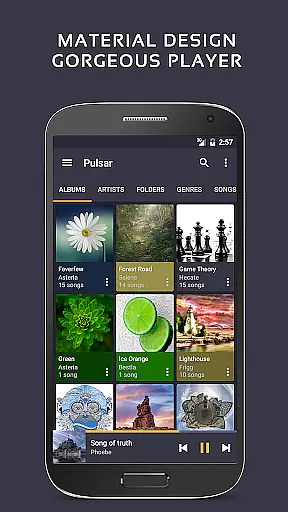
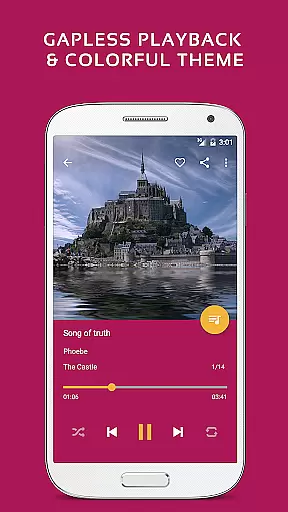
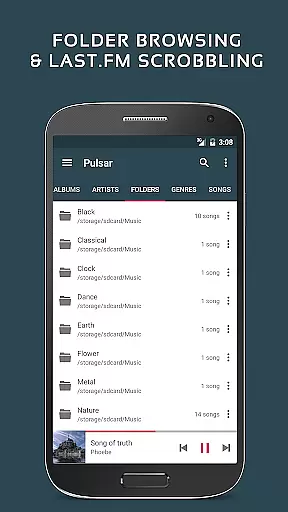
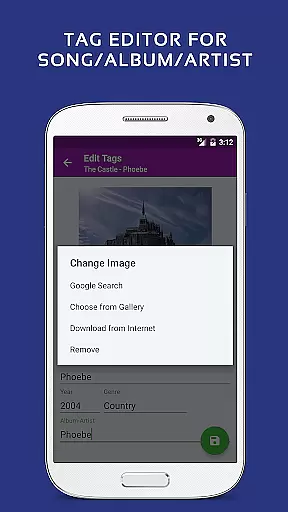
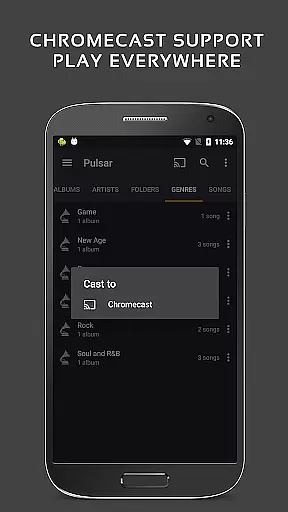
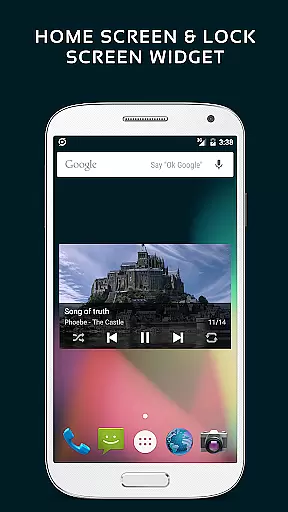
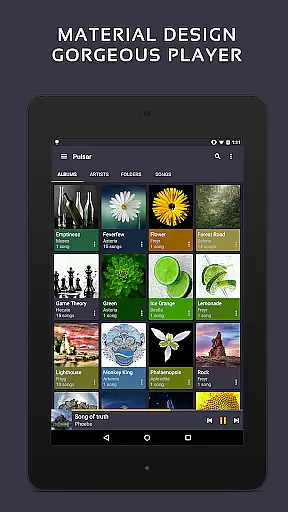
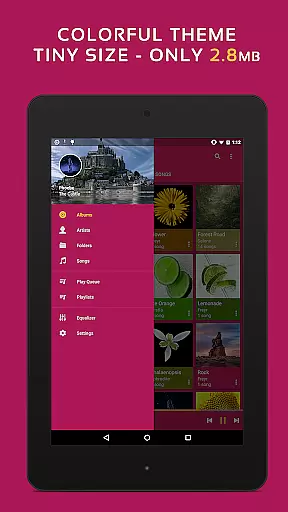
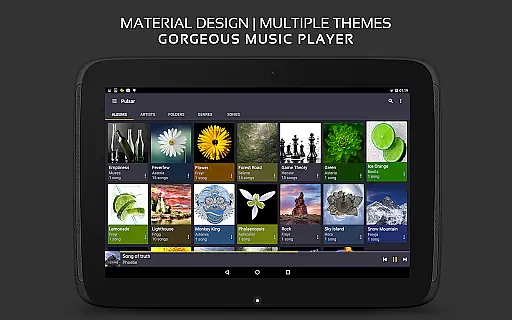
Pulsar Music Player Pro stands as a premium music application designed for Android users who appreciate high-quality audio playback and an ad-free experience. This offline audio player integrates material design principles, offering a visually appealing interface with smooth animations. Pulsar is equipped with advanced features such as gapless playback, crossfade, play speed adjustment, tag editing, and Chromecast support, making it a versatile tool for music enthusiasts.
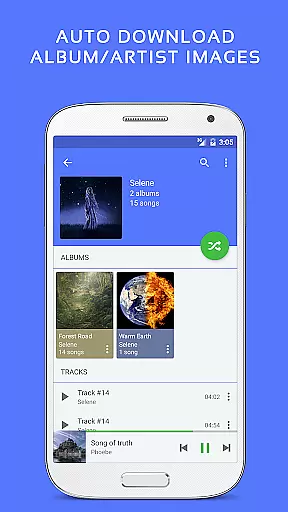
The app's functionality extends to managing music libraries by album, artist, folder, and genre, alongside smart playlists that highlight most played, recently played, and newly added tracks. With additional capabilities like automatic syncing of missing album/artist images, fast search options, and a resizable home screen widget, Pulsar ensures a seamless user experience. Its compatibility with various audio formats including mp3, aac, flac, ogg, and wav makes it a comprehensive solution for diverse musical needs.
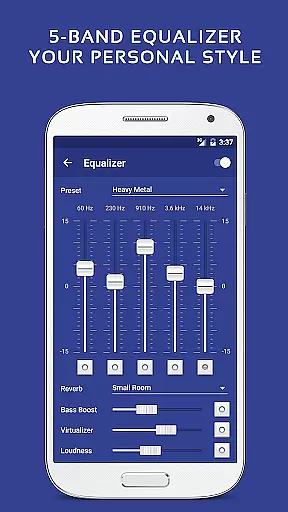
Whether you're commuting, working, or relaxing at home, Pulsar Music Player Pro adapts to your lifestyle by providing customizable themes, a 5-band equalizer, and bass boost options. The inclusion of a sleep timer, Android Auto support, and last.fm scrobbling further enhances its utility, allowing users to tailor their listening sessions according to personal preferences and environments.
Pulsar Music Player Pro distinguishes itself through a rich array of features tailored for audiophiles and casual listeners alike. One of its standout characteristics is the implementation of material design guidelines, ensuring a modern and intuitive user interface. This attention to detail is evident in every animation and visual element, creating an engaging and aesthetically pleasing environment for music playback.
The application supports gapless playback and crossfade, critical for maintaining audio continuity during transitions between tracks. Users can adjust playback speed, edit metadata tags, and display lyrics, either embedded within the audio file or from external lrc files. Additionally, Pulsar incorporates a music visualizer, equalizer settings with nine pre-built presets, and sound balance adjustments, empowering users to fine-tune their auditory experience.
For those seeking enhanced connectivity, Pulsar offers Chromecast support, Google voice commands, and Android Auto compatibility. These features facilitate effortless streaming and hands-free control, adapting to various listening scenarios. Moreover, the app provides theme customization options and a selection of colorful themes, allowing users to personalize their interface while enjoying a library management system that includes automatic image syncing and rapid search functionalities.
Pulsar Music Player Pro offers an extensive music library that supports a wide range of audio file formats including MP3, AAC, FLAC, OGG, and WAV. This ensures that users can enjoy their music collection without compatibility concerns.
The application emphasizes copyright authenticity by enabling users to manage and play their legally acquired music files. It provides features such as tag editing for MP3 and other formats, ensuring accurate metadata for better music organization and presentation.
With the built-in metadata tag editor and album/artist image synchronization, Pulsar enhances the user's music listening experience while respecting intellectual property rights. Users can rest assured that their music library is both comprehensive and authentic.
Audio quality in Pulsar Music Player Pro is taken to the next level with advanced sound features. The player includes a 5-band equalizer controller with 9 pre-built equalizer presets, allowing users to customize their listening experience according to personal preferences.
In addition to the equalizer, Pulsar offers bass boost, reverb effects, and ReplayGain volume normalization. These features ensure that audio playback maintains high quality and clarity, regardless of the genre or original recording conditions.
Furthermore, the app supports gapless playback and crossfade, which contribute to uninterrupted audio enjoyment. With these sophisticated audio quality options, Pulsar caters to audiophiles seeking pristine sound fidelity in their music player.
User-friendly interface
Gapless playback support
Customizable themes
Advanced equalizer settings
Advertisement-free experience
Paid version only
No cloud integration
Limited to Android
Occasional bugs reported
Heavy on resources

Make music anywhere. Turn your device into an instrument.
 4.2
4.2
Formerly known as Spotistats! View your top tracks, artists, albums and more!
4.40
DJ Music Mixer Pro is a real DJ controllers and DJ Music Studio to remix DJ.
4.40
Remove ads permanently from Music Visualizer
4.0
Walkout Song DJ is the most intuitive app to manage your sports music.
4.70
Make songs with AI! Any genre, custom lyric, song generator for music creation!
4.80
Turn your Android phone into a professional audio analyser with up to 120 bands.
4.00
Learn the notes on the guitar fretboard fast with this easy and fun app
4.60
Play KORG’s revolutionary touch-based instrument on a variety of devices.
4.40
Pay Once, no monthly payment
4.60
Taal player that lets you sing any Indian & Western song with Tabla & Tanpura
4.60
AI Music Maker: Generate And Compose AI Tunes & AI Songs & AI Music & AI Melody!
4.60
Let your Android device with the sound effects you want
4.50
Your HD audio recorder on the go for music, meetings, ambience, animal sounds…
4.30
Enjoy singing any song, no matter how high or low it is
4.30
Smart piano keyboard, Classical to Pop, Real-time multiplayer connection!
4.20
Versatile MP3 recorder with auto-backup to Dropbox and Google Drive
4.10
Powerful beat maker & DJ mixer to remix tracks, make music, & perform DJ mix
3.70
The Cubase remote control app
3.60


User Reviews