
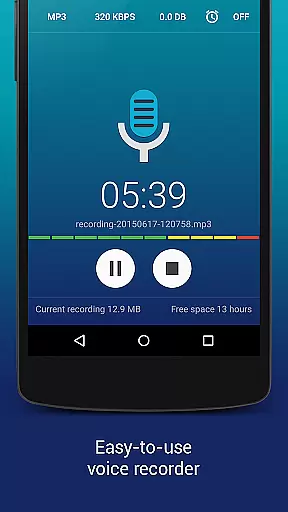
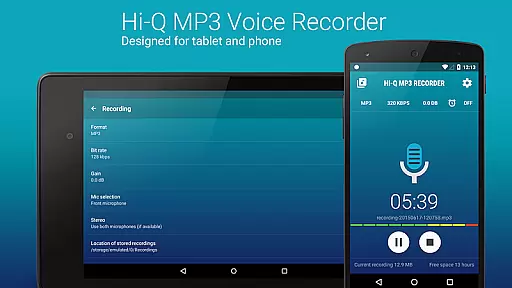
Hi-Q MP3 Voice Recorder (Pro) is a feature-rich audio recording application designed for both casual and professional use. This app elevates mobile sound recording with its high-fidelity 44 kHz audio sampling, making it superior to standard recording apps. Whether you need to capture personal voice notes, lectures, band practice, or even concerts, this app delivers exceptional quality and versatility.
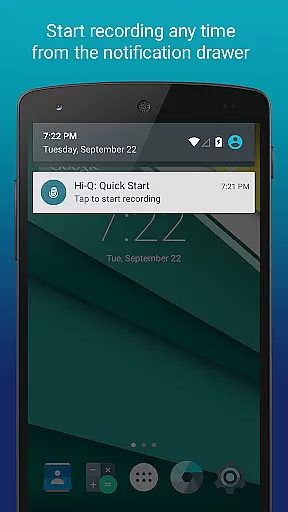
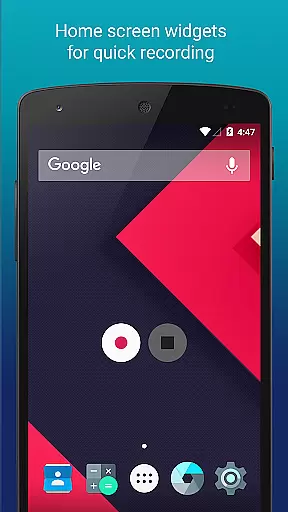
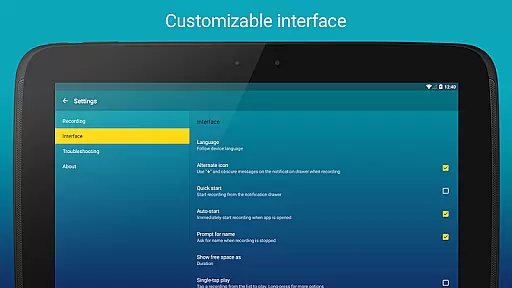
The app offers an array of customization options, ensuring the ultimate user experience. With capabilities ranging from 320 kbps recordings to automatic cloud uploads on Google Drive or Dropbox, users can record, manage, and store their audio clips efficiently. The intuitive interface allows quick access through home screen widgets and customizable notification drawers, providing seamless control over your recordings.
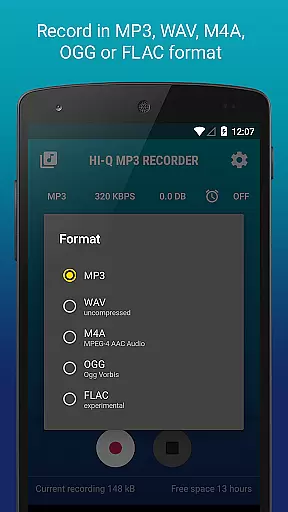
Ideal for professionals and hobbyists alike, Hi-Q MP3 Voice Recorder (Pro) supports multiple formats including MP3, WAV, OGG, M4A, and FLAC. Its practical features like Wi-Fi transfer, gain control, and discreet recording mode make it an indispensable tool for anyone needing reliable and high-quality audio recording on their mobile device.
Hi-Q MP3 Voice Recorder (Pro) boasts an impressive set of features that cater to a wide range of recording needs. One standout feature is the Discretion Mode, allowing users to switch the recording icon for privacy, ensuring that recording can be done without drawing attention. This is particularly useful in sensitive environments where discretion is paramount.
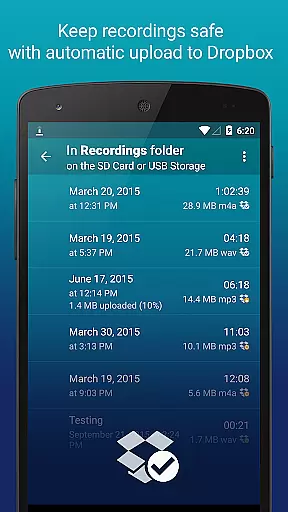
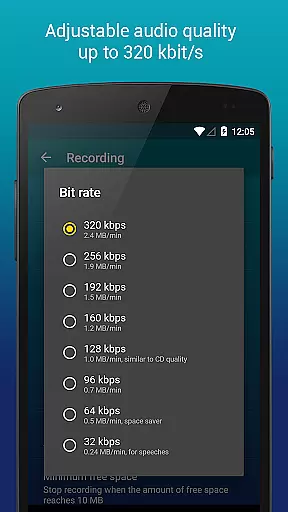
The app supports high-quality 320 kbps recordings, capturing every detail with clarity and precision. Users can also take advantage of Home Screen Widgets for instant access to start, pause, and resume recordings effortlessly. Additionally, the automatic upload feature to cloud services like Google Drive or Dropbox ensures that recordings are safely stored and easily accessible from any device.
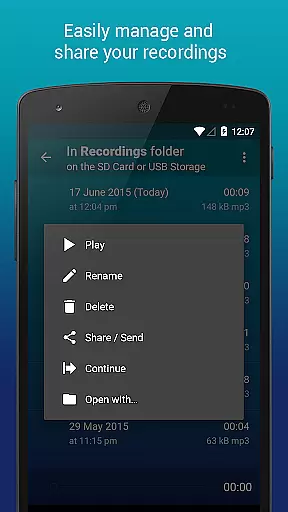
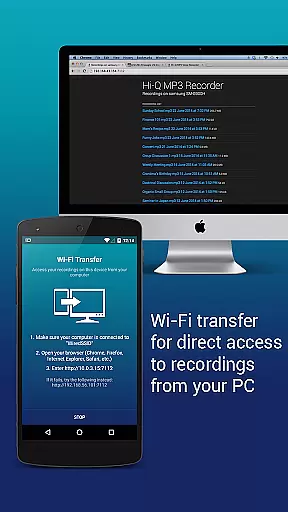
Clip Management is another robust feature, enabling users to share, sort, rename, and delete recordings as needed. The Wi-Fi Transfer functionality allows for wireless transfer of files to computers and other devices, utilizing either home Wi-Fi or the device's Wi-Fi Hotspot. Moreover, the ability to control gain levels in real-time ensures optimal recording quality across various noise environments, making Hi-Q MP3 Voice Recorder (Pro) a versatile and powerful tool for all audio recording needs.
The Hi-Q MP3 Voice Recorder (Pro) app offers a unique approach to building a personal music and audio library through its high-quality recording capabilities. With the ability to record in multiple formats including MP3, WAV, OGG, M4A, and FLAC, users can create an extensive collection of audio files that are both compact and versatile.
While this app doesn't provide pre-loaded music tracks, it empowers users to capture their own high-fidelity recordings with 44 kHz audio sampling. This ensures that every recording maintains professional-grade quality, making it suitable for various applications such as music creation, voice notes, or live performances.
Regarding copyright authenticity, the app records original content created by users, ensuring that all audio files are free from copyright infringement issues. The app's support for direct uploads to cloud services like Google Drive and Dropbox also helps users maintain proper records of their original works.
The customizable quality settings, allowing bit rates up to 320 kbps, give users control over their audio library's technical specifications. This feature, combined with the app's support for experimental formats like FLAC, demonstrates its commitment to providing authentic, high-quality audio recording solutions.
Hi-Q MP3 Voice Recorder (Pro) stands out in the market with its exceptional audio quality options that cater to both casual users and audio professionals. The app provides adjustable bit rates up to 320 kbps, allowing users to optimize their recordings based on their specific needs and storage considerations.
One of the key features is the ability to choose between different microphone inputs - the sensitive front microphone or the clearer back microphone, depending on the device's configuration. This flexibility enables users to adapt to various recording environments and achieve optimal sound capture in any situation.
The app's support for multiple audio formats, including MP3, WAV, OGG, M4A, and FLAC, demonstrates its versatility in handling different audio quality requirements. Especially noteworthy is the experimental support for FLAC format, which preserves audio quality without compression artifacts.
For users who need precise control over their recordings, the real-time gain adjustment feature allows fine-tuning of input levels. This ensures consistent audio quality across different recording sessions and environments, while the 44 kHz audio sampling rate guarantees professional-grade fidelity for all recordings.
User-friendly interface
High-quality audio recording
Automatic cloud upload
Multiple format support
Discreet recording option
No phone call recording
Widgets require main storage
Limited free version
Advanced settings may overwhelm beginners
Occasional sync issues

 4.70
4.70
Your HD audio recorder on the go for music, meetings, ambience, animal sounds…
4.30
Visualize the guitar fretboard, master scales & play through changes like a pro!
4.50
Unleash your creativity! Turn simple prompts into full fledged songs.
4.70
Learn to play the piano using falling notes!
3.80
Music, News & Sports Radio Tuner App. Tune in Live FM & AM Radio Stations.
4.80
Let your Android device with the sound effects you want
4.50
Uninterrupted Tunes, Unmatched Vibes
3.90
Get alarms that fit your lifestyle and wake up to the sounds you love.
4.80
Full-featured, High-Quality Groovebox Workstation, perfect for Live Performance!
4.80
Gorgeous UI, Powerful music Search and Equalizer, the great choice for you!
4.70
Most Advanced AI Song Generator and Music Creator. Rap, Pop, Rock, Gospel & more
4.70
Pay Once, no monthly payment
4.60
Offline Music Player&MP3 Player with themes, equalizer, lyrics, music play mode
4.60
Time Trainer: accurate metronome w tools to help you develop your internal time!
4.20
Turn your Android phone into a professional audio analyser with up to 120 bands.
4.00
USB audio recording and playback finally possible on Android 3.1 or higher!
3.90
Simply convert wav to mp3. Clear. Reliable. Safe.
4.3
Remove ads permanently from Music Visualizer
4.3


User Reviews