
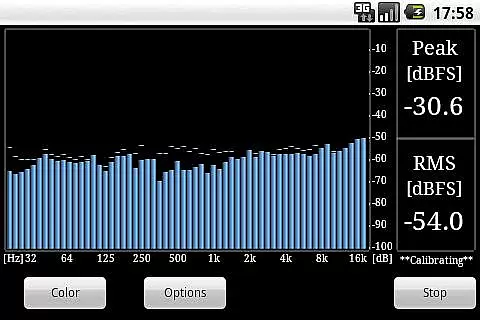
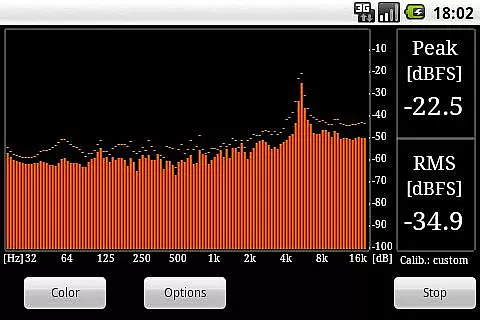
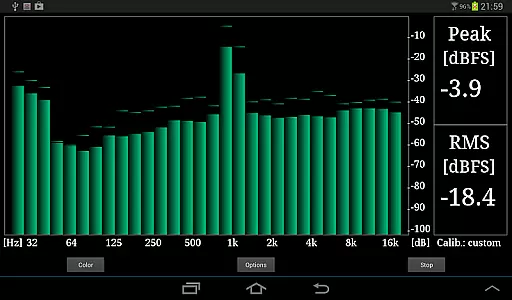
RTA Pro Analyzer is a professional-grade audio analysis tool designed for music producers, sound engineers, and audio enthusiasts. This advanced application offers precise audio spectrum analysis with multiple band spacing options including 1/4, 1/6, and 1/12 octave bands, supporting up to 120 bands for detailed frequency inspection.
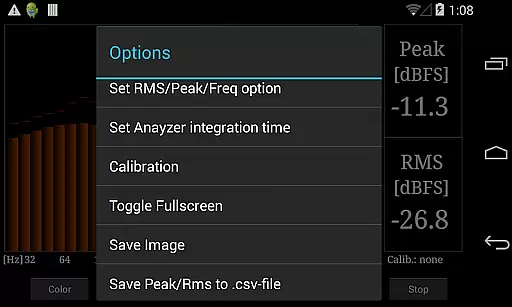
The app features scalable peak holds, customizable color schemes, and permanent storage of calibration data, ensuring accurate and repeatable measurements. With the ability to save screenshots and export peak/RMS values to .csv files, RTA Pro Analyzer provides comprehensive documentation capabilities for professional audio analysis.
RTA Pro Analyzer stands out with its sophisticated feature set tailored for professional audio analysis. The application supports multiple band spacing configurations (1/4, 1/6, 1/12 octave) with up to 120 bands, allowing users to perform highly granular frequency spectrum analysis.
Advanced functionality includes scalable peak hold options, multiple color schemes for enhanced visualization, and permanent storage of calibration settings. The app also enables users to save analysis screenshots and export detailed measurement data (peak/RMS values) to .csv files, facilitating comprehensive documentation and further processing in other applications.
When evaluating a music and audio application like RTA Pro Analyzer, the size and authenticity of its music library are crucial factors. This app provides professional-grade features such as 1/4, 1/6, and 1/12 band analysis with up to 120 bands, which significantly enhances its utility for audio professionals. The extensive range of analysis options ensures that users can rely on the accuracy and comprehensiveness of their audio data.
The app permanently stores calibration data, allowing users to maintain consistent settings across sessions. This feature is particularly beneficial for long-term projects where precision and repeatability are essential. Additionally, the ability to save screenshots and export peak/RMS values to a .csv file adds another layer of functionality, making it easier to document and share findings.
RTA Pro Analyzer's commitment to copyright authenticity is evident in its detailed documentation and support channels. Users can reach out to info@radonsoft.net for bug reports or comments, ensuring that any issues related to content or functionality are promptly addressed. This level of transparency and support reinforces the credibility of the app's offerings.
Audio quality options are a significant aspect of any music and audio application, and RTA Pro Analyzer excels in this area. The app offers scalable peak holds and multiple color schemes, providing users with a customizable and visually intuitive interface. These features allow audio engineers and enthusiasts to tailor the display to their specific needs, enhancing both usability and aesthetic appeal.
One of the standout features of RTA Pro Analyzer is its ability to handle complex audio tasks with ease. With advanced functionalities such as storing calibration data permanently, users can trust that their settings remain intact over time. This reliability is crucial for professionals who require precise and consistent audio measurements in various environments.
In addition to its robust feature set, RTA Pro Analyzer supports exporting peak and RMS values to a .csv file, enabling further analysis and integration with other tools. For any inquiries or issues, users can contact info@radonsoft.net, ensuring they receive timely assistance and support. This comprehensive approach to audio quality makes RTA Pro Analyzer a valuable tool for anyone involved in audio analysis.
Highly detailed analysis
Multiple band spacing options
Permanent calibration storage
Data export capabilities
Customizable visualization
Paid application
Complex for beginners
Limited free support
No real-time collaboration
Advanced technical knowledge required

Make music anywhere. Turn your device into an instrument.
 4.3
4.3
Over 100 million tracks available for high quality streaming and download
4.60
Walkout Song DJ is the most intuitive app to manage your sports music.
4.70
A complete sound package for the sound engineer or enthusiast
4.60
Play KORG’s revolutionary touch-based instrument on a variety of devices.
4.40
Master Salsa Rhythm quickly and with a lot of fun!
4.30
Full featured mp3 and audio player with Chromecast and Android Auto support.
4.40
Uninterrupted Tunes, Unmatched Vibes
3.90
Get alarms that fit your lifestyle and wake up to the sounds you love.
4.80
Most Advanced AI Song Generator and Music Creator. Rap, Pop, Rock, Gospel & more
4.70
Taal player that lets you sing any Indian & Western song with Tabla & Tanpura
4.60
Super Sound Editor, Song Maker & Mixer, Vocal Remover, Voice Recorder & Changer!
4.60
Reverse your voice & songs instantly! Fun singing challenge with cool effects.
4.60
Let your Android device with the sound effects you want
4.50
Ringtone Maker is free app create ringtone from music files or your recording.
4.40
The alternative folder based music player.
4.20
Sheet music reader, piano & music note player. Play music score & learn to read.
3.90
Simply convert wav to mp3. Clear. Reliable. Safe.
4.2
Music Streaming suite for Ampache, Nextcloud Music and compatible backends.
4.5


User Reviews