
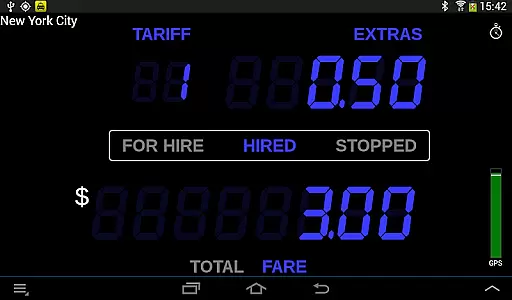
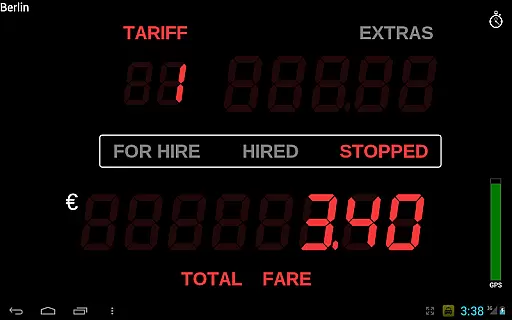
Taximeter is a professional-grade Android application designed specifically for drivers in the transportation industry. This app offers an accurate and reliable taximeter solution that has been developed in collaboration with both drivers and regulatory bodies. With thousands of professional drivers already using Taximeter worldwide, it has become an essential tool for various transportation services.
The app features a realistic LED effect display and supports over 200 predefined presets across more than 40 countries. It allows customization with up to 10 tariffs and provides advanced features like calendar-controlled tariffs, geofencing, and integration with popular payment processors. Whether you are involved in private hire, medical transportation, or courier services, Taximeter provides the tools necessary to manage fares efficiently while ensuring compliance with local regulations.
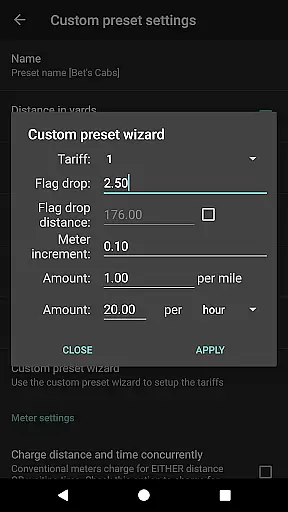
Taximeter stands out with its comprehensive feature set tailored for professional drivers. The app includes a customizable preset wizard that makes setup easy, while offering advanced functionalities such as ahead-of-time programming for future tariffs and location-based tariff control through geofencing. These features ensure that drivers can adapt quickly to changing fare structures and regional requirements.
In addition to its core functionality, Taximeter integrates seamlessly with payment processing services like PayPal Here, Square Point of Sale, SumUp, and Zettle. It also supports generating PDF receipts that can be emailed or printed via the Android Print Service. For added convenience, the app offers data logging capabilities and an API for integration with third-party dispatch systems, making it a versatile solution for modern transportation businesses looking to streamline operations and improve customer service.
In the realm of professional driving, having access to detailed vehicle information is crucial for both regulatory compliance and operational efficiency. Taximeter offers an extensive suite of features that provide drivers with precise data about their vehicle's performance and fare calculations.
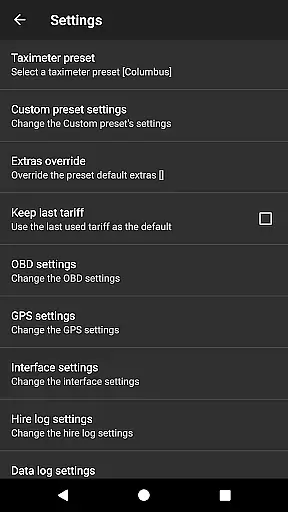
This Android taximeter application includes over 200 predefined presets across more than 40 countries, ensuring that drivers can easily select the appropriate tariff for their location. The app supports customizable presets with up to 10 different tariffs, allowing for flexibility in pricing strategies based on time, distance, or special conditions.
Additionally, the integration with On-Board Diagnostics (OBD) enables the use of speed data from the vehicle itself rather than relying solely on GPS. This feature not only improves accuracy but also allows for OBD calibration, which enhances the reliability of distance calculations. Such precision ensures that drivers and regulators have confidence in the meter readings, thus promoting transparency and trust.
The benefits to users are significant; they can operate with assurance knowing that their fare calculations are based on verified vehicle data. Moreover, the ability to download the latest presets and program future tariffs ahead of time means that drivers are always up-to-date with current regulations and pricing structures, providing them with a competitive edge in the market.
Price transparency is a cornerstone of customer trust and satisfaction in the transportation industry. Taximeter addresses this need by offering clear and accurate fare calculations that passengers can rely on.
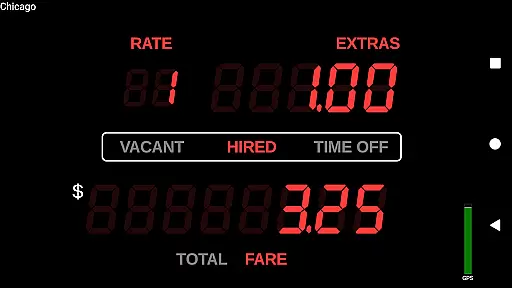
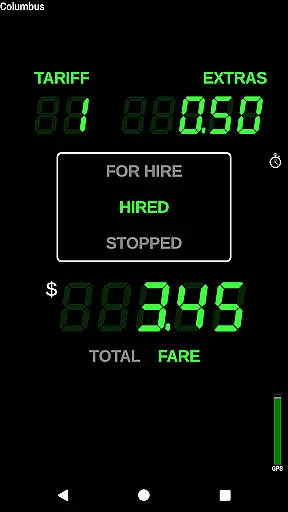
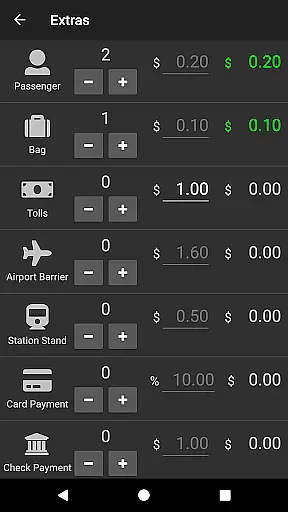
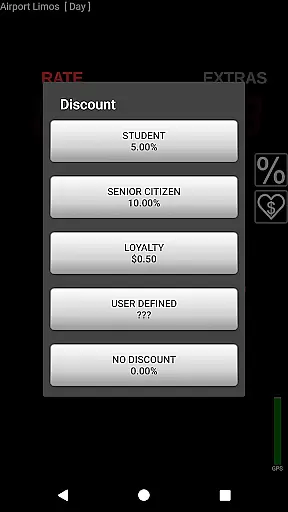
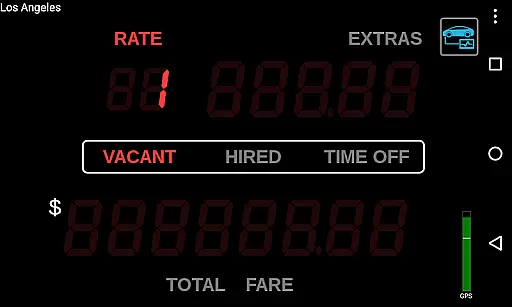
The application provides a realistic 'LED effect' display that mimics traditional taximeters, giving passengers a familiar and trustworthy visual representation of their fare. With features such as minimum fare, tax, discounts, tips, and itemized extras, Taximeter ensures that all charges are explicitly stated and easily understood.
Furthermore, the app supports various payment processing services like PayPal Hereu2122, Square Point of Saleu2122, SumUpu2122, or Zettleu2122, enabling seamless transactions. After each ride, drivers can generate a PDF receipt that can be emailed or printed, providing customers with a tangible record of their payment. This level of detail not only enhances the credibility of the service but also simplifies financial tracking for both parties involved.
By prioritizing price transparency, Taximeter empowers drivers to offer their services with integrity, fostering positive relationships with passengers who appreciate clear communication and fair pricing. This transparency ultimately leads to increased customer loyalty and repeat business, benefiting drivers in the long run.
User-friendly interface
Wide range of presets
Customizable tariffs
Integration with payment processors
Compliance with regulations
Requires compatible hardware
Monthly charges for data logging
Complex setup for beginners
Limited free support
Geofencing requires constant GPS

Ultimate OBD2 Car Scanner: Diagnostics, Service and Modification Tool
 4.30
4.30
The Texaco App allows you to pay for fuel from the comfort of your car!
4.80
Get your personalized financing options and shop for used cars today!
4.20
Club Car Wash Mobile App—the fast lane to managing your wash membership.
3.30
View your car’s service records and find out when maintenance is due.
4.70
Instantly redesign your car with AI. From sporty to futuristic, try it all.
4.50
1M+ high-quality auto parts at your fingertips. Fitment guaranteed.
4.70
Trip computer+car diagnostic tool with widest variety of features and dashboard!
4.70
Quick and easy car diagnostics to get you the right fix.
4.70
Buy and sell your boat
4.70
Find Your Local Store or Shop Online for the Car, Truck, or SUV Parts You Need
4.70
Browse millions of cars, track vehicle listings or sell your car today
4.70
Easy connect & control your cars from afar. Remote Lock & unlock car and carplay
4.60
Autolist - The Largest Selection of Local Used Cars and Trucks
4.50
OBD2 car scanner and diagnostics: read Check Engine, DTC, economy....
4.30
* This app needs an adapter cable and a certain OBD2 adapter to work *
4.20
Boost profits and hit your goals faster with GigU's amazing tools for gigworkers
4.00
Better fuel to help keep you on the road
3.20
O'Reilly Pro will streamline your parts lookup and ordering process!
3.20


User Reviews