





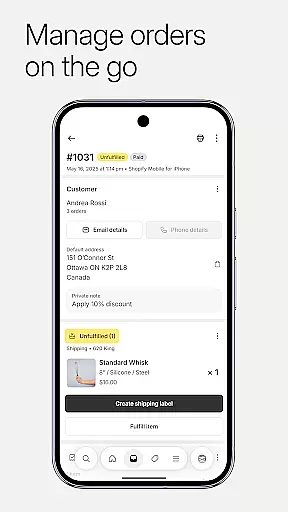


Shopify is the ultimate commerce platform for entrepreneurs, enabling you to sell online and in person, locally and globally. With its innovative suite of AI tools, you can start and manage your ecommerce business from anywhere without any coding or design skills. The app allows you to process orders, track inventory, analyze sales, and launch marketing campaigns all from your mobile device.
This powerful platform supports dropshipping, product management, quick order processing, real-time business insights, and multi-channel selling. You can also access financial management tools, create marketing campaigns, and manage customer relationships seamlessly. Whether you're running a small startup or scaling an established business, Shopify provides all the tools needed to run your business efficiently.
Shopify offers an extensive range of features designed to streamline your business operations. Manage your entire business on the go with capabilities like processing orders, tracking inventory, and launching marketing campaigns directly from your mobile device. The app simplifies dropshipping by allowing you to manage inventory, automate orders, and optimize operations for maximum efficiency.
Product management is effortless with options to upload product photos, set details and pricing, and organize products into collections. Quick order processing lets you fulfill, refund, or archive orders with ease, while real-time business insights provide live sales tracking and instant order notifications. Additionally, powerful marketing tools enable you to launch ad campaigns and track performance metrics to continually improve your business strategy.
In today's fast-paced business environment, the ability to collaborate effectively is crucial for success. Shopify recognizes this need and offers a comprehensive suite of collaborative work features that enable entrepreneurs and their teams to work together seamlessly, regardless of location. Through the platform, users can communicate with their team in real-time, ensuring everyone is on the same page.
Shopify's app facilitates team collaboration by allowing users to manage customer relationships directly through the mobile interface. Users can view and manage customer segments, edit customer details at any time, and from anywhere, as well as contact customers directly through the app. This ensures that all team members have access to up-to-date customer information, which is vital for providing excellent service and support.
Moreover, Shopify enhances collaborative efficiency by integrating with popular social media platforms like Instagram, Facebook, and Messenger. This enables businesses to keep their inventory and orders synchronized across all channels, making it easier for teams to manage multiple store locations and sales channels without missing a beat. With these integrations, Shopify not only streamlines operations but also expands the reach of businesses, allowing them to sell everywhere.
Effective task management is the backbone of any successful business operation, and Shopify excels in providing tools that help entrepreneurs stay organized and efficient. The platform allows users to process orders, track inventory, analyze sales, and launch marketing campaignsu2014all from a mobile device. This means that whether you're at home, in the office, or on the go, managing your business tasks has never been easier.
One of the standout features of Shopify's task management capabilities is its quick order processing system. With just a few taps, users can fulfill, refund, or archive orders. Additionally, buying and printing shipping labels is hassle-free, allowing for smooth operations even during busy sales periods. These features ensure that business owners can maintain high levels of productivity without getting bogged down by manual processes.
Furthermore, Shopify provides real-time business insights that are critical for informed decision-making. Users can watch live sales and visitor traffic as they happen, receive instant new order notifications, and track conversion details to optimize their business strategies continuously. By offering such detailed analytics and reporting tools, Shopify empowers business owners to take control of their operations and drive growth effectively.
User-friendly interface
Comprehensive feature set
Excellent customer support
Robust integration options
Scalable solutions for businesses
Higher pricing for advanced features
Limited third-party app functionality
Steep learning curve for beginners
Occasional syncing issues
Transaction fees on certain plans

 4.70
4.70
Formerly Facebook Ads Manager. Manage and create ads on the go.
4.20
ANDROID'S TOP MOBILE OFFICE - Word, Excel, PowerPoint and PDF at your fingertips
4.50
Earn crypto with secure cloud mining. Monitor, track & withdraw easily
4.40
Your employer must have UKG Ready software configured for Mobile.
4.60
Manage Your Shop
4.70
USPS Mobile®Access USPS.com’s most popular tools on-the-go.
4.70
Permission Guard is a security app that helps you manage app permissions.
4.80
Work happy with AI Companion
4.10
Employee Management Made Easy
4.80
Recover what matters — quickly and easily.
4.70
Access to Paylocity, empowering employees with information they need 24/7.
4.70
No more passwords, easier sign-in, and greater protection for your accounts.
4.60
Collaborate seamlessly with Google Chat, part of Google Workspace
4.50
Say hello to the mobile work experience built to help you thrive at work.
4.30
Simple, Fast & Lightweight
3.90
enjoy effortless PDF reading anytime, anywhere
3.90
All document reader, pdf viewer app, read docs & excel files
3.80
viewing and sharing of PDFs
3.60


User Reviews