
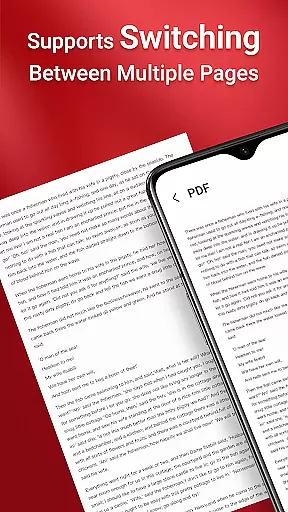
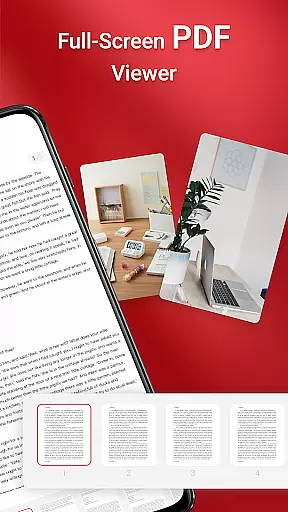
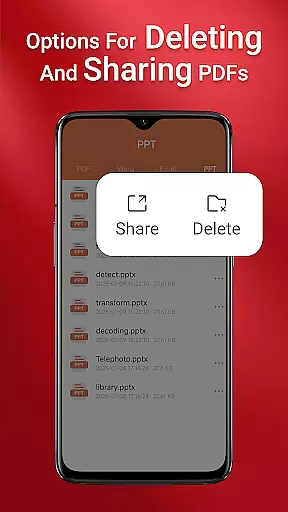
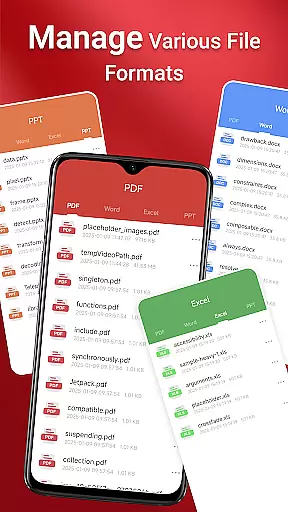
PDF Reader is a versatile business application designed to streamline document management for professionals and casual users alike. This app allows you to view, manage, and share PDF files with ease, making it an essential tool for anyone dealing with digital documents. Its sleek interface ensures effortless navigation, while features like quick page navigation and integrated support for various document types enhance productivity.
Whether you're accessing files on the go or managing extensive document libraries, PDF Reader provides reliable performance across devices. The app's ability to handle multiple file formats including Doc, PDF, PPT, and Excel makes it a comprehensive solution for business professionals who need seamless access to their files anytime, anywhere.
PDF Reader stands out with its robust feature set tailored for business users. The app offers one-click PDF reading, allowing users to open documents instantly without complicated setup processes. Its integrated support for multiple document types ensures compatibility with various file formats, eliminating conversion hassles.
Advanced functionalities include quick page navigation for efficient reading and seamless sharing options to collaborate with colleagues. On Android 11 and later, the app utilizes MANAGE_EXTERNAL_STORAGE permission to provide uninterrupted access to files stored in different locations, including SD cards. This ensures reliable offline access and enables key features like file preview and multi-file merging to function optimally.
Collaborative work features are essential for modern business applications, enabling teams to work together efficiently regardless of location. PDF Reader excels in this area by offering integrated support for various document types, including PDF, Doc, PPT, and Excel files. This versatility allows team members to access and share different file formats seamlessly within a unified platform.
The application's quick page navigation feature ensures that users can easily find and review specific sections of documents, making collaborative discussions more productive. Additionally, the ability to manage and organize files across folders without constant user interaction streamlines workflow processes significantly.
With its robust sharing capabilities, PDF Reader empowers businesses to distribute important documents quickly and securely. Team members can collaborate on projects by accessing shared files from any device, ensuring everyone stays informed and up-to-date with the latest information.
Effective task management is crucial for maintaining productivity in business environments. PDF Reader addresses this need through its comprehensive file management system, which allows users to access all PDF files on their devices effortlessly. The app's intuitive interface makes it simple to locate and open necessary documents, saving valuable time during busy workdays.
One of the standout features is the one-click PDF reading functionality, which enables users to dive into their documents immediately without complicated setup processes. This instant access capability enhances task completion rates by reducing the time spent searching for and opening files.
Furthermore, the application's requirement for MANAGE_EXTERNAL_STORAGE permission demonstrates its commitment to providing reliable offline access to stored documents. This feature ensures that users can continue working on their tasks even when internet connectivity is limited or unavailable, maintaining consistent productivity levels across different working conditions.
User-friendly interface
Multi-format support
Quick document access
Reliable file management
Seamless sharing options
Requires special permissions
Limited free features
Occasional loading delays
No cloud integration
Heavy on storage

Formerly Facebook Ads Manager. Manage and create ads on the go.
 4.20
4.20
The revolutionary flexible staffing platform
4.40
The Penny Puss app with DG penny finder
4.10
Manage Your Shop
4.70
Recover what matters — quickly and easily.
4.70
Find jobs near you and temp work in minutes, from your phone.
4.50
Job search app that finds jobs for you! Takes the work out of looking for a job!
4.90
Chat, meet, and collaborate to achieve more together, all in one place on Teams
4.60
We help people get jobs
4.70
Use Generative Summary to understand your rental or insurance docs in seconds.
4.70
Mobile POS for any business: sales, invoices, retail, restaurants & appointments
4.60
Drive and earn extra money
4.50
The app that lets you deliver with Amazon.
4.50
One marketplace. Hundreds of services. Unlimited possibilities. All on Fiverr.
4.40
The All-in-One File Manager for Phone, TV, Watch, Cars, XR / VR, Chromebook
4.10
On the go? Take FedEx with you.
4.00
enjoy effortless PDF reading anytime, anywhere
3.90
Delivery Track App - Tracking with Fedex, USPS, UPS, DHL. Monitor your Orders.
3.20
viewing and sharing PDFs and other files—anytime, anywhere!
4.3


User Reviews