
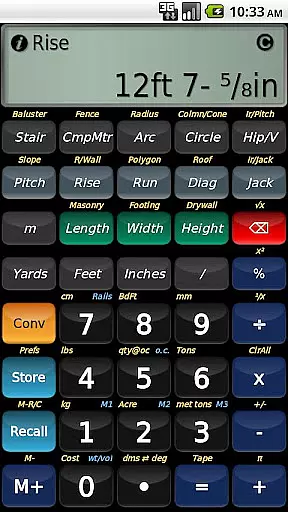
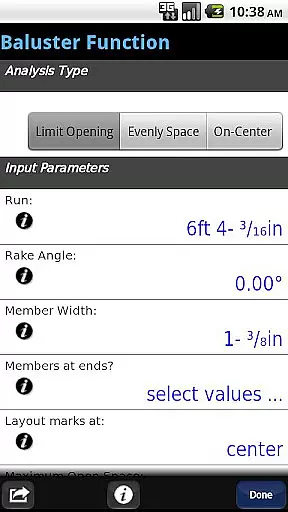
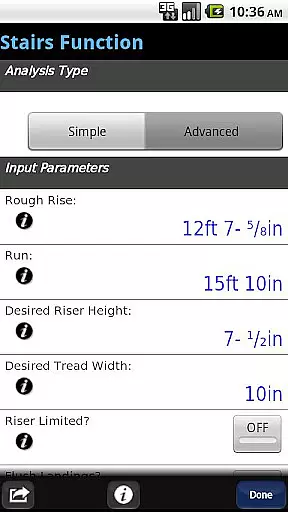
BuildCalc is a comprehensive construction calculator app designed to simplify complex calculations for professionals in the building industry. With advanced functionalities like the Baluster Function, Stair Layouts, and Fence Function, it provides precise measurements and layouts with minimal guesswork. The app also offers interactive features that allow users to adjust input values dynamically, ensuring flexibility and accuracy in every project.
In addition to its robust feature set, BuildCalc focuses on user experience by reducing complexity and hassle. It eliminates repetitive button presses through streamlined interfaces and allows saving of results for future reference. The app includes specialized modes such as Full Daylight Visibility and emulates the Construction Master® Pro, making it an indispensable tool for construction professionals seeking efficiency and precision.
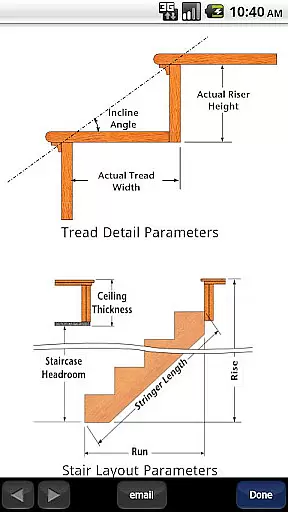
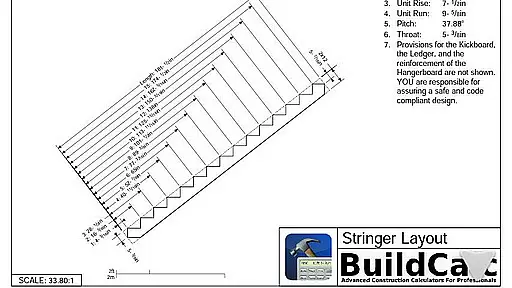
BuildCalc stands out with its array of advanced features tailored for construction professionals. The app includes an Advanced Baluster Function that simplifies railing and staircase baluster layouts, and an Advanced Stair function that provides dimensioned drawings of Stringers and Finished Staircases, which can be shared via email as PDFs. Additionally, the Fence Function calculates the number of posts, rails, pickets, and panels needed for a fence row, streamlining material estimation.
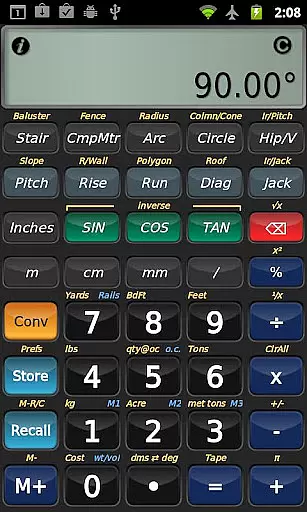
The app's interactive functions are fully dynamic, allowing changes to input values without manual recalculations. Users can switch between Miter Saw and Protractor results effortlessly, catering to different cutting needs. Furthermore, BuildCalc offers specialized calculation modes such as Sheathing Angles, Purlin Angles, and Gable Area, providing answers not typically found in other construction calculators. These features collectively ensure that BuildCalc delivers both depth and ease of use.
In the realm of construction, collaboration is key to successful project completion. BuildCalc enhances collaborative efforts by providing tools that are indispensable for professionals.
One standout feature is its ability to generate and share dimensioned drawings for stair layouts. This allows teams to visualize the end product, ensuring everyone from architects to carpenters is on the same page.
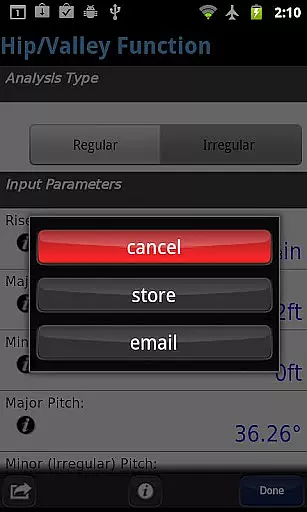
Additionally, the app facilitates sharing these plans effortlessly. Users can email a PDF of their layout drawings directly from the app, streamlining communication and approval processes among stakeholders.
This seamless integration of detailed planning and easy sharing makes BuildCalc an invaluable tool for any construction team looking to improve their collaborative workflow.
Effective task management is crucial in the construction industry, where precision and timing can make or break a project. BuildCalc addresses this need with features designed to simplify complex calculations and store results for future reference.
The app's advanced functions, such as the baluster and stair layout tools, not only provide comprehensive results but also allow users to save these outcomes. This means that once a calculation is done, it doesn't have to be repeated, saving time and reducing errors.
Moreover, BuildCalc offers a unique 'Room Mode' for drywall and masonry tasks. By storing room dimensions, it calculates material requirements for walls, ceilings, and floors with a single tap, greatly simplifying task management.
By focusing on reducing complexity and enhancing usability, BuildCalc ensures that users can manage their tasks more efficiently, ultimately leading to more productive and less stressful project execution.
User-friendly interface
Advanced calculation tools
Interactive input adjustments
Comprehensive result options
Professional layout outputs
May have a learning curve
Requires device space
Premium feature costs
Limited offline support
Occasional updates needed

Create curriculum vitae, a professional cover letter creator and resume designer
 4.80
4.80
Get instant construction estimates: accurate home repair & material calculator.
4.70
One marketplace. Hundreds of services. Unlimited possibilities. All on Fiverr.
4.40
Delivery Track App - Tracking with Fedex, USPS, UPS, DHL. Monitor your Orders.
3.20
All your team communication in one place
4.70
view, manage, and share every PDF file you have
3.60
Find jobs near you and temp work in minutes, from your phone.
4.50
Smarter career moves start here. AI job alerts, insights & the right tools.
4.20
All-in-one Mobile solutions for employees & managers to succeed at work
4.30
Job search app that finds jobs for you! Takes the work out of looking for a job!
4.90
The MyWalmart App is available for all associates in stores.
4.70
Use Generative Summary to understand your rental or insurance docs in seconds.
4.70
Paychex Flex - Save Time and Stay Connected
4.60
Grow your business and connect with more people with Meta Business Suite.
4.60
From Gone to Back Again — In Just a Few Taps
4.50
Deliver and earn money
4.30
The All-in-One File Manager for Phone, TV, Watch, Cars, XR / VR, Chromebook
4.10
Zoom built for Chrome OS
3.90
viewing and sharing of PDFs
3.60


User Reviews