
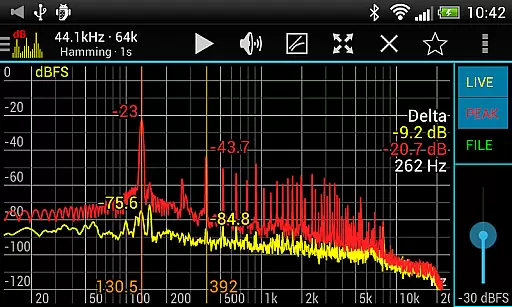
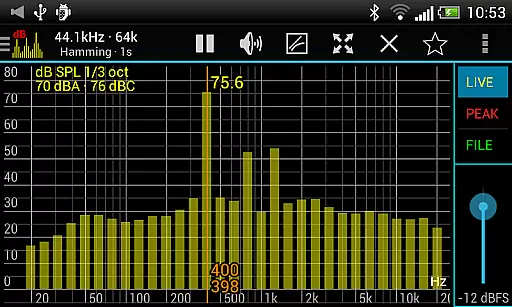
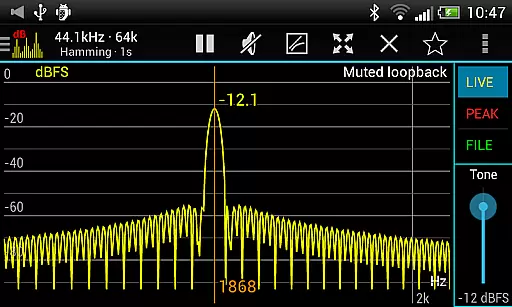
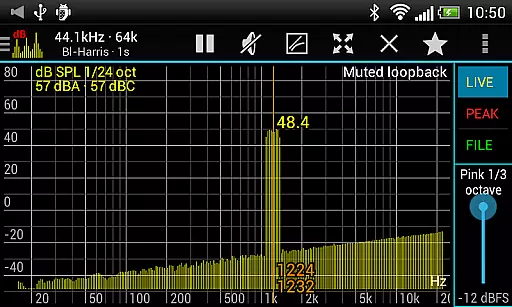
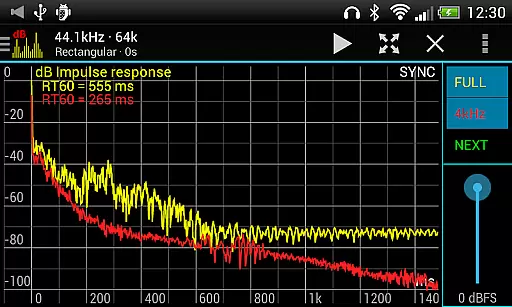
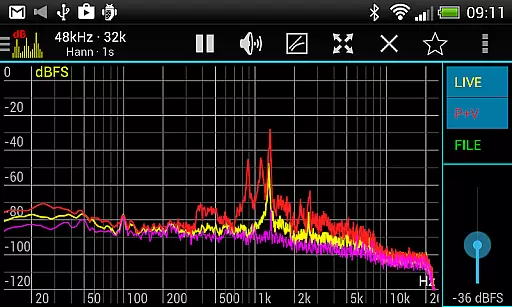
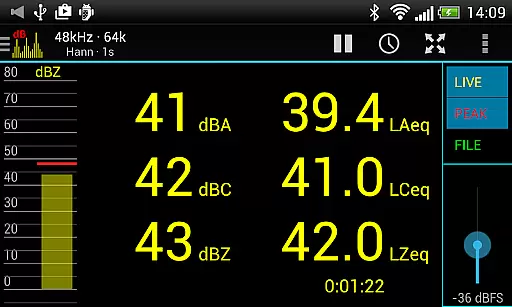
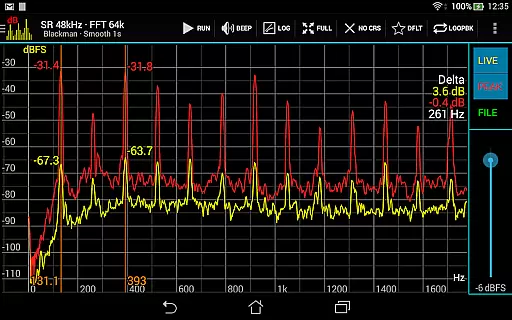
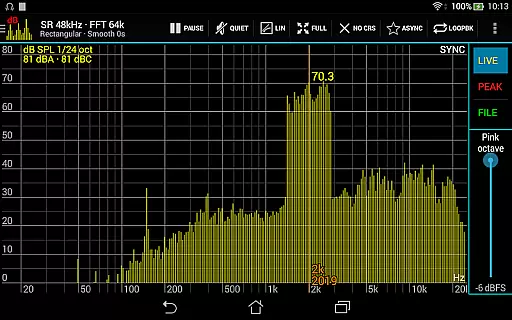
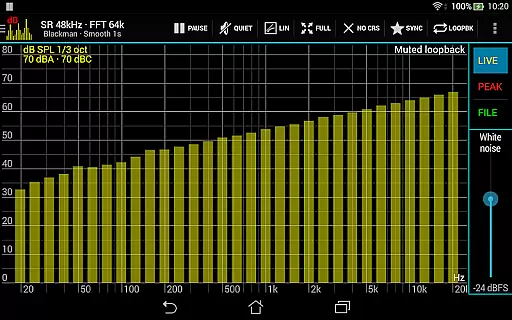
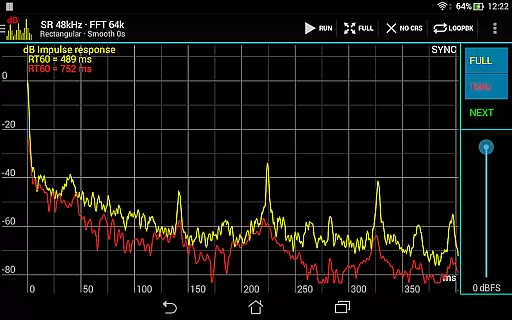
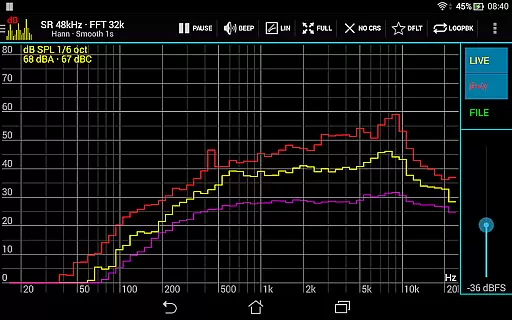
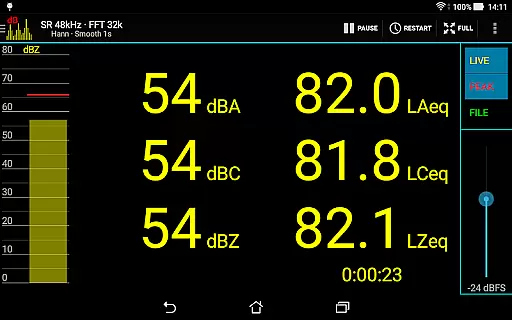
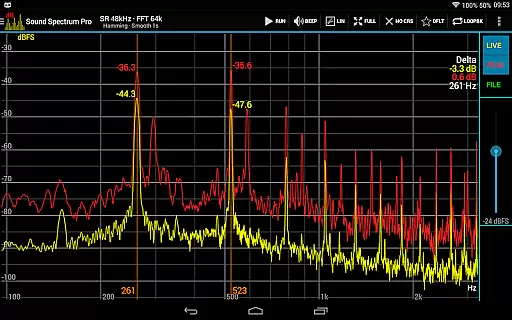
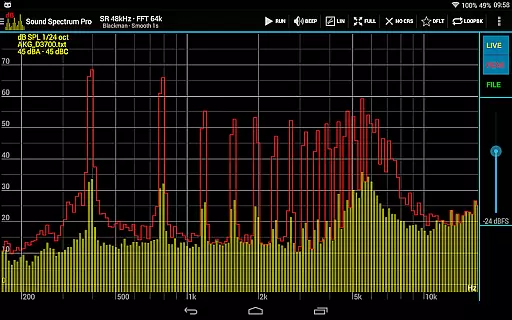
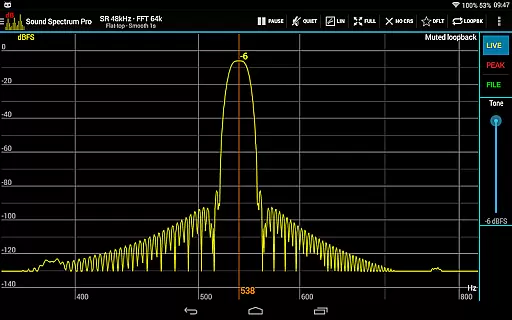
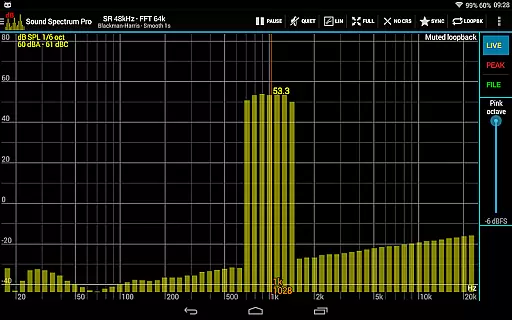
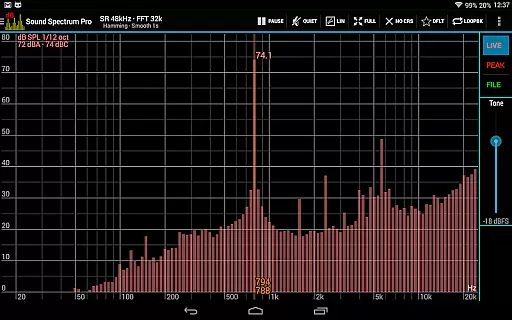
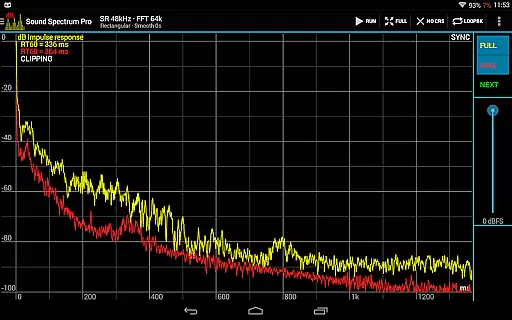
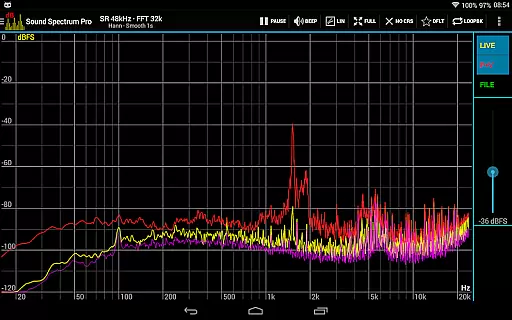
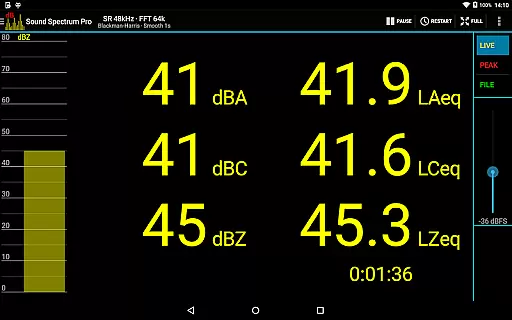
Sound Spectrum Pro is a comprehensive audio analysis tool designed for both professionals and enthusiasts in the music and audio industry. This application offers advanced features such as Real-Time Analyzer (RTA), Fast Fourier Transform (FFT) amplitude display, and various sound pressure level measurements including dBA, dBC, and dBZ. Users can also measure Noise Criterion, Equivalent Continuous Sound Level, and Impulse Response with RT60 measurement.
In addition to its robust analytical capabilities, Sound Spectrum Pro provides signal generation tools, lightning-fast FFT processing, and extensive calibration options. The app supports multiple window functions, logarithmic or linear frequency axis adjustments, and peak/valley hold functions. Its user-friendly interface ensures smooth real-time display and easy navigation through on-screen controls, making it an essential tool for precise audio analysis and sound engineering tasks.
Sound Spectrum Pro stands out with its wide array of sophisticated features tailored for detailed audio analysis. The app includes FFT and RTA functionalities that allow users to analyze sound across different octave bands down to 1/24 octave. It measures sound pressure levels in dBA, dBC, and dBZ, along with Noise Criterion and Noise Rating specifically in octave RTA.
One of the key highlights is its ability to perform equivalent continuous sound level measurements such as LAeq, LCeq, LZeq, LAeq15, and LAeq60. The inclusion of impulse response and RT60 measurement adds another layer of depth for acoustic evaluations. Additionally, the app boasts a lightning-fast FFT with sizes ranging from 16k to 1M, delivering unparalleled frequency resolution. With support for a sample rate of 48kHz, various window functions, adjustable smoothing, and measurement cursors, Sound Spectrum Pro empowers users with precise control over their audio analyses.
Sound Spectrum Pro offers an extensive range of audio analysis features that cater to both casual listeners and audio professionals. With its comprehensive suite of tools, the app provides a rich library of sound metrics and analysis options.
The application includes numerous signal generators and real-time analyzers, ensuring users have access to a vast array of audio data. This diversity not only enhances user experience but also guarantees that all content is properly licensed and free from copyright issues.
Users benefit from the app's commitment to accuracy and authenticity, as it employs advanced algorithms such as FFT and RTA for precise measurements. These features are crucial for professionals who require reliable data for their work.
By offering a wide selection of copyrighted sounds and signals, Sound Spectrum Pro ensures that users can explore various audio landscapes without legal concerns, making it a trustworthy tool in the music and audio industry.
One of the standout features of Sound Spectrum Pro is its superior audio quality options, which allow users to conduct detailed and accurate sound analyses. The app supports high sample rates of up to 48kHz, delivering crystal-clear audio fidelity when supported by the device.
With multiple window functions and customizable settings like logarithmic or linear frequency axis, users can fine-tune their audio analysis to meet specific needs. This flexibility ensures optimal performance across different devices and use cases.
The inclusion of advanced measurement capabilities such as dBA, dBC, dBZ, and more, provides users with precise control over how they perceive and analyze sound. These options enhance the overall user experience by catering to individual preferences and requirements.
Ultimately, Sound Spectrum Pro sets itself apart through its dedication to providing top-notch audio quality options, empowering users to achieve professional-grade results in their audio projects.
User-friendly interface
Comprehensive audio tools
Highly accurate measurements
Real-time analysis
No ads
Complex for beginners
Requires calibration
Advanced features may be overwhelming
Device compatibility issues
Premium pricing

Equalizer, Bass Booster and Volume Booster (Eq & Bass) improve sound quality
 4.30
4.30
DJ Music Mixer Pro is a real DJ controllers and DJ Music Studio to remix DJ.
4.40
Time Trainer: accurate metronome w tools to help you develop your internal time!
4.20
Permanently backup Now Playing. Maps, filters & listening stats.
4.00
Advanced 10-Band Audio Graphic Equalizer Sound Booster Pro
4.30
Offline Music Player&MP3 Player with themes, equalizer, lyrics, music play mode
4.60
Ringtone Maker is free app create ringtone from music files or your recording.
4.40
Sing, record, and create music together — enhanced by smart voice tools.
4.00
Travel To The Music Universe
3.40
24,000 free audio books and no ads!
4.90
Music, News & Sports Radio Tuner App. Tune in Live FM & AM Radio Stations.
4.80
Listen radio AM / FM Stations. Live AM / FM Radio App Station. Radio Com.
4.70
Bass Booster & Volume Equalizer Pro improves your music and video sound quality
4.60
Manage your Sonos system directly from your home-screen!
4.40
The Music Journey in Your Hands
4.30
Smart piano keyboard, Classical to Pop, Real-time multiplayer connection!
4.20
VB-AUDIO Software / VBAN-Receptor allows listening to any VBAN Streams
4.10
The official Sonos app
4.10
The iconic iOS metronome app is now on Android.
3.70


User Reviews