
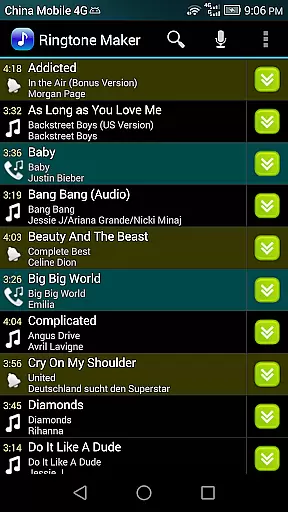
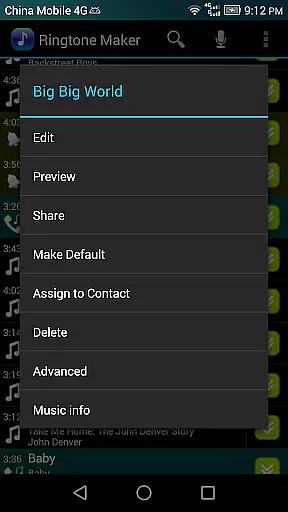
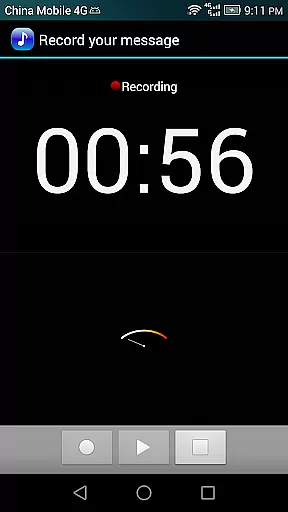
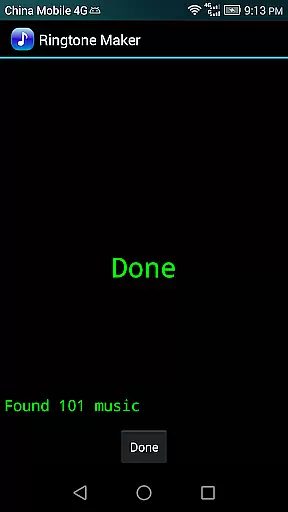
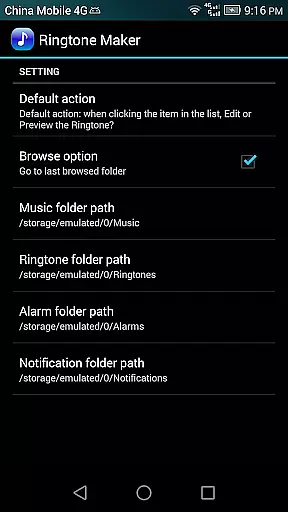
Ringtone Maker Pro is a versatile audio editing application designed for creating personalized ringtones, alarms, and notifications. This powerful tool supports multiple audio formats including MP3, WAV, AAC/MP4, and 3GPP/AMR files.
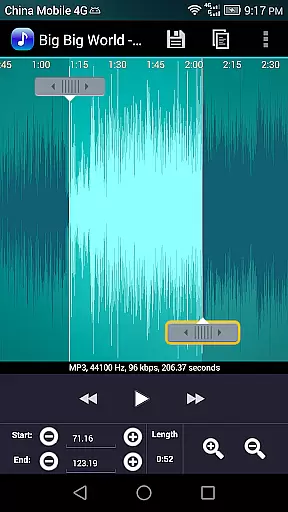
The app's intuitive timeline interface lets users precisely set start and end points using sliding arrows, manual input, or timestamp entry. With advanced editing features like copy, cut, paste, fade in/out effects, and volume adjustment specifically for MP3 files, users can create professional-quality audio clips.
One of its most valuable applications is the ability to preview edited ringtone files before assigning them directly to contacts. The zoomable waveform display at five different levels provides detailed visual feedback during the editing process, making it perfect for both casual users and audio enthusiasts.
Ringtone Maker Pro stands out with its comprehensive feature set that caters to various audio editing needs. The app's multi-touch interface allows for precise selection of audio segments, while supporting multiple editing functions including copy, cut, and paste operations.
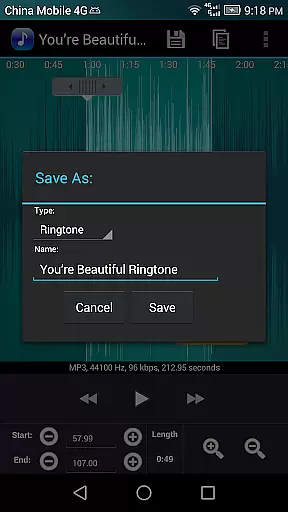
Advanced audio manipulation capabilities include fade in/out effects and volume adjustments specifically optimized for MP3 files. Users can preview their creations through the built-in player that features an indicator cursor and automatic waveform scrolling. The app supports saving edited audio as new files with customizable categories such as Music, Ringtone, Alarm, or Notification.
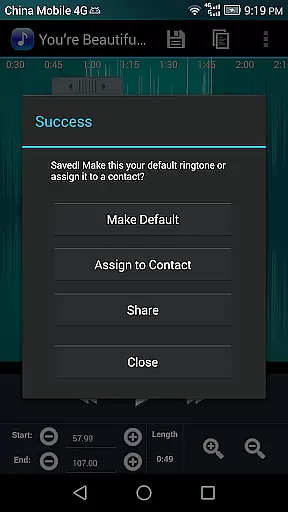
Additional functionality includes direct contact assignment for ringtones, audio recording capabilities, and sorting options by Tracks, Albums, or Artists. The app requires necessary permissions to manage contacts and write to external storage, ensuring seamless integration with device settings while maintaining user privacy.
Ringtone Maker Pro offers a comprehensive music library that allows users to create ringtones, alarms, and notifications from a variety of audio file formats including MP3, WAV, AAC/MP4, and 3GPP/AMR. This extensive compatibility ensures that users can work with their preferred audio tracks without limitations.
The app's commitment to copyright authenticity is evident in its transparent handling of audio files. Users can be confident that the ringtones they create are derived from legally obtained audio files, thus respecting intellectual property rights while enjoying customization freedom.
With Ringtone Maker Pro, users have the ability to manage their audio content effectively by sorting it into categories such as Tracks, Albums, and Artists. This organizational feature not only enhances accessibility but also simplifies the process of assigning custom ringtones to contacts or managing existing ones.
One of the standout features of Ringtone Maker Pro is its advanced audio quality options. The app provides tools for adjusting volume levels specifically for MP3 files, allowing users to fine-tune their listening experience according to personal preferences or device capabilities.
In addition to volume control, Ringtone Maker Pro includes fade-in and fade-out effects for MP3 tracks. These professional-grade features enable seamless transitions between silence and sound, enhancing the overall auditory experience when using custom ringtones or notifications.
Users can preview their edited Ringtone files before saving them, ensuring satisfaction with the final product. This preview function, combined with precise waveform representations at multiple zoom levels, empowers users to make informed decisions about start and end points for clips within an audio file, guaranteeing optimal audio quality in every creation.
User-friendly interface
Multi-format support
Precise editing tools
Direct contact assignment
Waveform visualization
Requires storage permission
Contact access needed
No cloud backup
Ads in free version
Complex for beginners

Formerly known as Spotistats! View your top tracks, artists, albums and more!
 4.40
4.40
Remove ads permanently from Music Visualizer
4.4
A High-Precision Audio Spectrum Analysis App
4.20
Network/Cloud Streaming, Visualization, Graphic Equalizer and Sound Effects.
4.20
The only true audiophile music player with Hi-Fi audio rendering and DSP engine
3.90
Bass Booster Pro takes auto-equalizing to the next level!
4.30
Offline Music Player&MP3 Player with themes, equalizer, lyrics, music play mode
4.60
Master Salsa Rhythm quickly and with a lot of fun!
4.30
Travel To The Music Universe
3.40
Voice recorder - Audio recorder. Best recorder for recording
4.90
Recording studio w/ 10k beats, pro vocal FX and a network of 20M rappers & fans!
4.60
Guzheng Master supports many playing techniques as an acoustic Guzheng
4.50
DJ Music Mixer Pro is a real DJ controllers and DJ Music Studio to remix DJ.
4.40
Offline and always ad-free - stream in the highest quality available.
4.10
Sheet music reader, piano & music note player. Play music score & learn to read.
3.90
Offline Tunes, Unlimited Vibes
3.90
The Cubase remote control app
3.60
Control your MIDI USB or Bluetooth devices in app and avoid some trampling
3.30
Music Streaming suite for Ampache, Nextcloud Music and compatible backends.
4.2


User Reviews