
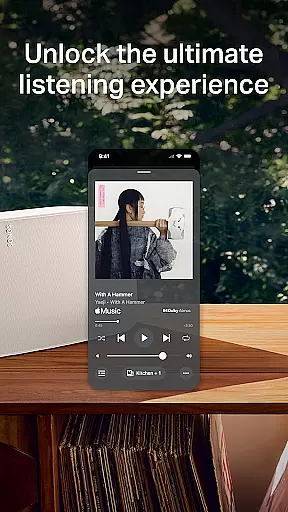
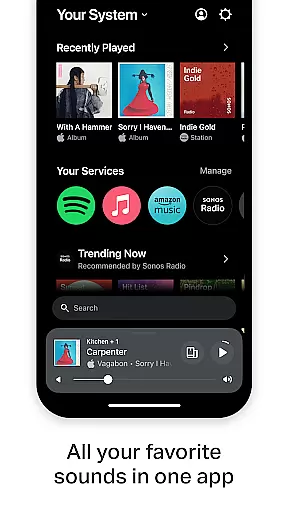
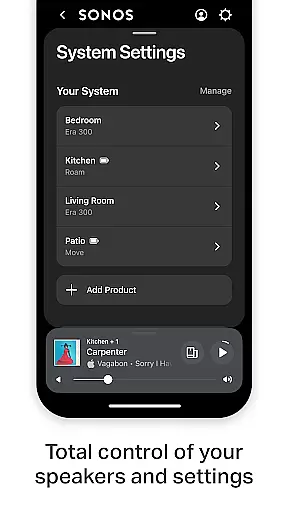
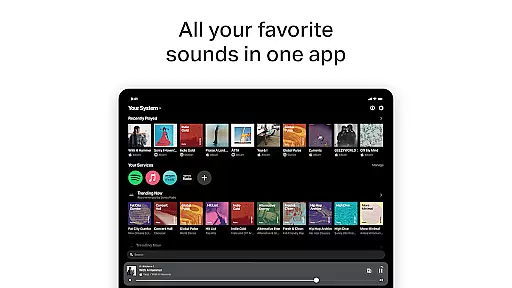
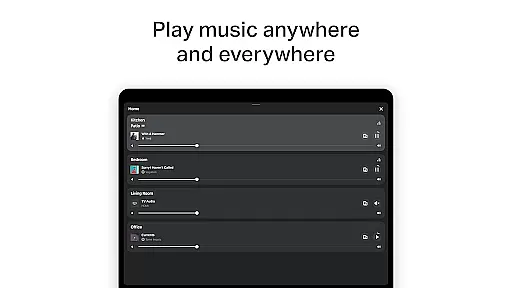
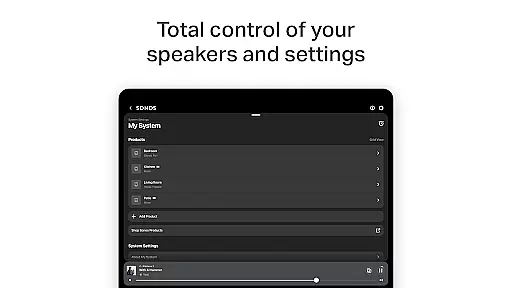
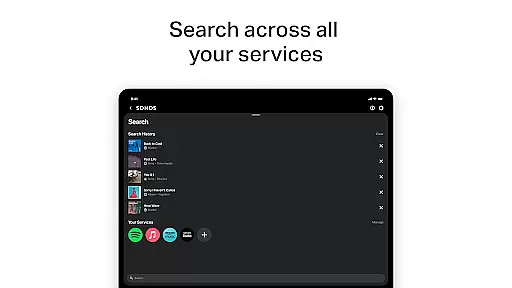
The Sonos app is a comprehensive audio control platform that unifies all your music content and settings in one place. It allows users to effortlessly manage their Sonos products and tailor their listening experience. With an intuitive interface, the app provides quick access to favorite sounds, recent playlists, and new music discoveries.
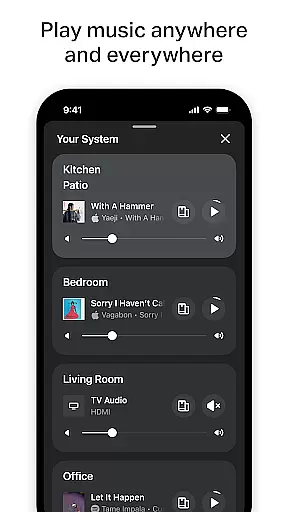
One of the key highlights is its ability to stream music from multiple services like Spotify, Apple Music, and Amazon Music through a single platform. Users can enjoy whole-home audio control, playing different music in each room or synchronizing the same track across the entire house. The app also supports personalized listening preferences and easy product setup, making it simple to optimize speaker settings for any space using Trueplay tuning.
Whether you're setting up a stereo pair or creating a surround sound system, the Sonos app ensures seamless integration and incredible sound quality. Its hands-free voice control feature adds convenience while maintaining privacy. This makes the Sonos app an ideal choice for audiophiles seeking a versatile and user-friendly audio solution.
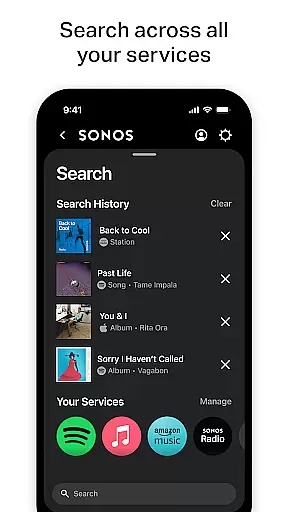
The Sonos app stands out with its streamlined streaming capabilities, allowing users to browse, search, and play content from various music services such as Spotify, Apple Music, and Pandora—all within a single interface. This eliminates the need to switch between multiple apps, offering a unified and efficient listening experience.
Another notable feature is its whole-home audio control functionality. Users can customize audio playback for individual rooms or synchronize music throughout the house. The app also supports advanced personalization options, including saving favorite artists, albums, and playlists under Sonos Favorites. Additionally, the Trueplay tuning technology ensures optimal sound quality by adapting speaker performance to the specific acoustics of a room.
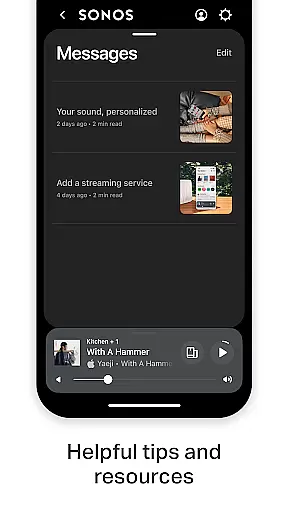
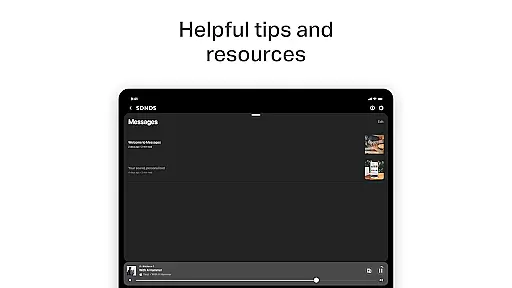
Setup is designed to be straightforward, with automatic product detection and guided instructions for configuring stereo pairs or surround sound systems. The inclusion of Sonos Voice Control enhances usability by enabling hands-free operation, while the Message Center provides helpful tips to maximize the overall Sonos experience.
When it comes to digital music platforms, the size and authenticity of the music library are crucial factors for users. The Sonos app excels in this area by offering access to a vast array of streaming services including Spotify, Apple Music, Amazon Music, and more. This extensive integration ensures that users have millions of tracks, albums, and playlists at their disposal.
The importance of copyright authenticity cannot be overstated. Users want assurance that the music they are accessing is legitimate and respects the rights of artists and creators. With partnerships with major music services, Sonos guarantees that all content available through its platform is fully licensed and legal, providing peace of mind for its listeners.
Sonos not only aggregates content from various services but also allows users to save their favorite artists, albums, and playlists to Sonos Favorites. This personalized library feature enhances user engagement and provides quick access to preferred content, making the listening experience both rich and convenient.
Audio quality is a significant aspect that can greatly influence the listening experience. The Sonos app offers various audio quality options that cater to audiophiles and casual listeners alike. By fine-tuning products with Trueplayu2122, users can optimize sound for their specific space, ensuring the best possible audio output tailored to their environment.
In addition to spatial adjustments, Sonos supports high-quality audio formats that deliver crisp, clear sound. Whether you're enjoying your favorite album or discovering new music, the attention to audio detail is evident in every note played through a Sonos product.
Moreover, settings within the app allow users to adjust audio preferences according to their needs. This flexibility ensures that whether you're setting up a stereo pair or creating a surround sound system, the Sonos app facilitates an unparalleled auditory experience with options that maintain the integrity of the original recordings.
User-friendly interface
Multi-room audio support
Voice control integration
Wide service compatibility
Personalized sound tuning
Limited voice language support
Premium subscription required
Occasional connectivity issues
No offline mode
Higher cost for hardware

 4.70
4.70
SqueezePlayer turns your Android phone or tablet into a SqueezeBox on its own!
4.60
Over 100 million tracks available for high quality streaming and download
4.60
Performance-Synthesizer & Multi-Track-Sequencer, polyphonic + multi timbral!
4.70
DJ Music Mixer Pro is a real DJ controllers and DJ Music Studio to remix DJ.
4.40
Music Streaming suite for Ampache, Nextcloud Music and compatible backends.
4.0
USB audio recording and playback finally possible on Android 3.1 or higher!
3.90
Smart piano keyboard, Classical to Pop, Real-time multiplayer connection!
4.20
A complete sound package for the sound engineer or enthusiast
4.60
24,000 free audio books and no ads!
4.90
A synth that really lets you shape your sounds!
4.50
DJ Music Mixer - DJ Remix: remix songs, make beat music & record mix of DJ.
4.40
Ringtone Maker is free app create ringtone from music files or your recording.
4.40
Full featured mp3 and audio player with Chromecast and Android Auto support.
4.40
Time Trainer: accurate metronome w tools to help you develop your internal time!
4.20
Permanently backup Now Playing. Maps, filters & listening stats.
4.00
Turn your phone into a musical instrument from the future!
3.90
Sheet music reader, piano & music note player. Play music score & learn to read.
3.90
Make music anywhere. Turn your device into an instrument.
4.3


User Reviews