
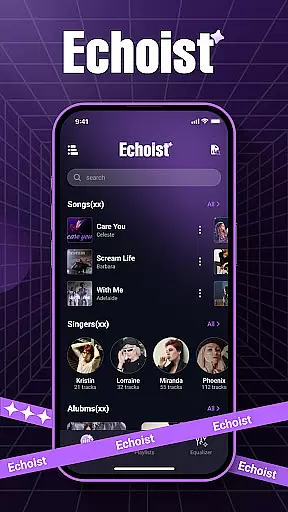
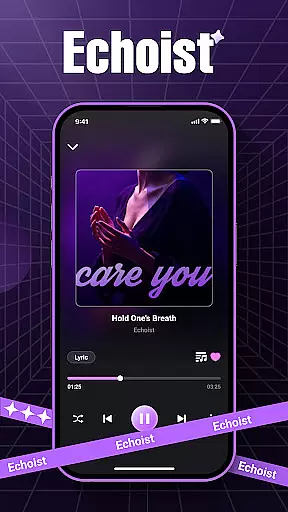
Echoist is a premium offline music player designed for audiophiles who value seamless access to their personal music libraries. This app supports multiple audio formats including MP3, FLAC, WAV, and AAC, ensuring compatibility with virtually any music file. With its robust offline functionality, users can enjoy their favorite tracks without relying on Wi-Fi or mobile data.
The app's intelligent library management system automatically organizes music by artist, album, and genre while providing powerful search capabilities. Its sleek interface features background playback, sleep timer, and customizable equalizer options, delivering an enhanced listening experience. Whether you're commuting or relaxing at home, Echoist offers a reliable way to manage and enjoy your entire music collection.
Echoist distinguishes itself through its comprehensive feature set tailored for music enthusiasts. The app's instant scanning capability quickly indexes all local music files, creating an organized library that's easily navigable. Users can create custom playlists for different moods and occasions, while the powerful search function helps locate specific tracks instantly.
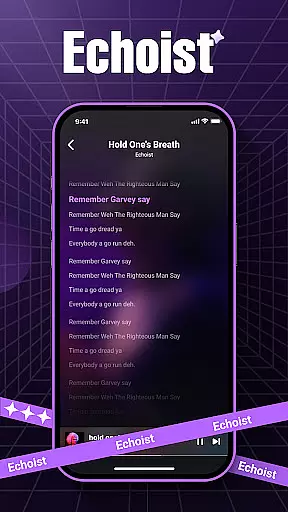
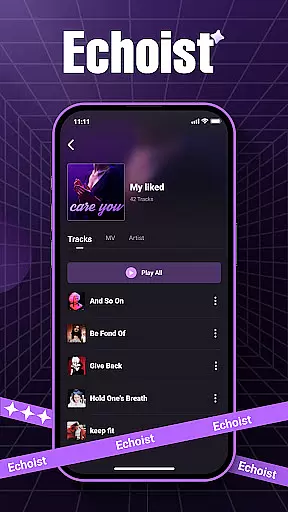
The player interface combines aesthetics with functionality, offering background playback for multitasking, a sleep timer for bedtime listening, and an advanced equalizer for sound customization. Additional features include lyrics display when available and a favorites section for quick access to preferred tracks. These thoughtful additions make Echoist not just a music player but a complete audio management solution that enhances how users interact with their offline music collection.
Echoist offers an extensive music library that supports various formats including MP3, FLAC, WAV, and AAC. This ensures users can access a wide range of audio files without compatibility issues.
The application emphasizes copyright authenticity by allowing users to manage their legally acquired music files. By focusing on personal collections, Echoist ensures all content is legitimate and owned by the user.
With instant scanning capabilities, the app quickly loads an entire music collection, making it easily accessible for offline playback. This feature is particularly valuable for users who want to enjoy their music without an internet connection.
One of the standout features of Echoist is its customizable equalizer, which allows users to adjust audio settings to match their preferences. Whether you prefer deep bass or crisp treble, the equalizer provides the tools needed for a personalized listening experience.
The app supports high-quality audio formats like FLAC and WAV, ensuring that listeners can enjoy their music in the best possible quality. This focus on audio fidelity caters to audiophiles who demand top-notch sound reproduction.
Additionally, background playback and a sleep timer enhance the overall user experience. These features not only improve convenience but also ensure uninterrupted music enjoyment, whether you're multitasking or drifting off to sleep.
User-friendly interface
Extensive format support
Offline functionality
Customizable equalizer
Powerful library management
No streaming service integration
Limited social sharing
Basic playlist features
No cloud backup
Manual library updates

Most Advanced AI Song Generator and Music Creator. Rap, Pop, Rock, Gospel & more
 4.70
4.70
The alternative folder based music player.
4.20
Enjoy singing any song, no matter how high or low it is
4.30
Help you quickly get started with Shokz headphones
4.40
Offline Tunes, Unlimited Vibes
3.90
Reverse your voice & songs instantly! Fun singing challenge with cool effects.
4.60
One-tap booster for max volume - enjoy powerful sound with this audio booster
4.50
Get alarms that fit your lifestyle and wake up to the sounds you love.
4.80
Melody Beat: Great for travel, workouts, offline vibes, play your tunes anytime.
4.10
Full-featured, High-Quality Groovebox Workstation, perfect for Live Performance!
4.80
Offline Music Player&MP3 Player with themes, equalizer, lyrics, music play mode
4.60
Save hundreds of dollars for a physical strobe tuner and instead use this app.
4.50
Time Trainer: accurate metronome w tools to help you develop your internal time!
4.20
The original SP-1200 experience on your iPad
4.20
Sing, record, and create music together — enhanced by smart voice tools.
4.00
USB audio recording and playback finally possible on Android 3.1 or higher!
3.90
Learn to play the piano using falling notes!
3.80
Powerful beat maker & DJ mixer to remix tracks, make music, & perform DJ mix
3.70
Simply convert wav to mp3. Clear. Reliable. Safe.
4.3


User Reviews