
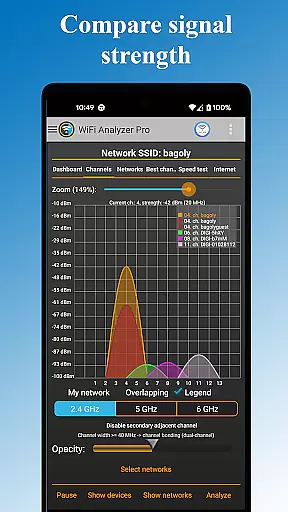
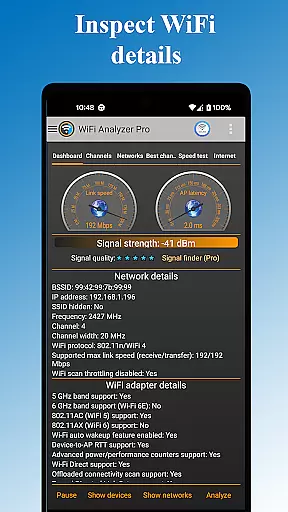
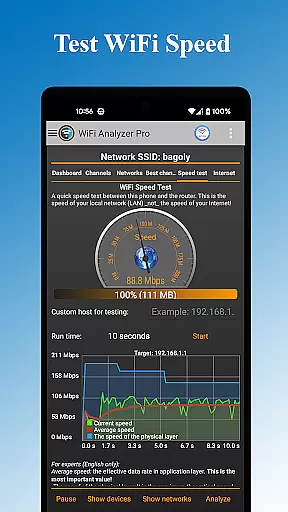
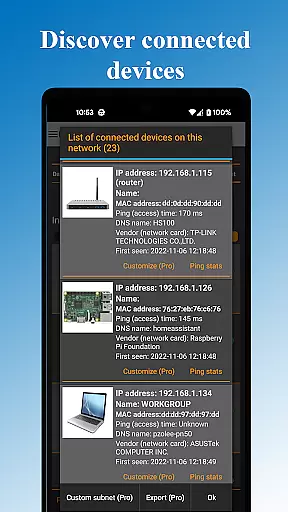
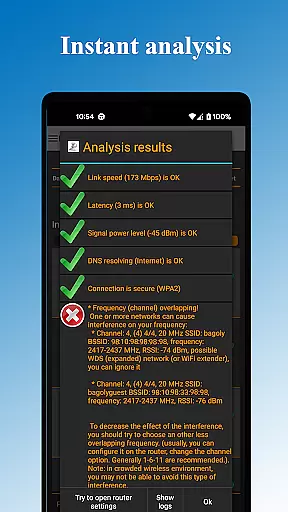
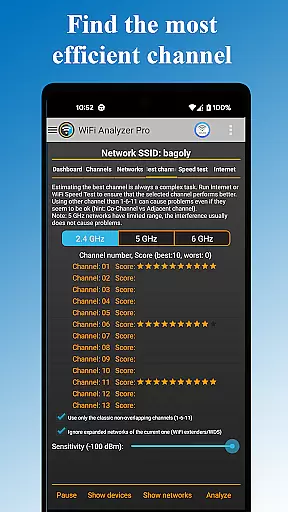
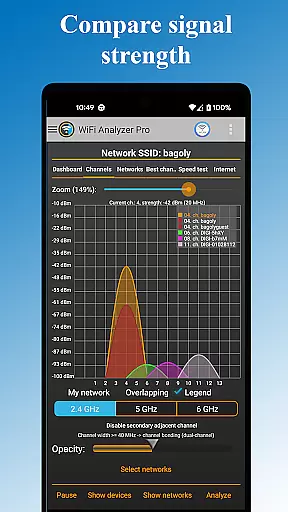
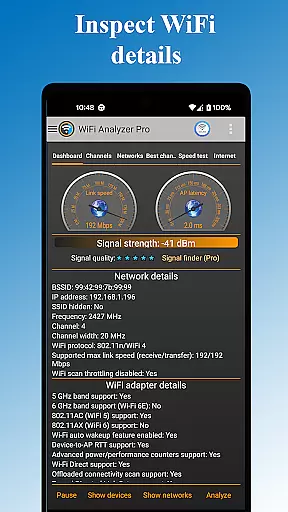
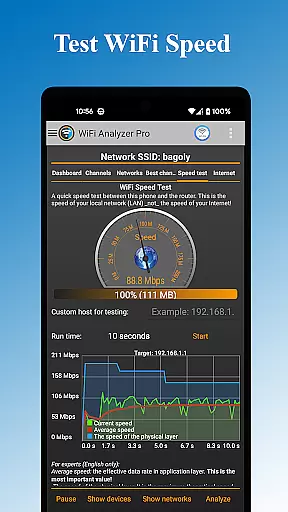
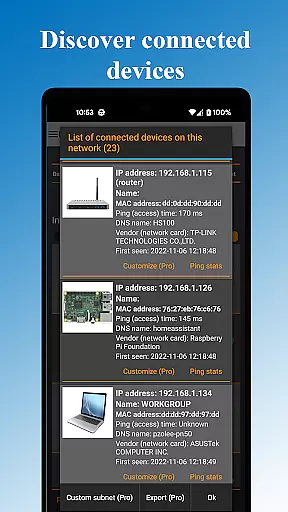
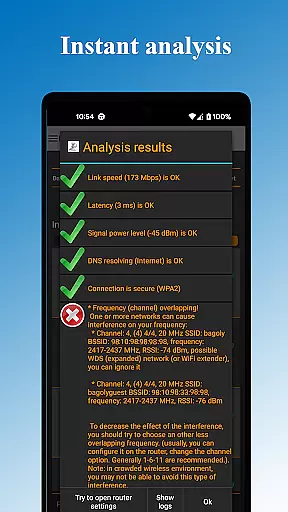
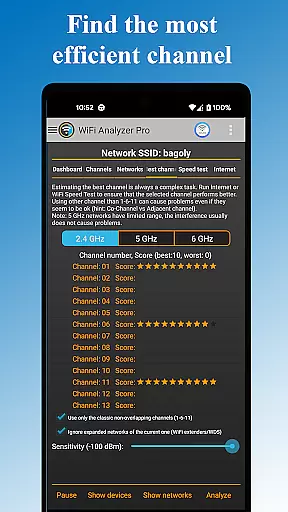
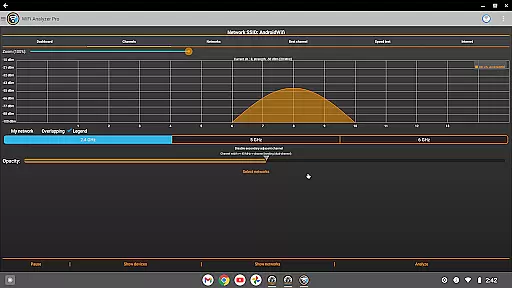
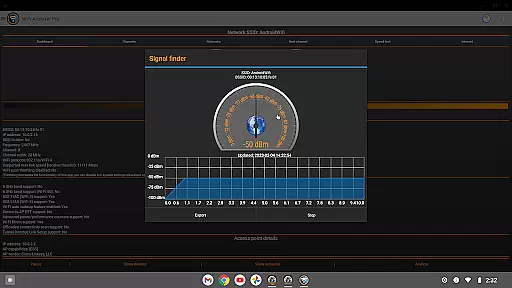
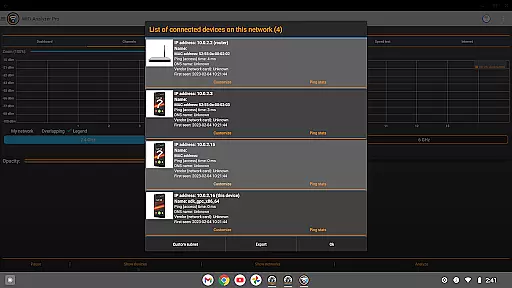
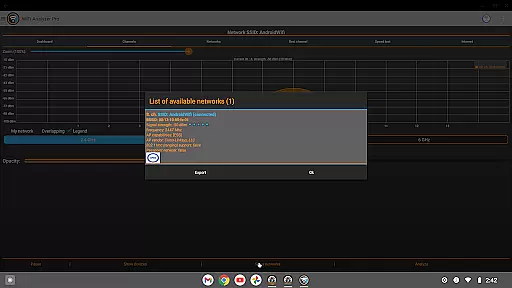
WiFi Analyzer Pro is a powerful network optimization tool designed to help users maximize their WiFi performance. The app provides detailed insights into network conditions, identifies the best router placement and channel settings, and detects all devices connected to your network. With support for both 2.4 GHz and 5 GHz bands, it ensures comprehensive coverage for various networking needs.
This professional-grade tool stands out with its advanced features such as signal strength analysis, latency monitoring, and detection of crowded channels. Whether you're troubleshooting connectivity issues or optimizing network speed, WiFi Analyzer Pro offers intuitive charts and analytics to guide your decisions. Its user-friendly interface makes it accessible even for non-technical users while delivering the depth that professionals require.
By providing actionable recommendations and detailed network diagnostics, this app empowers users to enhance their WiFi experience significantly. From identifying security vulnerabilities to exporting network reports, WiFi Analyzer Pro is an essential utility for anyone looking to maintain a robust and efficient wireless network.
WiFi Analyzer Pro boasts an impressive array of features that cater to both casual users and networking professionals. The app's signature capability lies in its comprehensive network scanning functionality, which not only detects nearby WiFi networks but also provides detailed information about each access point, including vendor details, frequency bands, and security protocols.
Among its standout features are the advanced analytics tools that monitor signal strength, latency, and channel congestion in real-time. The app's recommendation engine suggests optimal channel settings based on current network conditions, helping users achieve maximum connection speeds. Additional capabilities include device detection, DNS verification, and router configuration access, all presented through intuitive visual charts and graphs.
The Pro version enhances these features with ad-free operation, extended network scanning, and priority access to new functionalities. Users can generate detailed network reports, send diagnostic logs to their internet service providers, and customize device recognition parameters. These premium features make WiFi Analyzer Pro particularly valuable for network administrators and tech-savvy home users seeking complete control over their wireless environments.
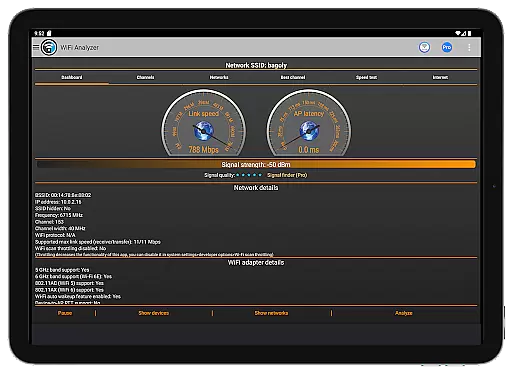
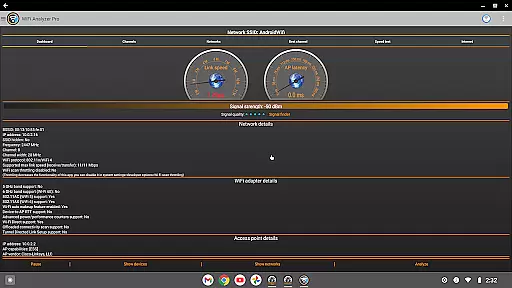
WiFi Analyzer Pro excels in delivering accurate and effective core functions that are essential for optimizing your WiFi network. The app provides detailed insights into your network's performance by analyzing signal strength, latency, and channel congestion. This ensures that users receive precise data to make informed decisions about their WiFi setup.
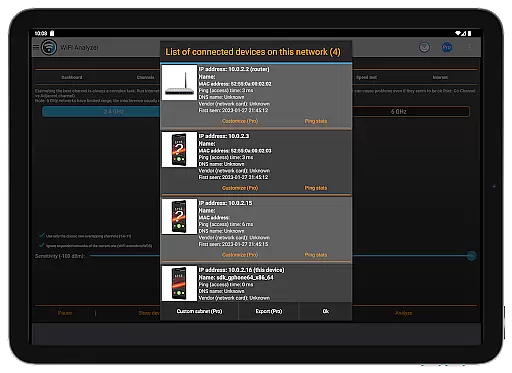
The application goes beyond basic network scanning by offering advanced features such as detecting unauthorized devices on your network and verifying DNS functionality. These capabilities allow users to secure their networks and troubleshoot connectivity issues efficiently. With support for both 2.4 GHz and 5 GHz bands, the app caters to a wide range of wireless networking needs.
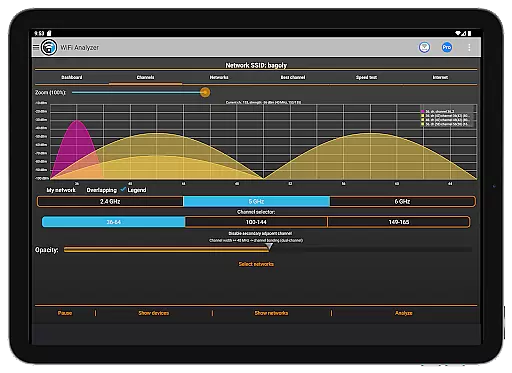
One of the standout aspects of WiFi Analyzer Pro is its ability to recommend the best channel for optimal connection speed. By evaluating nearby networks and identifying less crowded channels, it helps users enhance their network performance significantly. This feature is particularly beneficial in densely populated areas where interference can degrade WiFi quality.
Overall, WiFi Analyzer Pro empowers users with comprehensive tools to monitor, analyze, and improve their WiFi networks effectively. Its intuitive interface ensures that even those without technical expertise can utilize these powerful features to achieve a more reliable and faster internet connection.
A key strength of WiFi Analyzer Pro lies in its simple and intuitive interface, which makes it accessible to users of all technical backgrounds. The design prioritizes ease of use, ensuring that even beginners can navigate through the app effortlessly. Clear visualizations and straightforward menus help demystify complex network information, making it easy to understand at a glance.
The app offers various charts and graphs to present network data visually, aiding quick comprehension of signal strengths, channel usage, and device connections. Users can easily interpret this information to identify potential issues or improvements within their WiFi setup. Additionally, customizable filters for SSID, WiFi band, and overlapping channels allow personalized views tailored to individual preferences.
For those who prefer different aesthetics, WiFi Analyzer Pro includes both dark and light themes. This flexibility enhances user comfort during extended periods of use, adapting to varying lighting conditions and personal tastes. Such thoughtful design elements contribute to an overall pleasant user experience.
By combining powerful analytical tools with an approachable interface, WiFi Analyzer Pro ensures that users can optimize their WiFi networks without needing extensive technical knowledge. Its focus on simplicity and intuitiveness sets it apart from other tools in the category, providing a seamless path to better network performance.
User-friendly interface
Comprehensive network analysis
Real-time signal monitoring
Detailed device detection
Ad-free experience
Paid subscription required
Advanced features may overwhelm beginners
Location services dependency
Limited functionality on older Android versions
Occasional scanning inaccuracies

A convenient photo, video, and file recovery tool.
 4.00
4.00
Extremely fast, secure, and protects your privacy
4.80
Universal TV remote control all TVs, Roku, LG, Samsung, Fire, Vizio, Sony, TCL.
4.40
Amateur Radio app for APRS: Track friends, exchange messages, get tactical info.
3.90
Unleash gamepad precision for ultimate mobile gaming dominance.
3.90
The Ultimate Flex Drivers Utility App - Convenient Tapping & Block Filters
4.70
Create your own custom widget with endless possibilities
3.90
Game Booster, GFX Tool is now compatible with newer game update
4.50
NFC Tools can read and write NFC tags.
4.70
Canon PRINT is a companion app for your Canon printer.
4.60 4.50
4.50 4.50
4.50
Fluid navigation gestures for all of us!
4.30
Just one-tap to easy translate in any language after calls within seconds.
4.20
Quickly & easily calculate the spacing of handrail balusters
4.20
Detect hidden spy camera with advanced scanning {{ Premium version }}
4.00
1-Click close all background apps on Android TV
3.90
Safely recover deleted photos, videos, and files with a single easy tap.
3.70
card-reader app
2.20


User Reviews