
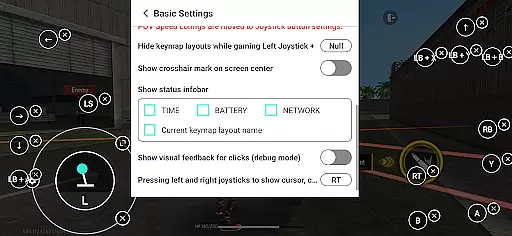
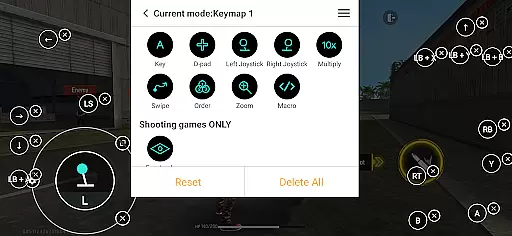
Panda Gamepad Pro is a powerful tool designed to enhance your mobile gaming experience by enabling seamless gamepad support. This application allows gamers to enjoy precise control and comfortable gameplay with their preferred controllers, eliminating the frustration of touch-based controls.
The app stands out through its direct game launch feature, ban-proof technology, and extensive compatibility with various gamepads and mobile games. Whether you're playing action-packed shooters or strategic MOBAs, Panda Gamepad Pro ensures an immersive and responsive gaming session on Android devices.
Panda Gamepad Pro offers several innovative features that cater specifically to mobile gamers. The direct game launch functionality lets users start their favorite games instantly without any cloning process, providing immediate access to the gaming action.
Security is also a priority, as the app supports safe Google Play logins and employs unique technology to prevent bans during gameplay. With universal compatibility across nearly all gamepad brands and extensive support for different game genres, this tool guarantees an optimized gaming experience for a wide range of players.
Activation is streamlined based on the Android version, offering direct activation for newer versions and easy PC/Mac-based activation for older ones. Rooted device users benefit from automatic activation, ensuring everyone can enjoy enhanced controls regardless of their setup.
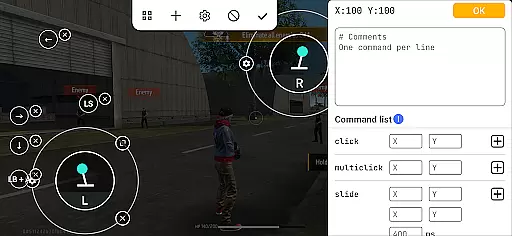
Panda Gamepad Pro is designed to provide unparalleled precision and effectiveness for mobile gaming. The app enables gamers to use their gamepads with direct compatibility across a wide range of mobile games, including shooting games, MOBAs, and sports titles.
By allowing users to launch games directly without the need for cloning or other workarounds, Panda Gamepad Pro ensures that players can dive straight into the action with their preferred controller. This seamless integration enhances gameplay by offering responsive controls that are tailored to each game's requirements.
The application supports nearly all gamepad brands, ensuring that whether you're using the latest controllers or older models, you'll experience optimal performance. With features like ban-proof gaming technology, users can enjoy their favorite titles without worrying about account restrictions.
Ultimately, Panda Gamepad Pro delivers on its promise of precision and comfort, making it an essential tool for any mobile gamer looking to elevate their gaming experience through reliable hardware support.
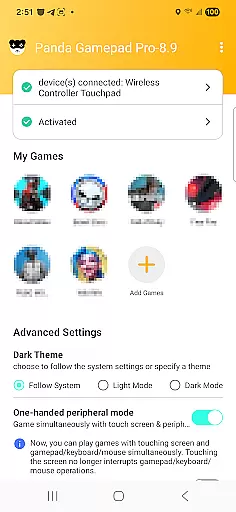
Achieving a balance between powerful functionality and user-friendly design, Panda Gamepad Pro offers an interface that is both simple and intuitive. From the moment users activate the appu2014whether directly on Android 11+ devices or via PC/Mac for earlier versionsu2014they are greeted with straightforward navigation options.
The activation process itself has been streamlined to ensure ease-of-use. For rooted devices, automatic activation removes any barriers to getting started quickly. Meanwhile, non-rooted device owners can follow clear instructions provided in video tutorials available at https://www.youtube.com/@0xgary.
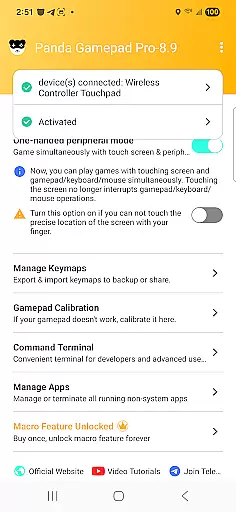
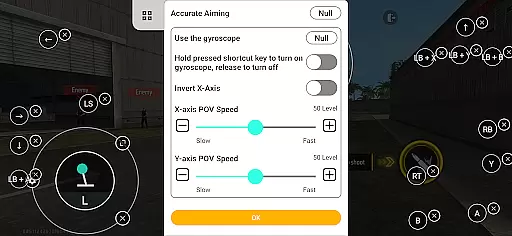
Within the app, settings are logically organized so that even those new to gamepad usage can easily configure their controllers. Secure Google Play login adds another layer of convenience while maintaining security standards expected from modern applications.
This focus on clarity extends throughout every aspect of Panda Gamepad Prou2019s design philosophy, ensuring that gamers spend less time configuring and more time enjoying enhanced control over their favorite mobile games.
Enhanced gamepad precision
Ban-proof technology
Universal gamepad support
Extensive game compatibility
Streamlined activation process
Requires initial setup
Limited iOS support
Premium version costs
Occasional connection issues
Learning curve for new users

Safely recover deleted photos, videos, and files with a single easy tap.
 3.70
3.70
Optimize your WiFi network, turn your phone into Wifi Analyzer
4.70
eXtended Permission Manager - a small app to manage permissions and AppOps
4.50
Undelete and recover your lost or deleted files with DiskDigger!
3.40
With videos, electrical calculators, and built-in ebook, Ugly’s has your answer.
4.50
Screen Mirroring for Roku Sticks, Roku TCL TV and Roku Hisense TV
4.50
Creation, Learning, Entertainment & More — The All-in-One AI Search Engine
4.70
Enjoy a smooth mobile reading experience!
3.60
Your personal health butler
3.60
Extremely fast, secure, and protects your privacy
4.80
Planner and Tracker for Stardew Valley
4.60
Button mapper, mouse toggle, sleep timer and a lot of another features
4.50
Universal TV remote control all TVs, Roku, LG, Samsung, Fire, Vizio, Sony, TCL.
4.40
Pro Emulator is an easy to use game console emulator for a range of consoles.
4.40
Remote for Roku, Fire TV, Samsung TV, LG TV, Android TV, Chromecast and VIZIO TV
4.20
App that Recover your pictures, videos or files after you delete them.
4.20
MS-DOS in your pocket. Play old DOS games anywhere you are ;)
4.10
A non-root local ADB shell client. READ BELOW!
3.40
Download any file easily and quickly with Downloader
4.4


User Reviews