
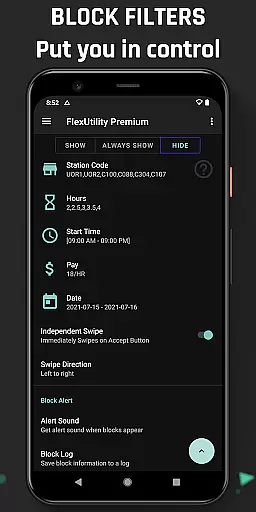
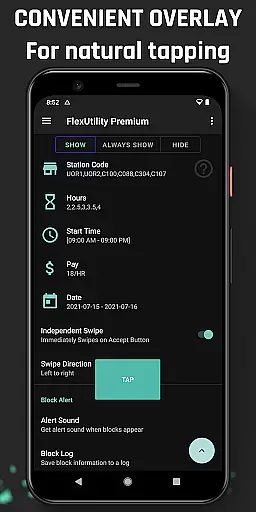
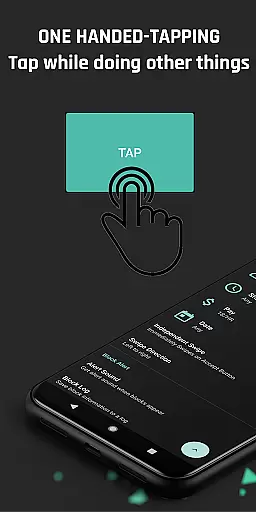
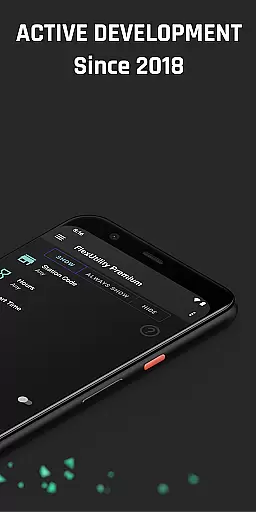
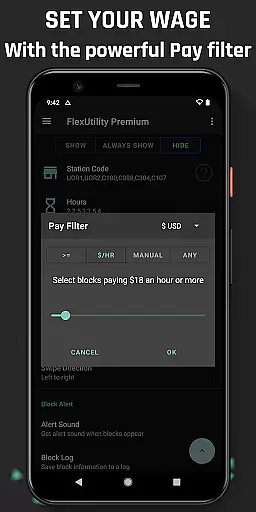
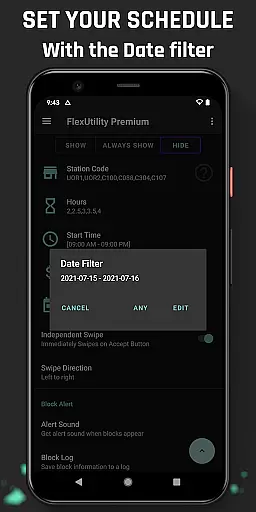
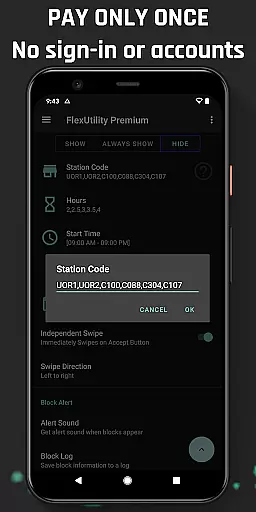
Flex Utility Premium is a specialized tool designed to enhance the experience of Flex drivers by streamlining their workflow. The app eliminates the need for constant attention to the screen with its unique one-tap overlay button, allowing users to multitask while searching for work blocks. It offers powerful filtering options that enable drivers to customize their work preferences, ensuring they only receive blocks that match their desired pay rate, preferred stations, workdays, start times, and job durations.
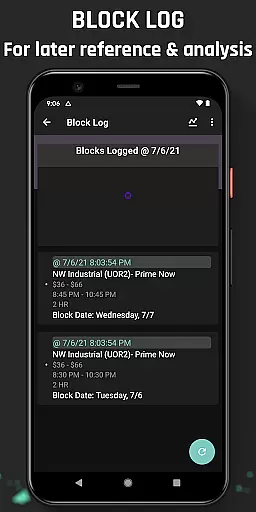
Beyond its core functionality, Flex Utility Premium provides additional features such as Block Alert and Block Log. These tools notify users when a suitable block becomes available and maintain a history of block patterns and missed opportunities, respectively. With regular updates since its inception in 2018 and a strong commitment to user satisfaction through its money-back guarantee, this app proves to be an invaluable asset for Flex drivers seeking efficiency and convenience in their operations.
Flex Utility Premium stands out with its array of practical features tailored for Flex drivers. At the heart of the app is the single-tap overlay button, which simplifies the process of accepting work blocks without the need for continuous screen interaction. This feature is complemented by sophisticated filters that allow drivers to specify their ideal working conditions, including pay rates, station codes, days of work, start times, and job lengths.
In addition to these primary functions, Flex Utility Premium includes a Block Alert system that notifies users when a block matching their criteria appears, freeing them from constant monitoring. The Block Log feature records historical data on block availability, aiding in strategic planning and analysis. As an Android Accessibility Service, it ensures privacy and security, using official libraries without collecting personal data or requiring user credentials, thus providing a reliable and convenient solution for drivers with disabilities or those needing extra interface feedback.
Flex Utility Premium exemplifies core function accuracy and effectiveness through its specialized design tailored for Flex drivers. The app's primary feature is the one-tapping overlay button, which eliminates the need for constant attention while searching for work blocks. This ensures that users can multitask efficiently without missing out on potential job opportunities.
The app's powerful filtering system further enhances its functionality by allowing drivers to customize their work preferences. Users can set specific criteria such as minimum pay rate, preferred station codes, desired work days, start times, and job durations. These filters ensure that only the most relevant and profitable blocks are accepted, optimizing the user's time and earnings.
Additional features like Block Alert and Block Log contribute to the app's overall effectiveness. The Block Alert notifies users when a suitable block becomes available, removing the need for continuous monitoring. Meanwhile, the Block Log provides valuable insights into block drop patterns and missed opportunities, with the option to export data for deeper analysis. These tools collectively empower drivers to make informed decisions and maximize their productivity.
By combining accessibility features with practical functionalities, Flex Utility Premium delivers a reliable solution that addresses the specific needs of its target audience. The app's commitment to regular updates and community-driven improvements ensures sustained accuracy and effectiveness, making it an indispensable tool for Flex drivers seeking to optimize their workflow.
Flex Utility Premium demonstrates exceptional interface simplicity and intuitiveness, designed specifically to enhance the user experience for Flex drivers. The app features a streamlined one-tapping overlay button that simplifies the process of accepting work blocks. This minimalistic approach reduces cognitive load and allows users to focus on other tasks while still being able to secure work opportunities efficiently.
The filtering system is presented in a clear and organized manner, enabling users to easily configure their preferences. Drivers can quickly set parameters for pay rate, station codes, work days, start times, and job durations without navigating through complex menus. This straightforward presentation ensures that even new users can immediately grasp how to customize their settings according to their needs.
Additional features like Block Alert and Block Log are integrated seamlessly into the interface. The Block Alert provides timely notifications without cluttering the screen, maintaining a clean and focused environment. Similarly, the Block Log offers easy access to historical data with simple export options for those who require more detailed analysis. These features are thoughtfully placed to avoid overwhelming users while still providing comprehensive functionality.
Flex Utility Premium's dedication to accessibility is evident through its use of official Android Accessibility Service libraries. The app maintains Google's standards for user interface feedback, ensuring compatibility with various devices and accommodating users with disabilities. By prioritizing intuitive design and maintaining a clutter-free interface, Flex Utility Premium successfully balances powerful features with ease of use, creating an optimal experience for all Flex drivers.
User-friendly interface
Customizable work filters
Efficient block management
Regular feature updates
Strong privacy protection
Not an auto-tapper
Premium version only
Limited to Flex drivers
No iOS compatibility
Requires Android device

Connect instantly to a fast, encrypted VPN with one tap
 4.60
4.60
HD Camera captures every special moment.
4.60
1-Click close all background apps on Android TV
3.90
Safely recover deleted photos, videos, and files with a single easy tap.
3.70
An open-source APK explorer for Android!
4.10
Create your own live wallpaper or check out thousands already made presets
3.90
Create your own custom widget with endless possibilities
3.90
Pro Emulator is an easy to use game console emulator for a range of consoles.
4.40
fast and easy mp3 music downloader
4.80
The ultimate tool for network analysis, wifi scanning and problem detection.
4.90
Canon PRINT is a companion app for your Canon printer.
4.60
Just swipe the edge to do something!
4.40
Complete kernel toolbox with features to manage and tweak your rooted device
4.30
PC precision for mobile gaming: dominate with keyboard and mouse!
4.30
App that Recover your pictures, videos or files after you delete them.
4.20
Carry a FTP server in your pocket and avoid USB cables for file transfer
4.20
VESC Tool can monitor and configure VESC-compatible devices over BLE and Wifi
4.20
Detect hidden spy camera with advanced scanning {{ Premium version }}
4.00
Clean the junk files on your device
3.40


User Reviews