
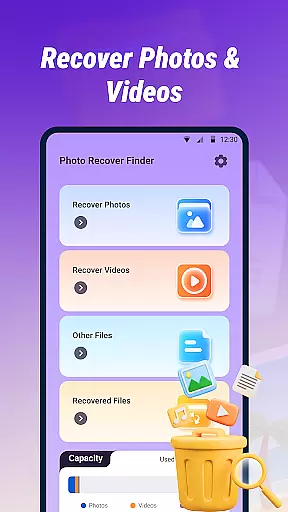
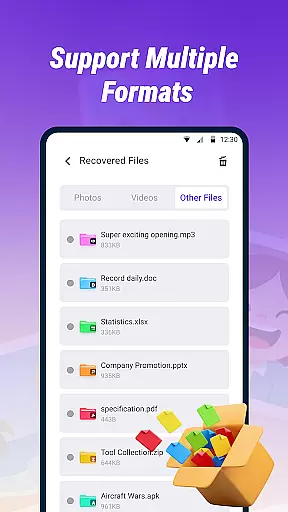
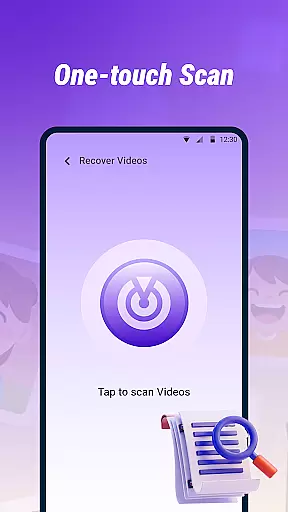
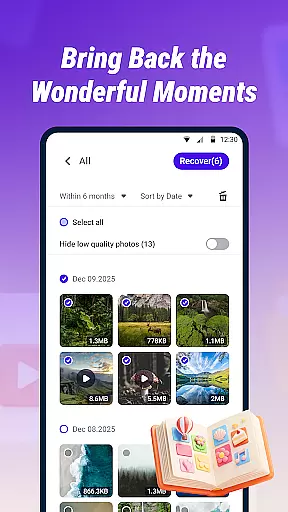
Photo Recover Finder is a powerful tool designed to help users retrieve accidentally deleted photos, videos, and files from their devices. With its Quick Scan feature, the app efficiently searches your device's storage for recoverable media in various formats such as JPEG, PNG, MP4, PDF, and DOC.
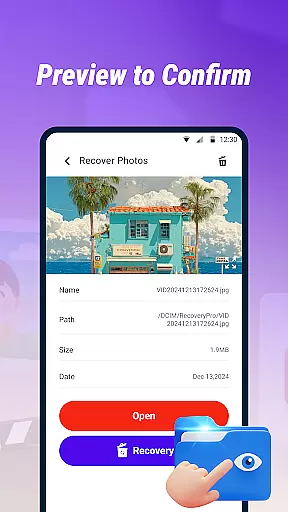
In addition to its scanning capabilities, Photo Recover Finder offers a Preview and Restore function, allowing users to view file contents before recovery. This ensures that you can accurately retrieve the files you need. The app is suitable for recovering lost memories or important documents and is designed with a user-friendly interface for ease of use.
Privacy and security are prioritized, with all operations performed locally on the device. Users are encouraged to act quickly for the best recovery results and to regularly back up important data to prevent future loss.
Photo Recover Finder stands out with its comprehensive set of features tailored for efficient file recovery. The Quick Scan functionality allows users to swiftly search through their device's storage to locate recoverable items. It supports multiple file formats including common image, video, and document types, making it versatile for different recovery needs.
One of the app's key highlights is the ability to preview files before restoration. This ensures users can verify the contents and make informed decisions about which files to recover. Additionally, the app is designed with simplicity in mind, featuring an intuitive interface that guides users through the recovery process in just a few steps.
For peace of mind, Photo Recover Finder operates locally without collecting personal data. The app requests storage access solely for scanning and recovery purposes, maintaining a commitment to user privacy and data security.
Photo Recover Finder excels in delivering precise and effective core functionality for recovering lost digital content. The app's Quick Scan feature ensures rapid detection of deleted photos, videos, and documents across various formats such as JPEG, PNG, MP4, PDF, and DOC.
The multi-format support guarantees that users can retrieve files in commonly used formats, making it versatile for different recovery needs. With the ability to preview file contents before restoration, users can verify the recoverability of their data, ensuring they get exactly what they need without any guesswork.
This level of accuracy not only saves time but also provides peace of mind knowing that valuable memories and important files can be restored efficiently and reliably. The app's commitment to performing all operations locally enhances its effectiveness by maintaining data integrity and security throughout the recovery process.
The interface of Photo Recover Finder is designed with simplicity and user-friendliness in mind, allowing even novice users to navigate and operate the app effortlessly. Its clear layout and straightforward operation process guide users through scanning, previewing, and restoring their files in just a few intuitive steps.
Each feature, from Quick Scan to Preview and Restore, is presented in an easily understandable manner, eliminating confusion and reducing the learning curve typically associated with technical tools. This simplicity does not compromise functionality; instead, it enhances the overall user experience by focusing on essential tasks without unnecessary complexity.
By prioritizing an intuitive design, Photo Recover Finder ensures that users can focus on what truly mattersu2014recovering their lost datau2014without being overwhelmed by complicated settings or procedures. This approach makes digital recovery accessible to everyone, regardless of technical expertise.
User-friendly interface
Multi-format support
Quick scanning capability
Preview before recovery
Local operation ensures privacy
Recovery success not guaranteed
Limited to local storage
No cloud backup option
Dependent on file condition
Requires sufficient storage

HD Camera captures every special moment.
 4.60
4.60
Complete kernel toolbox with features to manage and tweak your rooted device
4.30
Canon PRINT is a companion app for your Canon printer.
4.60
Carry a FTP server in your pocket and avoid USB cables for file transfer
4.20
Amateur Radio app for APRS: Track friends, exchange messages, get tactical info.
3.90
A non-root local ADB shell client. READ BELOW!
3.40
Download any file easily and quickly with Downloader
4.3
Protect your device with antivirus, storage cleanup, and system monitoring
4.70
Fast VPN USA for any country. Super secure VPN for calls, streaming, games, TV.
4.40
Excellent scientific calculator with symbolic algebra, integrals, derivatives
4.80
Easily install aab(Android App Bundle) files on your Android device with our app
4.80
Learn the vast amount of system information about device and monitor it's state
4.70
Connect instantly to a fast, encrypted VPN with one tap
4.60
Button mapper, mouse toggle, sleep timer and a lot of another features
4.50
Use your phone as a webcam on your computer over WiFi or USB.
4.40
App that Recover your pictures, videos or files after you delete them.
4.20
MS-DOS in your pocket. Play old DOS games anywhere you are ;)
4.10
Create your own live wallpaper or check out thousands already made presets
3.90
Unlock your Essential Key. Create custom shortcuts to your favorite apps!
4.0


User Reviews